Search suggestions are real-time suggestions that get displayed as you enter text in a search field, reducing the effort to enter text and helping you discover the right result more quickly. iManage Work provides suggestions when searching for a workspace, document, or email.
As you begin a search, iManage Work automatically suggests up to five matching results after you enter three characters, making it easier to find what you need using a simple or advanced search.
The suggestions include metadata displayed below a workspace, document, or email in the list view, as configured in iManage Control Center. For example, if you’ve configured the Create date and Owner fields to be displayed for a workspace in the list view, the same fields are shown in the search suggestions when searching for workspaces.
Table: Types of search suggestions
Type of search suggestion | How it’s displayed in the user interface |
|---|---|
Workspace | 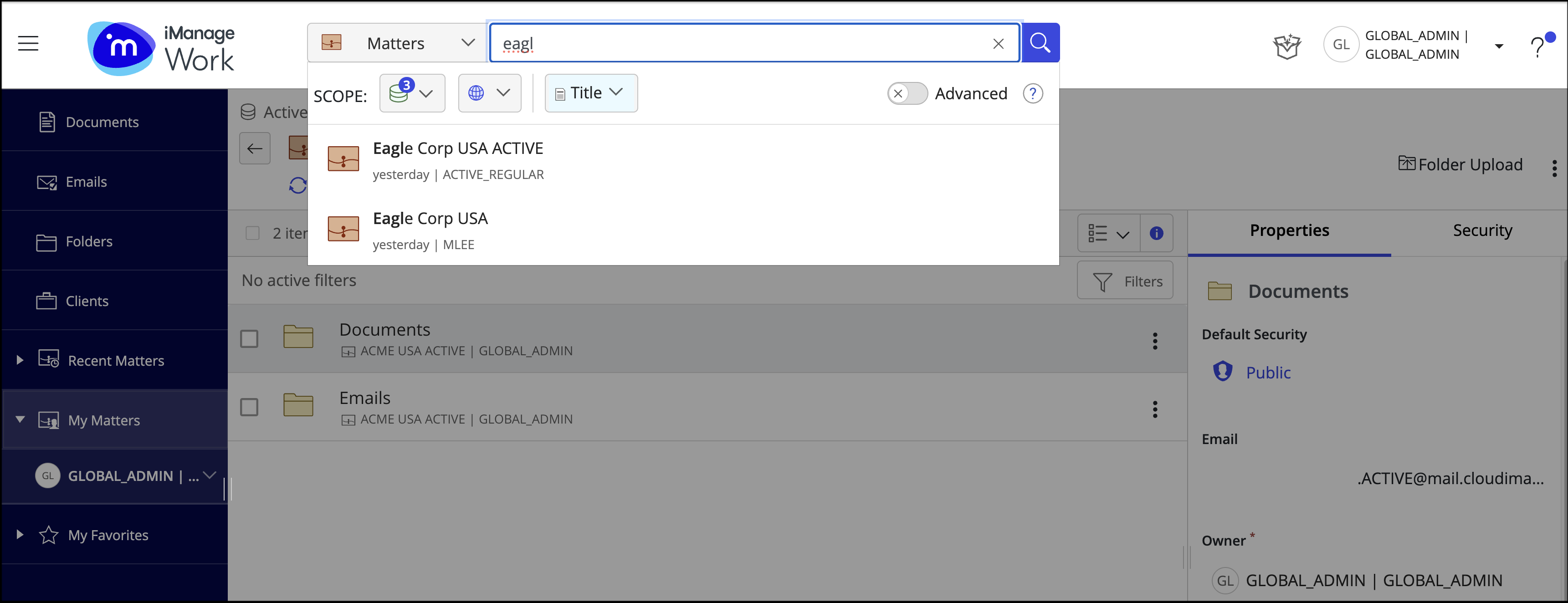 |
Document | 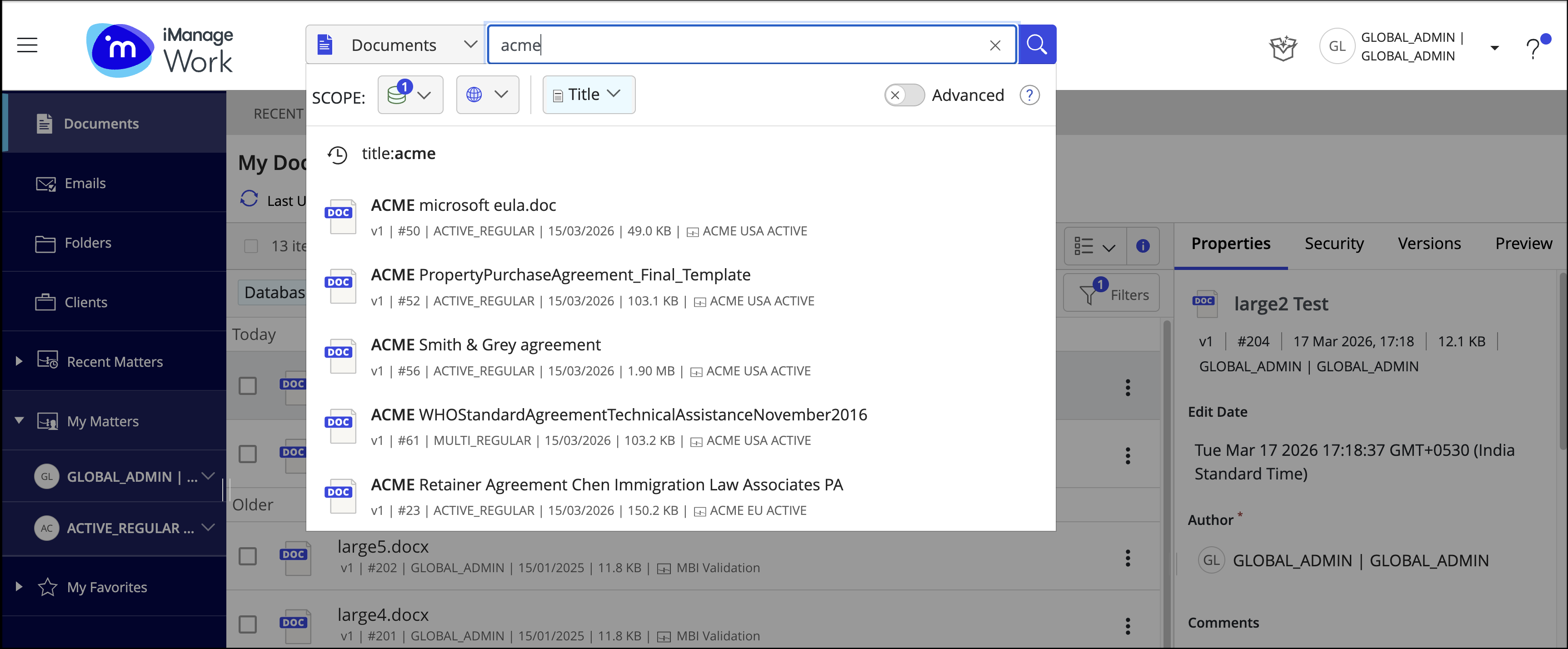 |
| 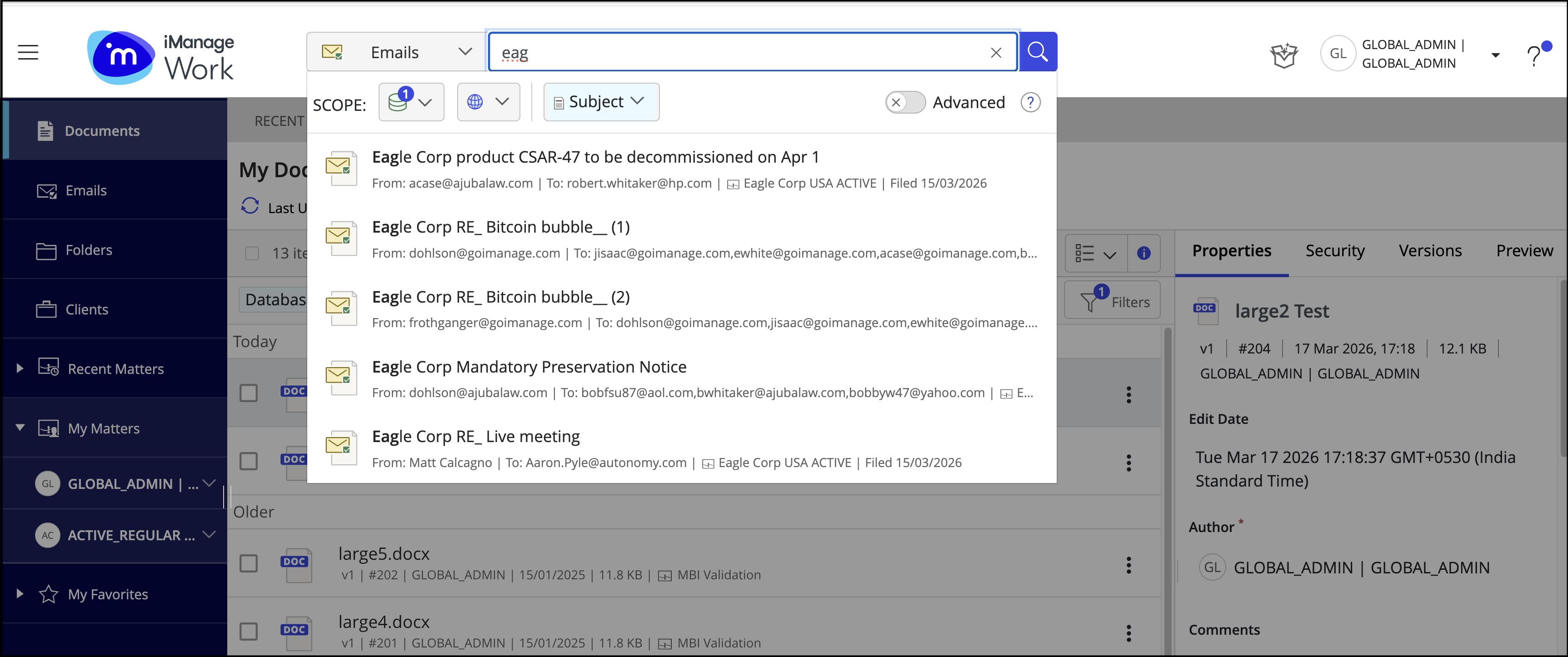 |
When you use search suggestions, it's important to understand what happens when you select a suggestion and what fields are supported for search suggestions, which is explained in the following table.
Table: Search suggestion behavior
When searching for a: |
 | The supported field(s) are: | | Selecting one of the search suggestions navigates you to: |
|---|---|---|---|---|
Workspace | Title, keyword, and description |
| ||
Document | Title |
| ||
Subject |
|
Search suggestions are available in:
iManage Work panel for Microsoft Outlook
File Open / Save As dialog
File picker dialog