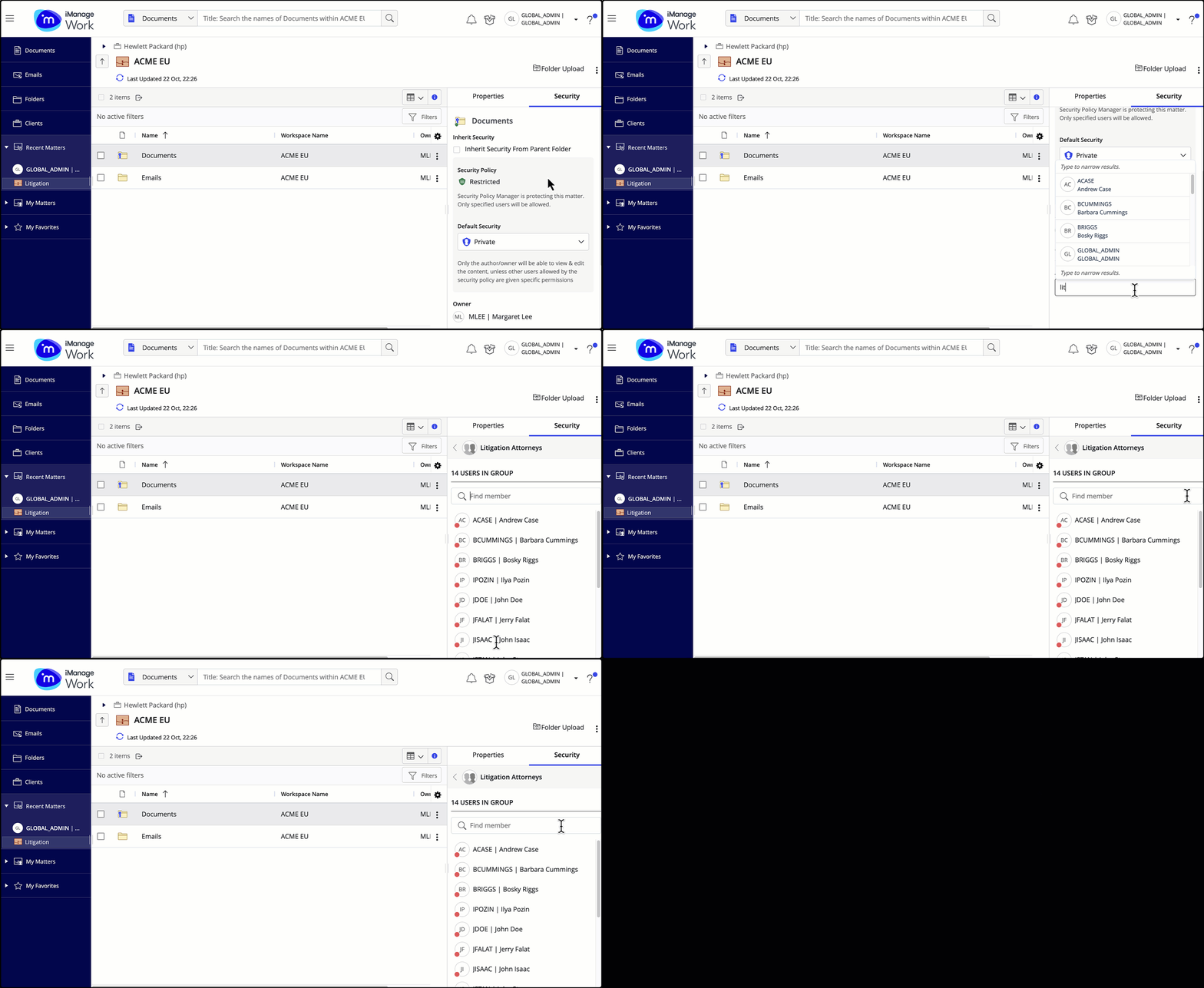
When viewing members of a group on the Security tab, you can use the Find member search to find members by their alias or full name.
The group can either be an iManage Work or Security Policy Manager(SPM) group.
Select Show Details and then select the Security tab.
Select the Add Users/Groups field to search for new users and groups to add. A list of available users and groups is displayed.
Select your preferred group and then select View members. A list of the members of the group is displayed.
Select the Find member field and enter the alias or the name of the user whom you wish to locate.
Figure: Searching for members in iManage Work or SPM user groups