If you have read/write permissions to single or multiple items (documents or emails) that were declared as records, you can undeclare the item as a record.
Undeclaring an item restores it to its status before declaration, and you can change its profile information. However, you can undeclare an item only within a specific period after the item was declared. After this period expires, you can't undeclare the item.
To undeclare item(s) as a record:
Select your preferred item(s) from one of the following views:
Document folder
Saved search folder
Document or Email search results
Recent Documents
Recently filed emails
Emails filed by me
Select either of the following:
More Actions and then select UnDeclare As Record from the context menu.
UnDeclare As Record on the multi-select toolbar.
A progress dialog is displayed.
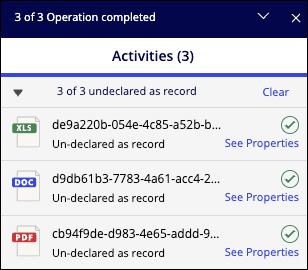
After you’ve undeclared an item as a record:
The Record :record: icon disappears next to that item.
The action is recorded in the item history.