From iManage Drive for Mac 10.12.1 onward, when you enter an invalid parameter or value in the admin_setttings.yaml file, iManage Drive for Mac displays a notification stating that an admin setting is invalid as shown in the following figure.
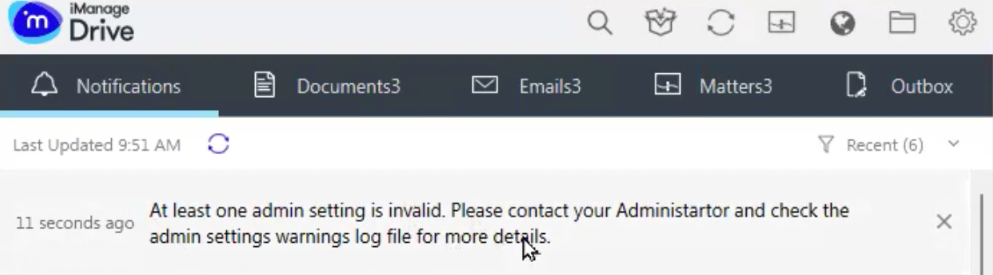
A warning log file (admin_settings_warnings.log) is also generated, telling you which admin setting has an invalid parameter. You can then browse to Settings > Show iManage Drive log folder and open the admin_settings_warnings.log file to troubleshoot the issue.
If the Show iManage Drive log folder option isn’t displayed, you can access this folder from Finder. For more information about how to access the log folder from Finder, refer to Accessing iManage Drive Log.
Additionally, you can no longer use the hyphen (-) in admin settings and should use an underscore (_) instead. For example, user_role.