iManage Tracker lets you configure a default status value that is automatically assigned to newly created tasks, eliminating the need to manually set an initial status.
Setting the global default status
This setting is available to administrators with access to Control Center.
Sign in to Control Center.
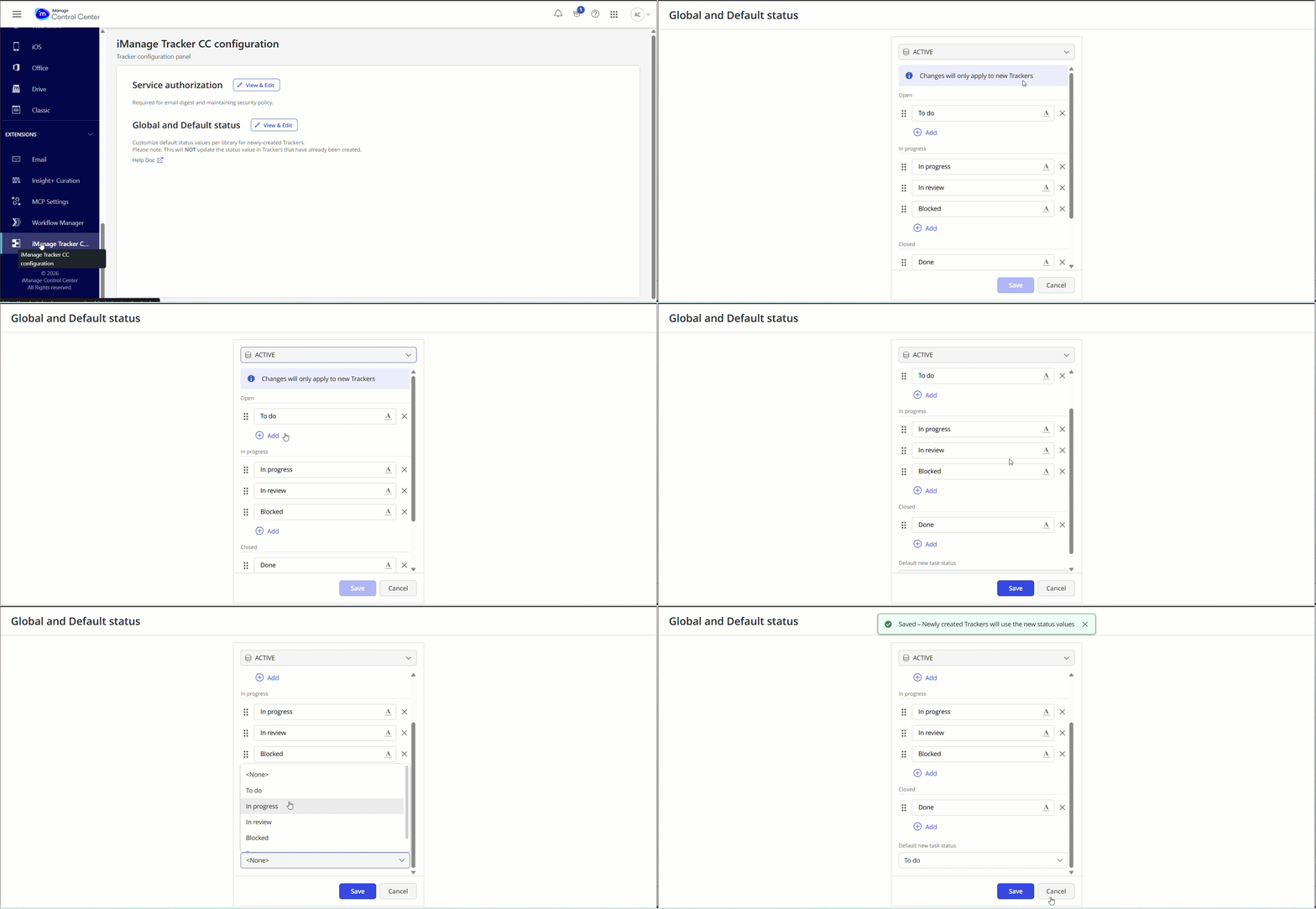
From the side panel, select iManage Tracker CC configuration from the Extensions section.
Select View & Edit next to Global and Default Status on the Tracker Configuration panel. The Global and Default Status panel opens in a new tab.
In the Global status values panel (opens in a new tab), select the library for which you want to configure the status from the drop-down list at the top.
Select Add under the Open, In Progress, or Closed sections to add new status values.
To remove a status value, select the remove icon
 near the status text box. You can also change the color of the status by selecting the color icon
  in the status text box.
 From the Default new task status drop-down list, select the status value that you want to automatically assign to all new tasks. Once set, every new task created in this tracker will default to the selected status.
Select Save.
NOTE: This configuration applies only to new tasks. Existing tasks retain their status values and are not updated.
Priority and inheritance
When you configure a default status at both levels, iManage Tracker follows a defined order of priority to determine which value is applied to a new task. If you set a tracker-level default, that value takes precedence. If no tracker-level default is configured but a global default exists, the global default is applied. If neither is set, the status field is left blank on new tasks.
However, once a tracker-level status configuration is set up (even if it includes additional or different values), that tracker's status list becomes the active set. The default value is then determined from this tracker-level list, not the global one. This means even if the global default is set to say, To Do, a tracker with its own configuration and a tracker-level default of say, None, will create tasks with a blank status — because the tracker-level settings take full priority, including both the available status values and the default.