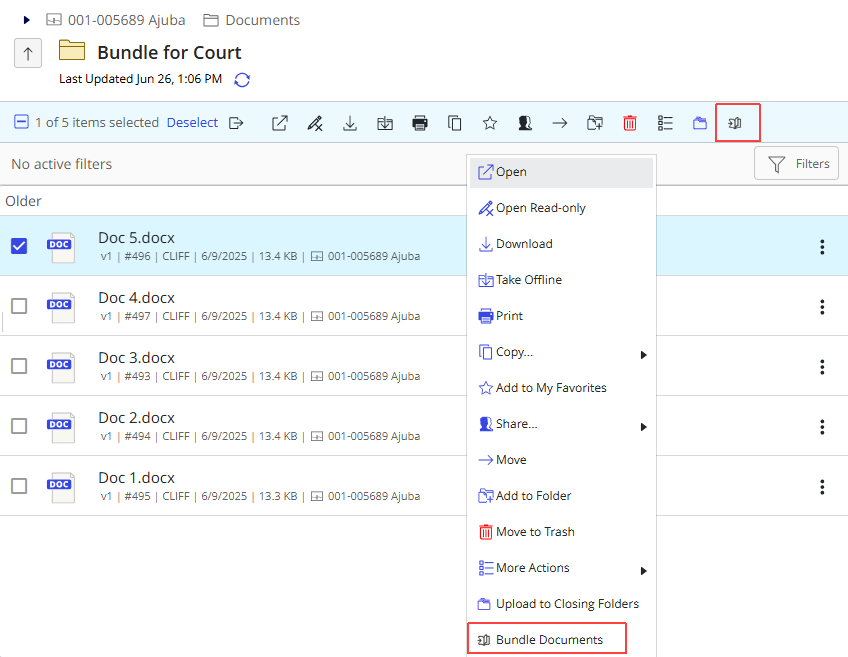
To allow users to access Bundle Builder directly from the iManage Work web client, configure the Documents context menu in iManage Control Center.
To complete this task, you must be a member of the NRTADMIN group or assigned to a role with Tier 2 access in Control Center.
To add Bundle Builder to the Documents menu in the iManage Work web client:
In iManage Control Center, go to Work Clients > Web Client > Context Menus.
Figure: Browse to Work Clients > Web Client > Context Menus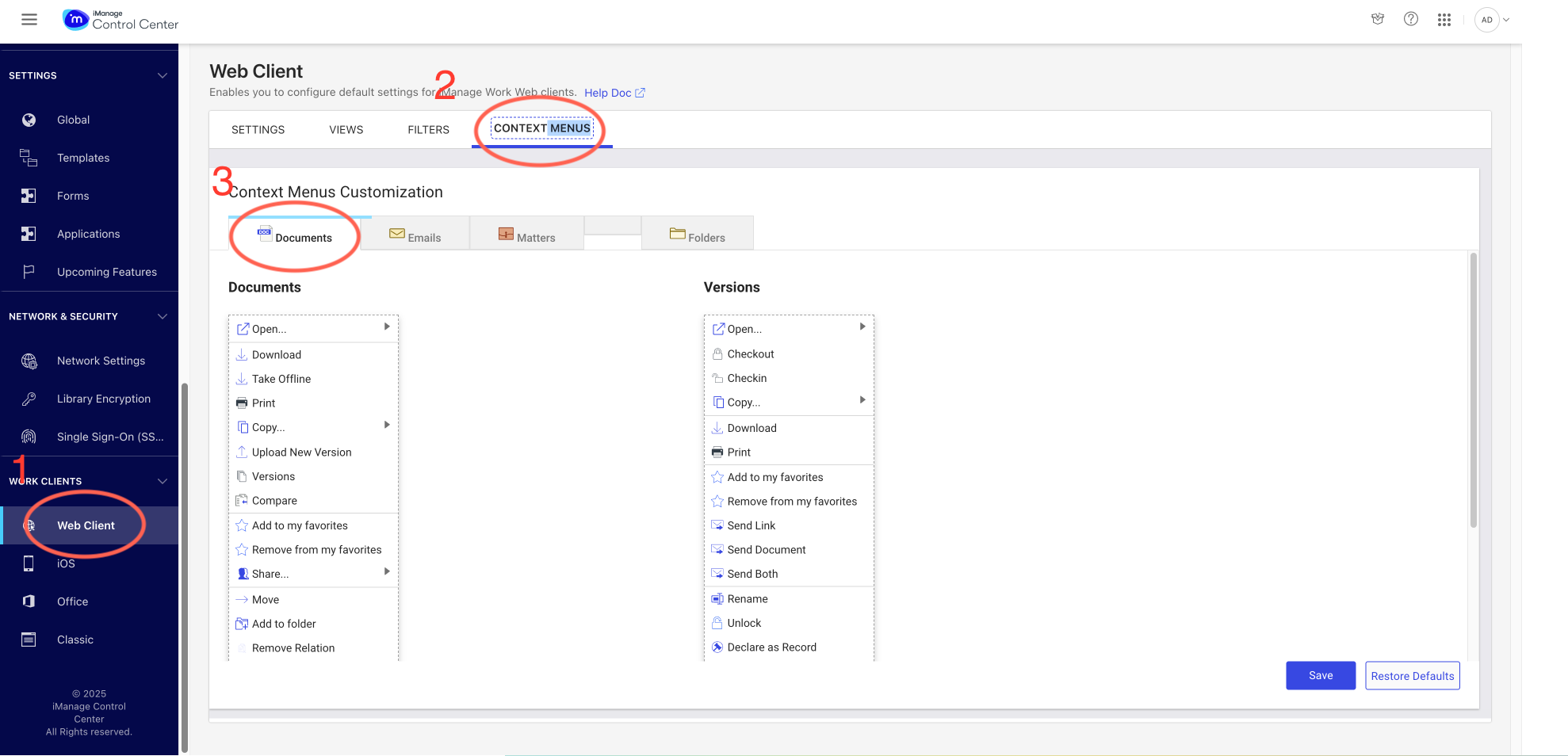
On the Documents menu, select the
 Edit icon.Figure: Edit the Documents menu
Select Add action, then select Bundle Documents.
Figure: Add action to the Documents menu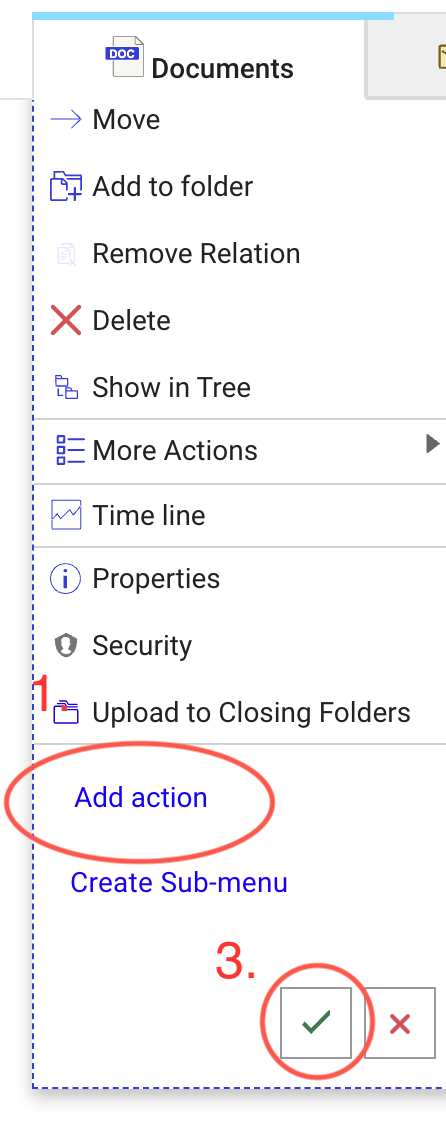 Figure: Select the Bundle Documents menu option
(Optional) Drag menu items to change their order.
Select the
icon and then select Save to apply the changes.
Select Save to confirm and finish. The Bundle Documents menu item is now present for users in iManage Work.
Figure: Bundle Documents menu option in iManage Work