To enable iManage Work Bundle Builder, you must sign in to iManage Control Center using an account assigned to a Global Management role that includes the App Management privilege. (For details, refer to Global privilege descriptions.)
To enable iManage Work Bundle Builder:
Sign in to iManage Control Center using an account with the required role and privilege.
Browse to Settings > Applications.
Select Add Application, then search for iManage – Bundle Builder.
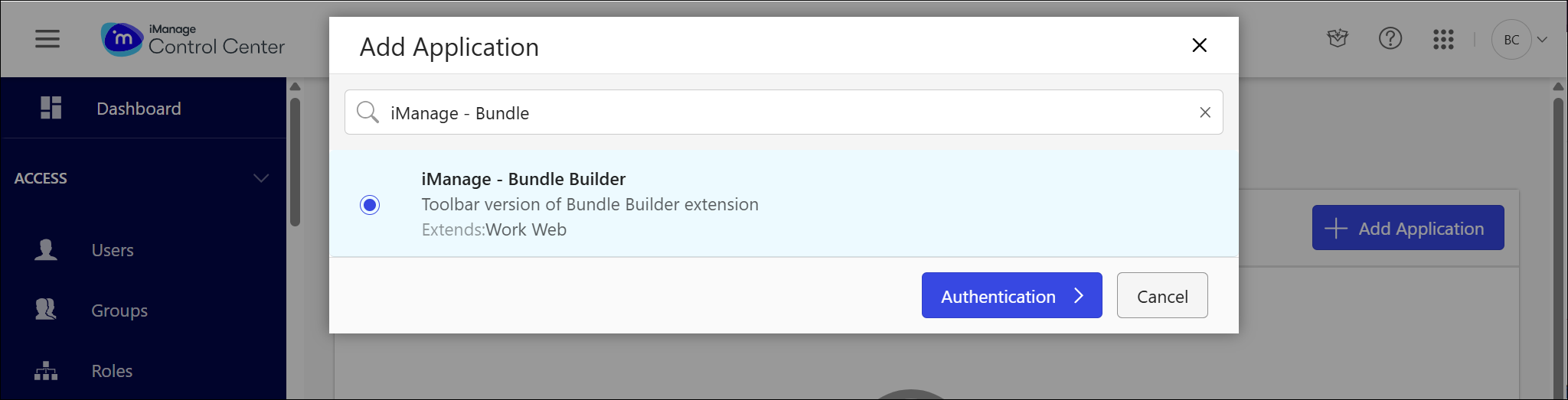
NOTE: iManage Work Bundle Builder requires a subscription. When you subscribe, activate the iManage – Bundle Builder in your environment.
Select iManage – Bundle Builder, then configure the following:
Select Authentication. Review and edit any of the following settings:
Allow Refresh Token: Yes (default)
Refresh Token Timeout: 365 days (default)
Access Token Expiry: 30 minutes (default)
Select Access.
Select All Users to grant access to everyone.
To restrict access, select Custom and add specific users.
Select Review. Confirm the settings, and then select Finish.