Email filing errors
From version 10.9.0 onwards, a new option  Show Filing Errors is available in Microsoft Outlook. When you select this option, it displays all the emails that weren't filed to iManage Work due to various errors.
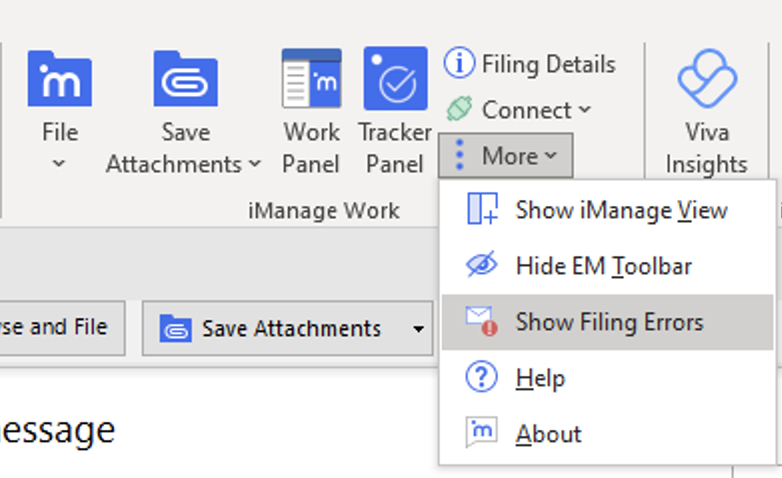
To access Show Filing Errors, browse to iManage tab in Microsoft Outlook and then select More. The Show Filing Errors option is available in the drop-down menu as displayed in the following figure.
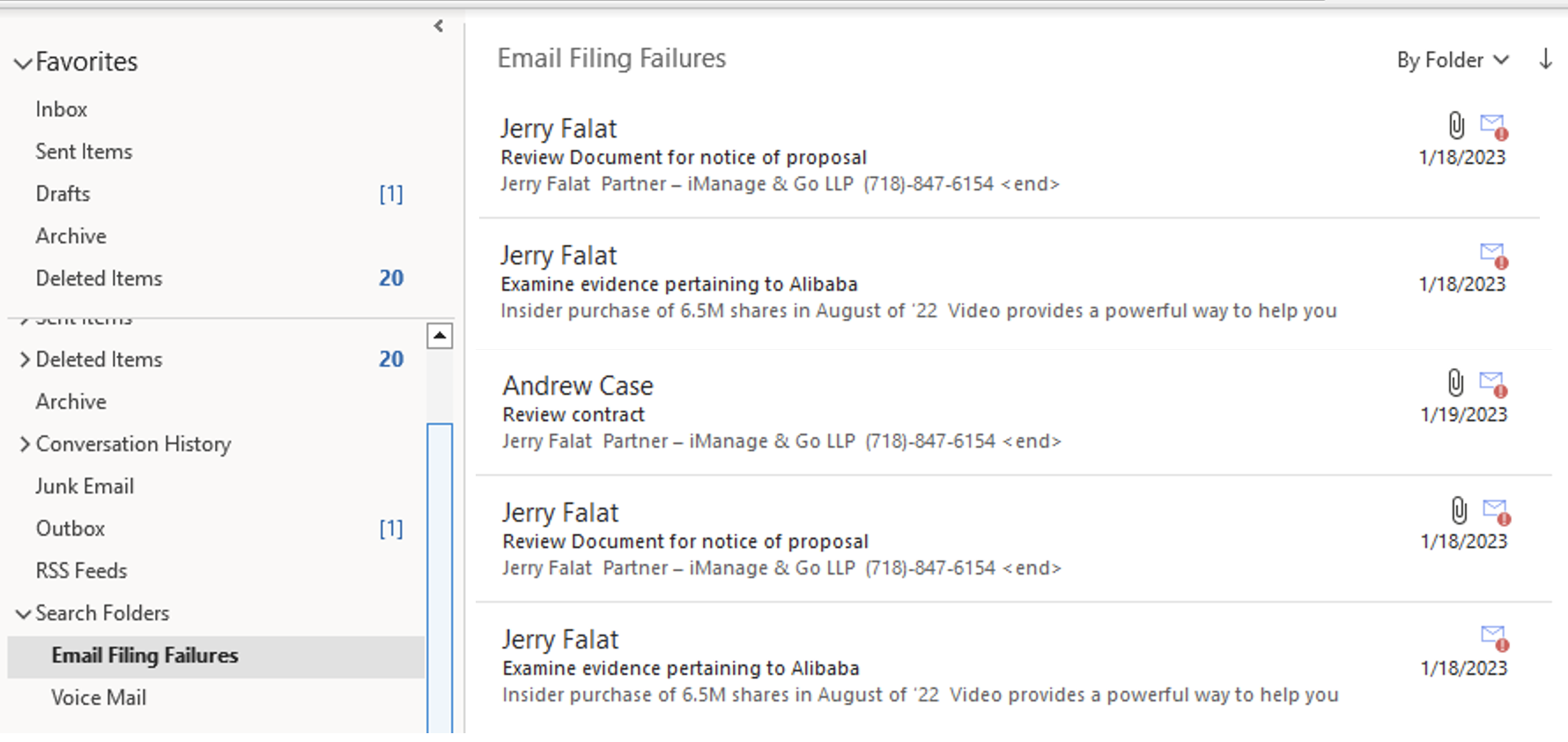
When you select Show Filing Errors, all the emails that aren't filed due to various errors are displayed as shown in the following figure. These emails are available in the Email Filing Failures search folder. The Email Filing Failures search folder is available under Search folders in the Microsoft Outlook tree.
NOTE:
If a search folder isn't available in your inbox, it's created, when you select
Show Filing Errors.If you don't have sufficient permissions to create a search folder in the current mailbox, selecting
Show Filing Errorsdisplays the following error message. Figure: Error message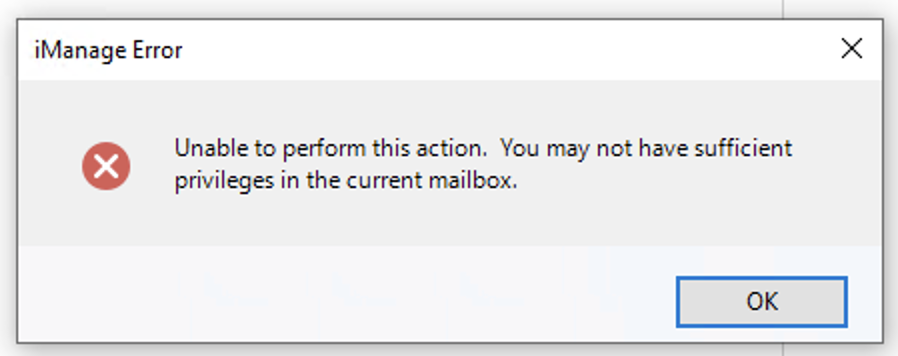
Retry email filing
NOTE:
The Retry Filing feature is enabled when the
UseClientSideFilingandClientSideSendandFileconfiguration settings are enabled in the imEMM.config file.The Retry Filing feature may not file all emails that weren't previously filed due to errors. For example, if the filing failed for certain emails because you don't have access to the filing location then the filing continues to fail until you get the necessary access.
You can now retry to file the emails displayed in the Email Filing Failures folder by using the Retry Filing option available in the right-click menu.
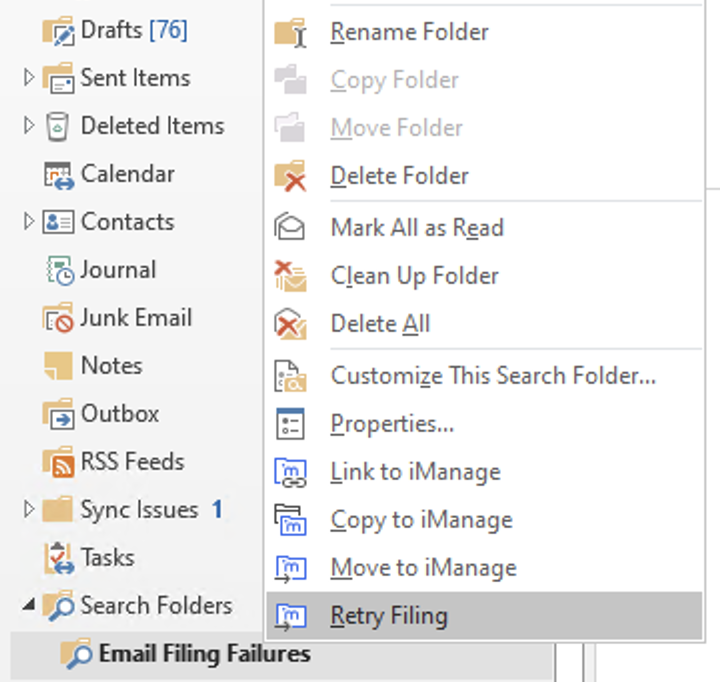
Right-click the Email Filing Failures folder and then select Retry Filing as shown in the following figure:
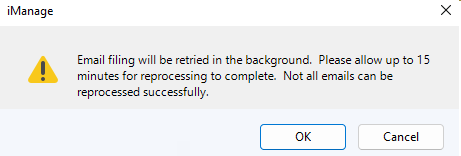
Selecting Retry Filing displays the following message:
The emails are reprocessed and filed to the previously suggested location(s). Once they are filed, they no longer appear in the Email Filing Failures folder.
You can also use keyboard shortcuts to select the Retry Filing option. Refer to Filing emails for more information.