You can view a location or the locations to which an email is filed by doing the following:
In your mailbox, select the email that's successfully filed to iManage Work.
Right-click the email.
Browse to Go to iManage Folder. The filed location or locations are displayed as shown in the following figure:
Figure: Go to iManage Folder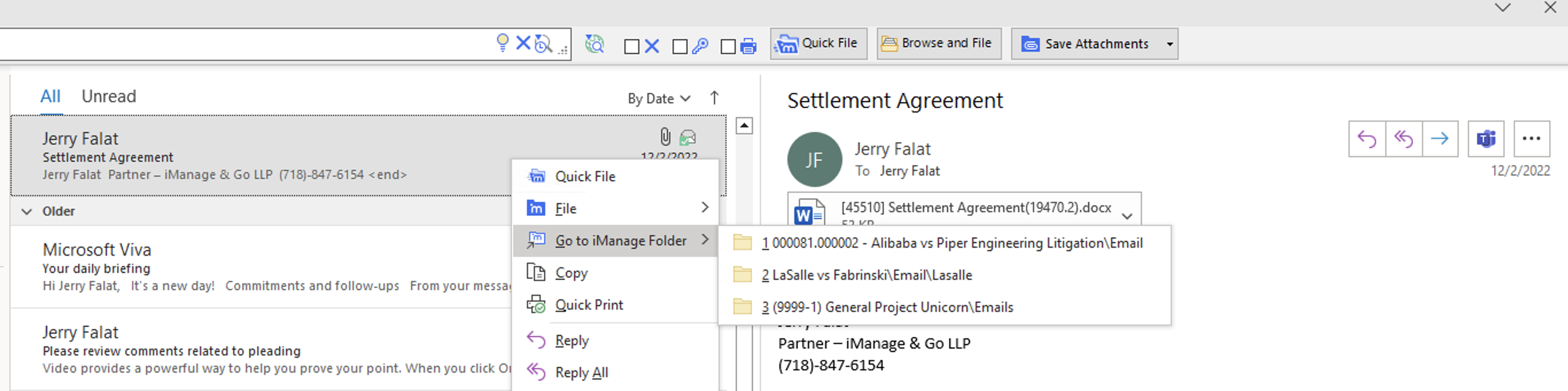
Select the location. It opens in iManage Work Panel.