Microsoft is improving the security of apps built with the Intune SDK. Microsoft is requiring apps using Intune SDK version 21.1.1 and later to be registered in Microsoft Entra by December 15, 2025.
Before deploying iManage Work 10 Mobility for Intune version 10.24.4 or later, administrators must complete the steps below.
IMPORTANT: If the following actions aren't completed before users update to iManage Work 10 for Intune version 10.24.4, users will be blocked and will receive the following message:
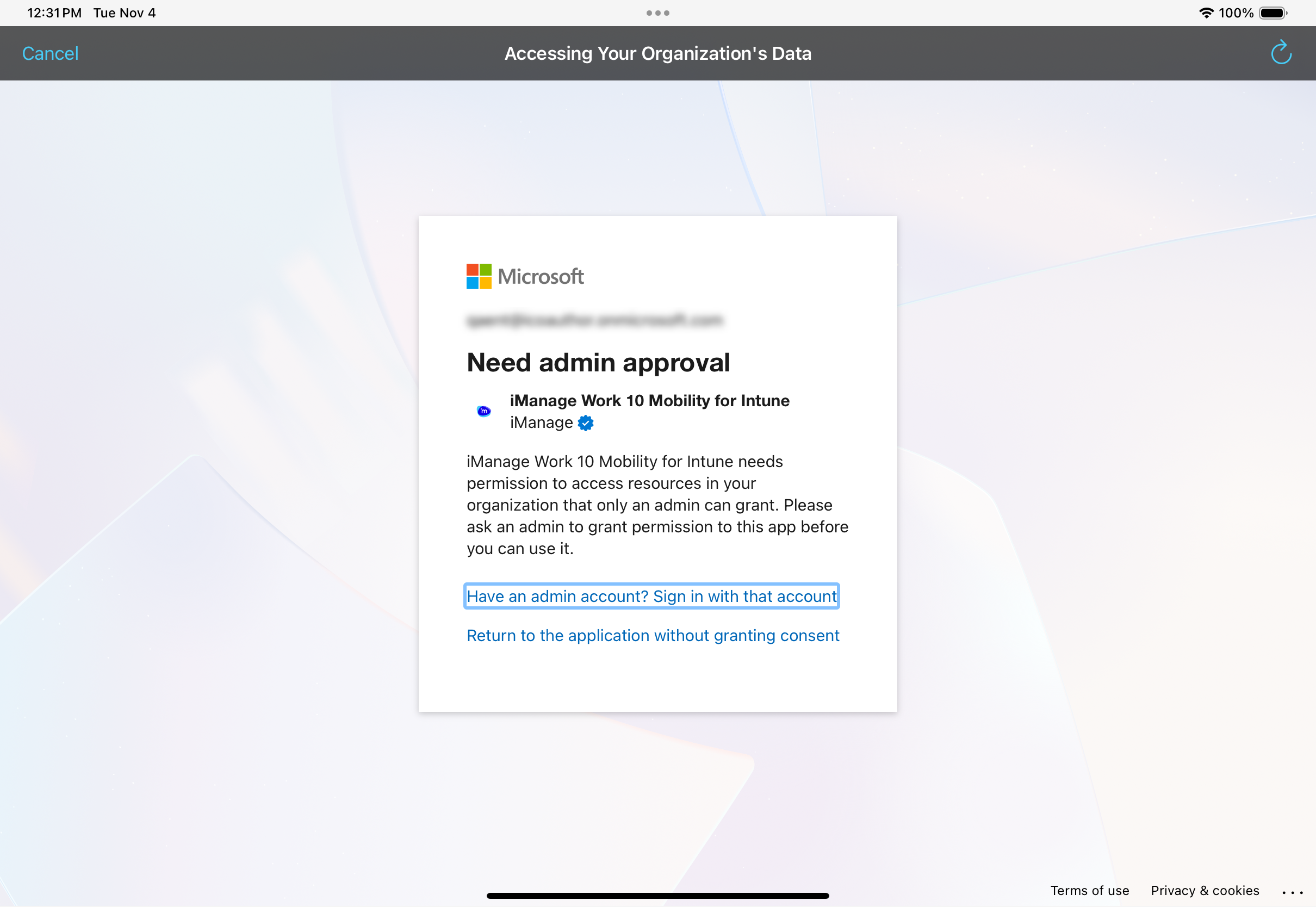
To add the iManage Work 10 Mobility for Intune application to your Microsoft Entra environment:
Sign in to the Microsoft Entra admin center.
Access the following URL into your browser:
https://login.microsoftonline.com/organizations/adminconsent?client_id=e57bc82d-058b-4555-accc-4dea116d3a33
The following message is displayed, requesting permission for the following API permissions:
Microsoft Graph: User.read - This allows Microsoft Entra to sign the user in and read their profile.
Microsoft Mobile Application Management: DeviceManagementManagedApps.ReadWrite - This allows the iManage Work 10 Mobility for Intune app to read and write the users app management data.
Figure: Permission request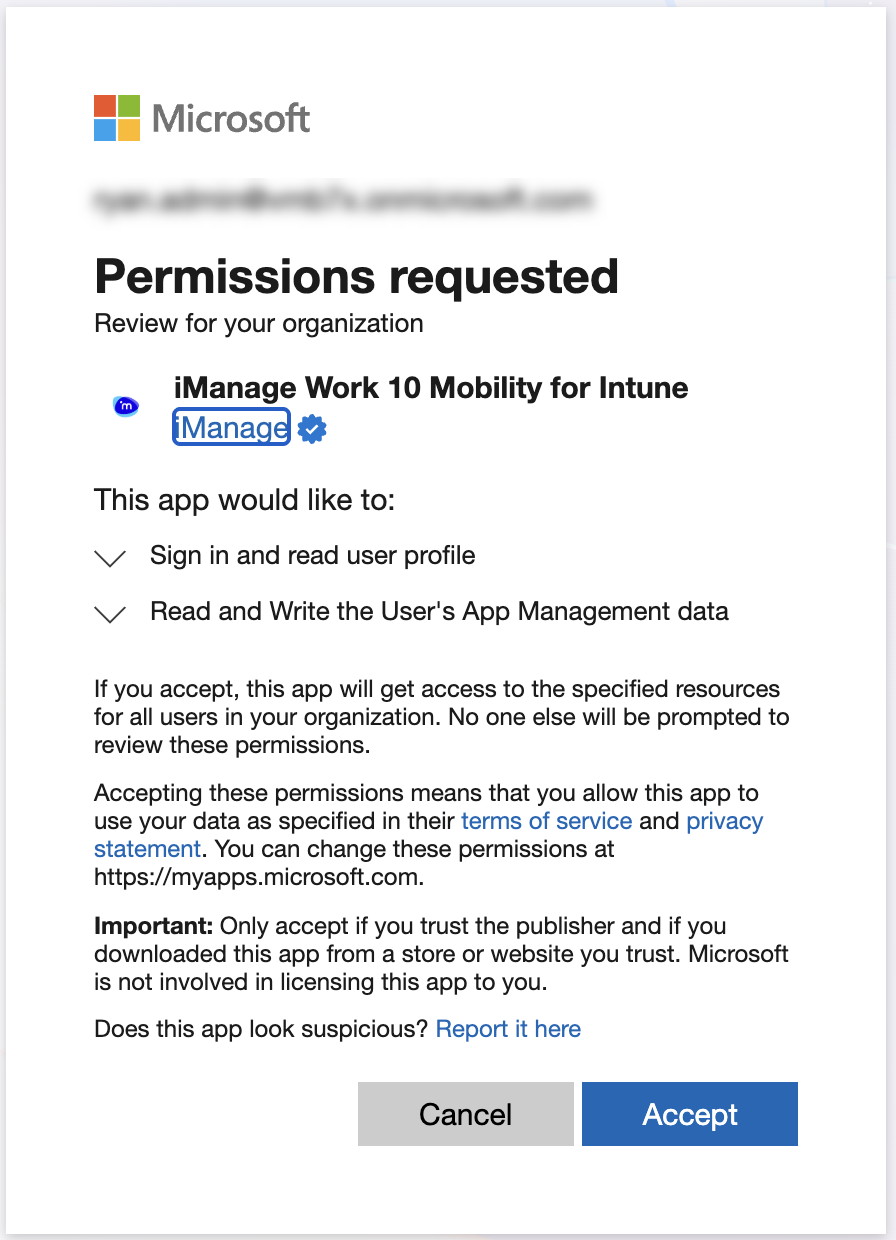
Select Accept.
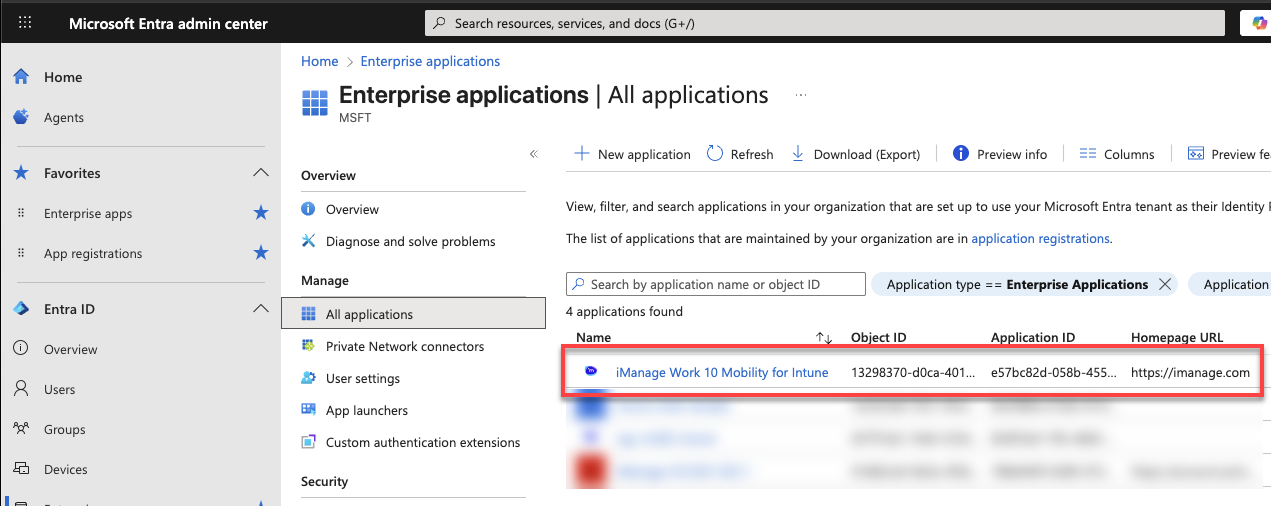
To verify that iManage Work 10 Mobility for Intune is added to your Microsoft Entra environment, browse to Enterprise Applications in Microsoft Entra admin center.
iManage Work 10 Mobility for Intune should be displayed in the list.Figure: iManage Work 10 Mobility for Intune registered in Microsoft Entra