In iManage Work at cloudimanage.com, open the Ask iManage page. For instructions on how to access Ask iManage page, refer to Accessing Ask iManage page in a new tab or browser.
In the left pane, in the Ask anything about your content field, ask a question related to the selected documents.
Figure: Asking questions using Ask Across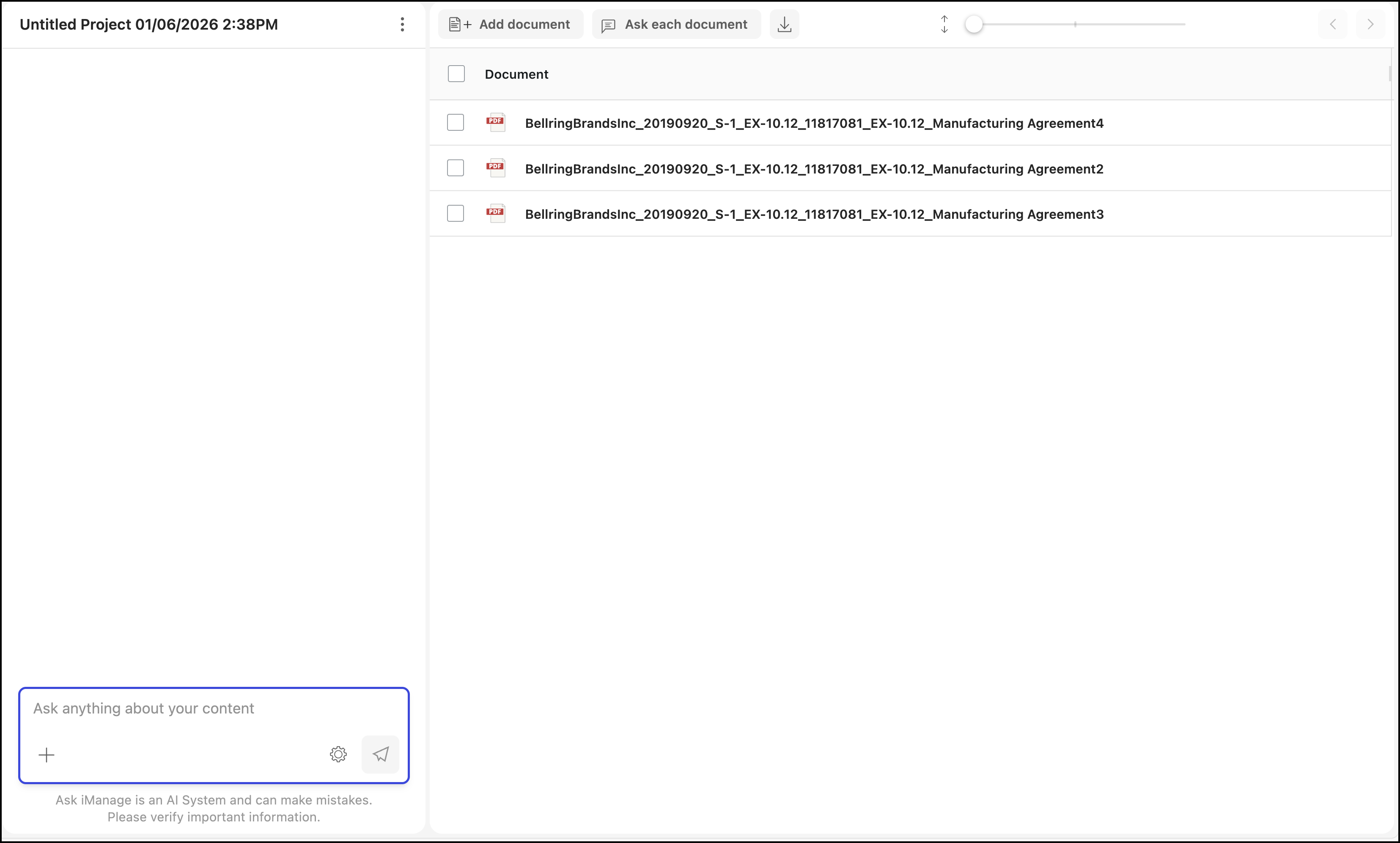
When using Ask Across to ask a question, Ask iManage provides a list of sub-queries and answers these sub-queries as shown in the following figure. The answers provided are across all the documents you've selected.
For example, if your question is “What is the manufacturing agreement?”, Ask iManage breaks this query into sub-questions and provides answers for all the sub-questions:Does this document identify itself as a manufacturing agreement or contract? What is its stated purpose, effective date, and the parties involved?
What does this document state about manufacturing agreements?
Figure: Answers for questions asked using Ask Across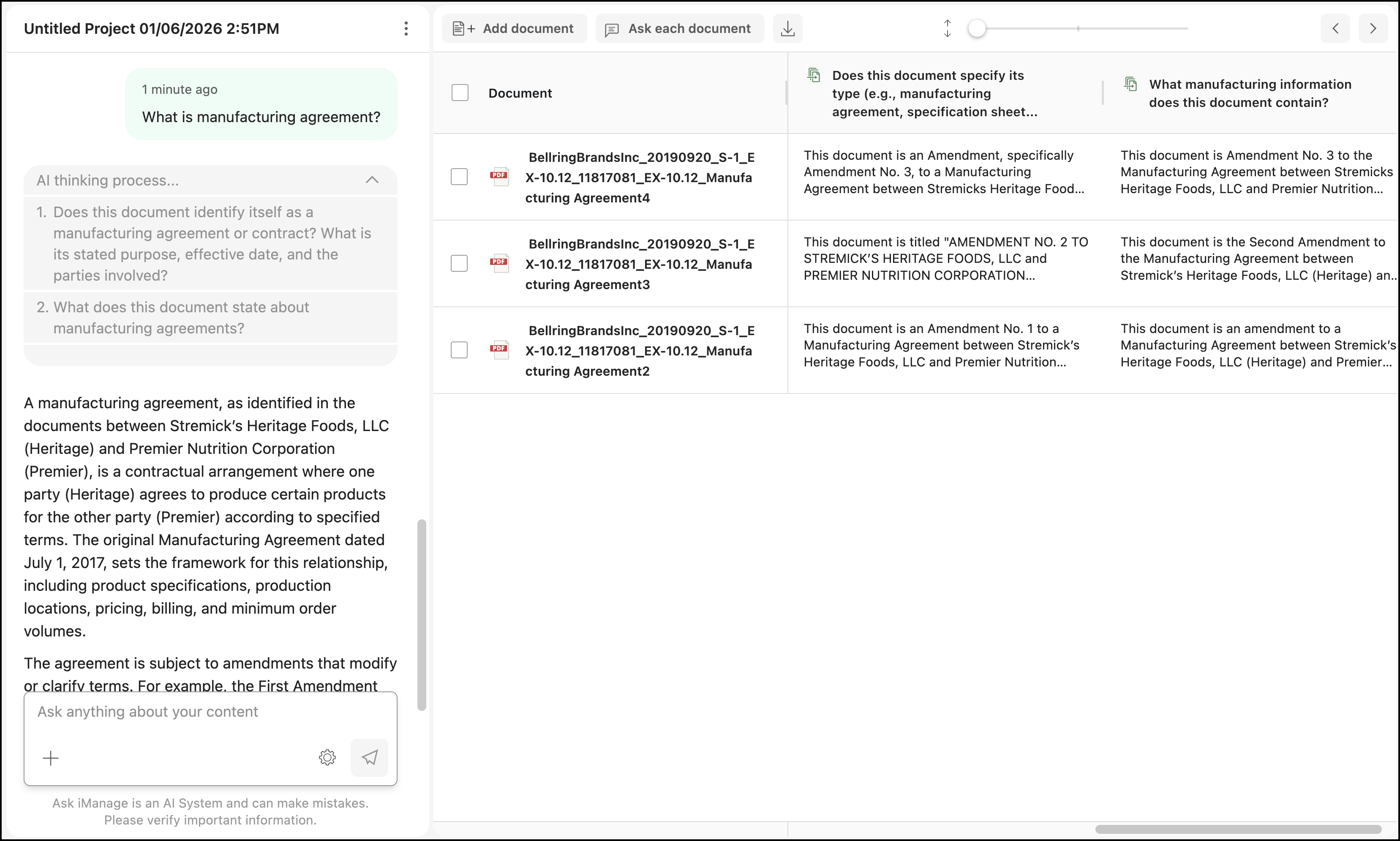
The summary of the question is displayed as shown below:
Figure: Summary of the question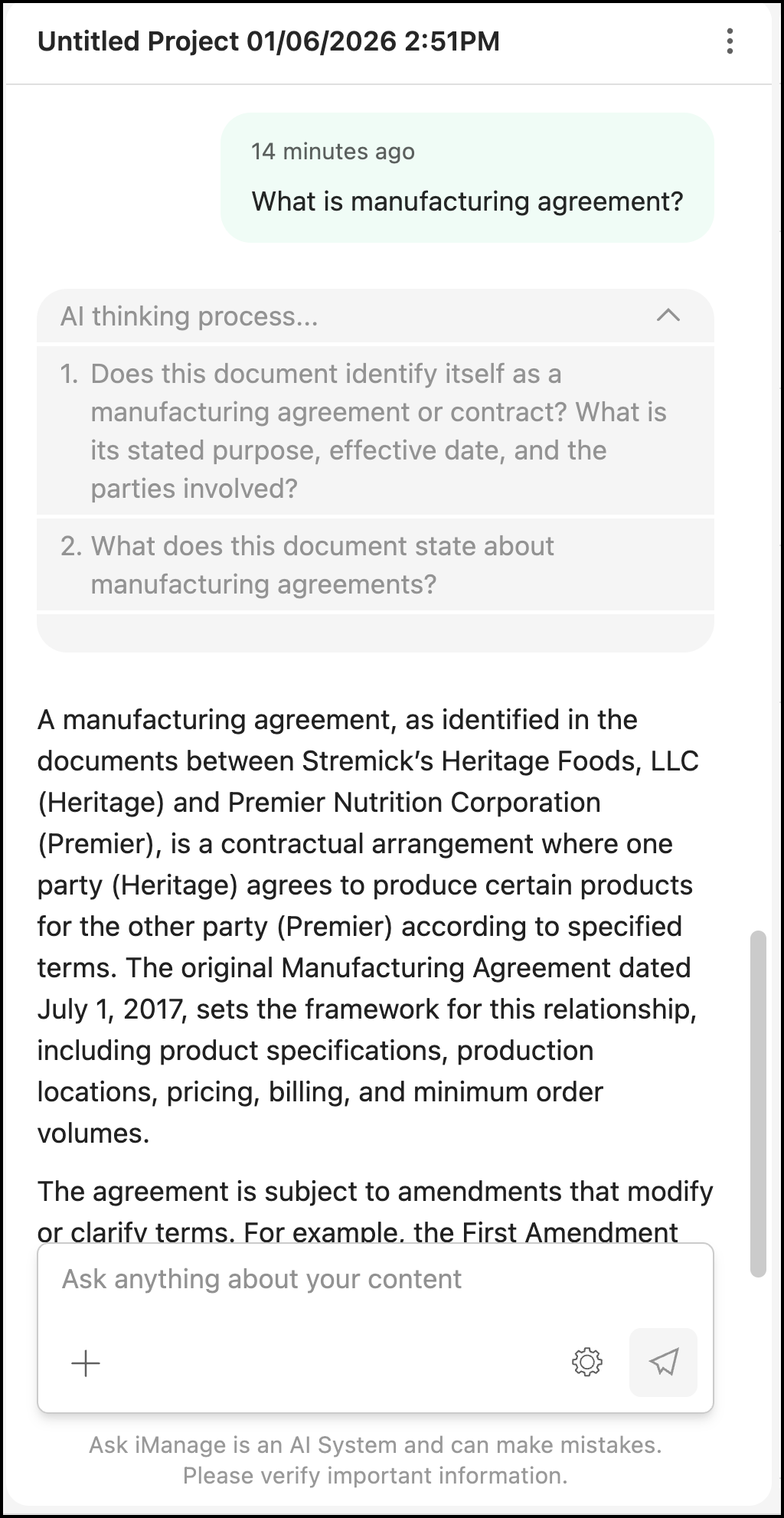
NOTE: Because Ask iManage reads through your document to fetch the most appropriate answer, it may take a while.
If Ask iManage fails to find the relevant information in the document or relevant information doesn't exist for the question being asked, a “Answer not found” response is displayed.