Browse to the Ask iManage option in the sidebar. For instructions about how to access Ask iManage home page, refer to Accessing Ask iManage home page.
In the Ask anything about your content field, enter the question you want to ask.
Figure: Asking questions in iManage Work repository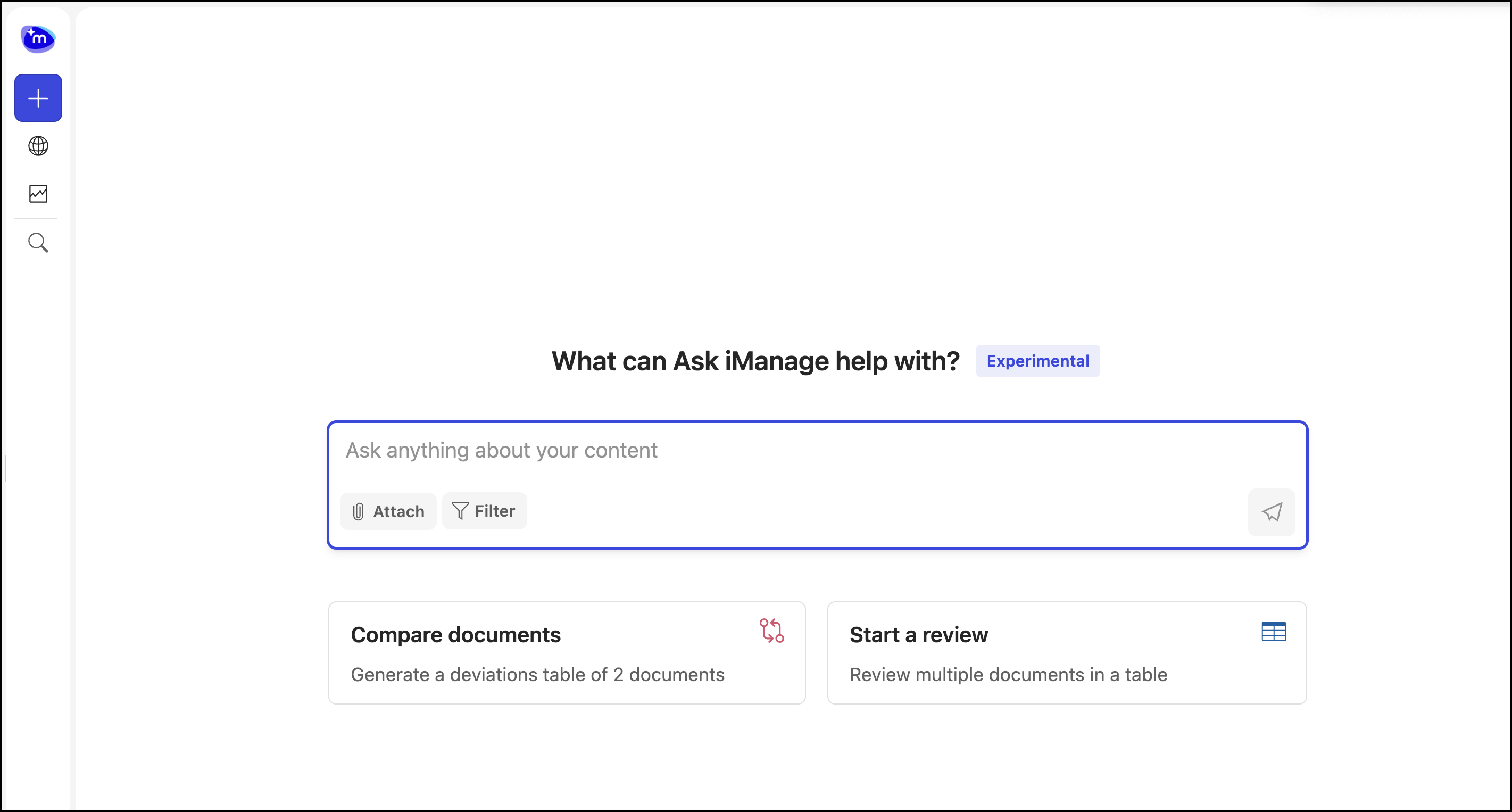
The answers are displayed as shown in the following figure.
Figure: Answers displayed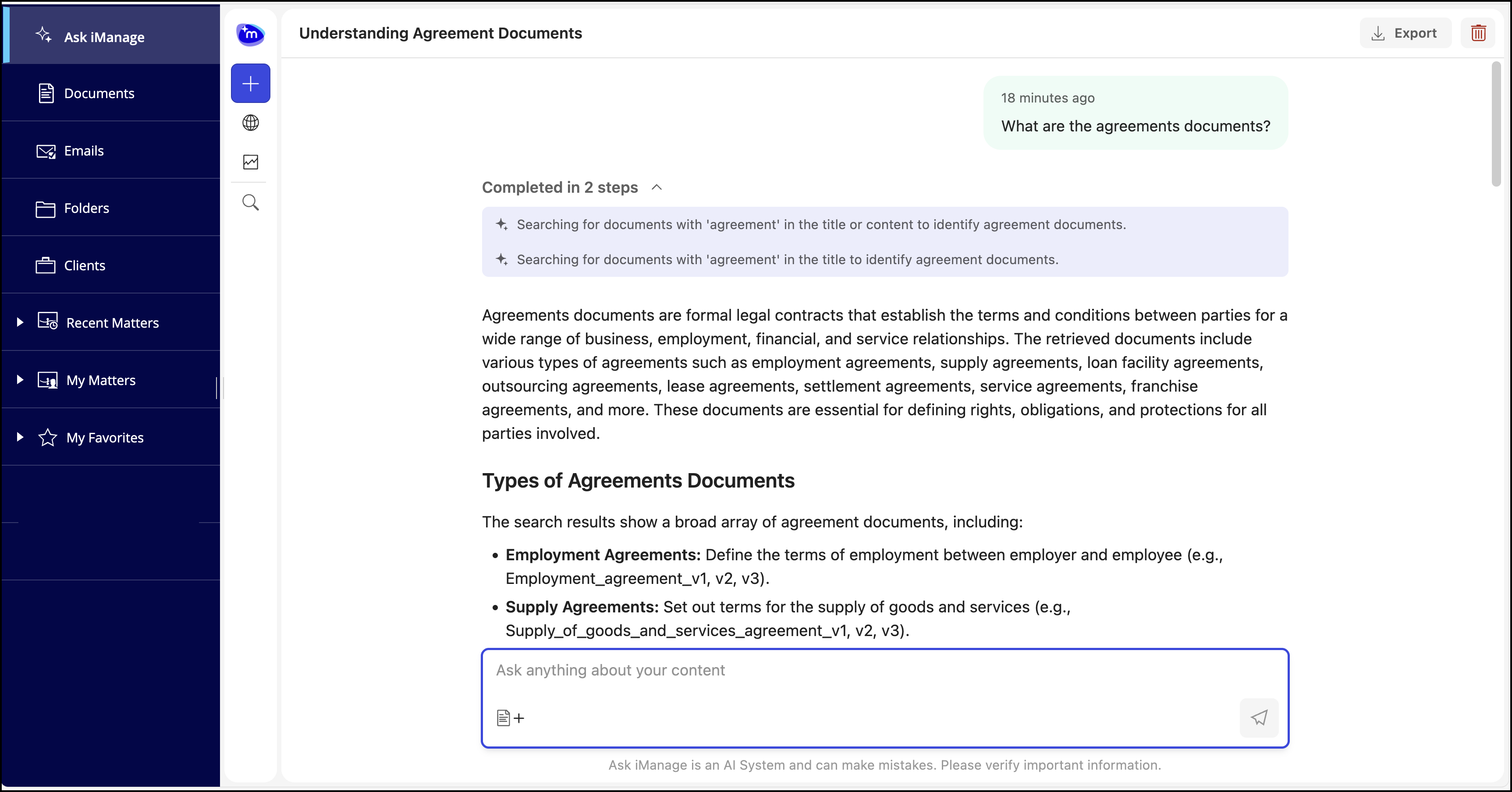
Ask iManage automatically saves your questions based on the first question asked. You can access this question for future use and ask additional questions.
If you ask a question which is incomplete, then Ask iManage prompts you with questions based on the question you have asked. You can either select one or multiple questions and Ask iManage will provide answers based on the questions selected. Alternatively, you can also use the Something else… field to ask question of your own. Selecting Submit will make Ask iManage display answers based on the questions selected or asked.
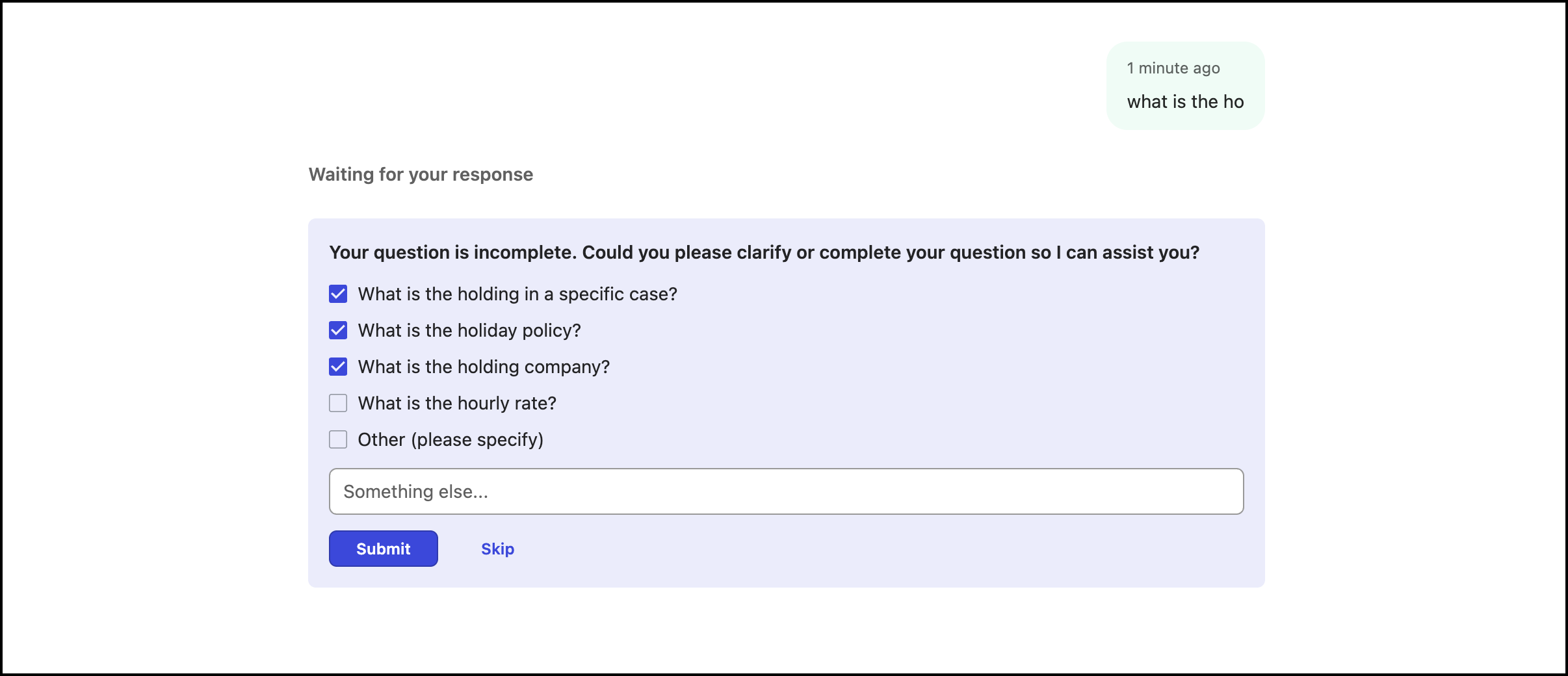
If you select Skip, then Ask iManage resumes the search based on your initial question and displays answers both evidences available in iManage Work or ungrounded indicator.