If you want to ask a question to a document:
If saved to iManage Work, then:
Sign in to iManage Work at cloudimanage.com.
Right-click the Microsoft Word document for which you want to ask questions and select Open or Edit. Alternatively, you can also select the kebab menu next to the document you want to ask questions and select Open or Edit.
Figure: Opening a word document using Edit or Edit (Co-author)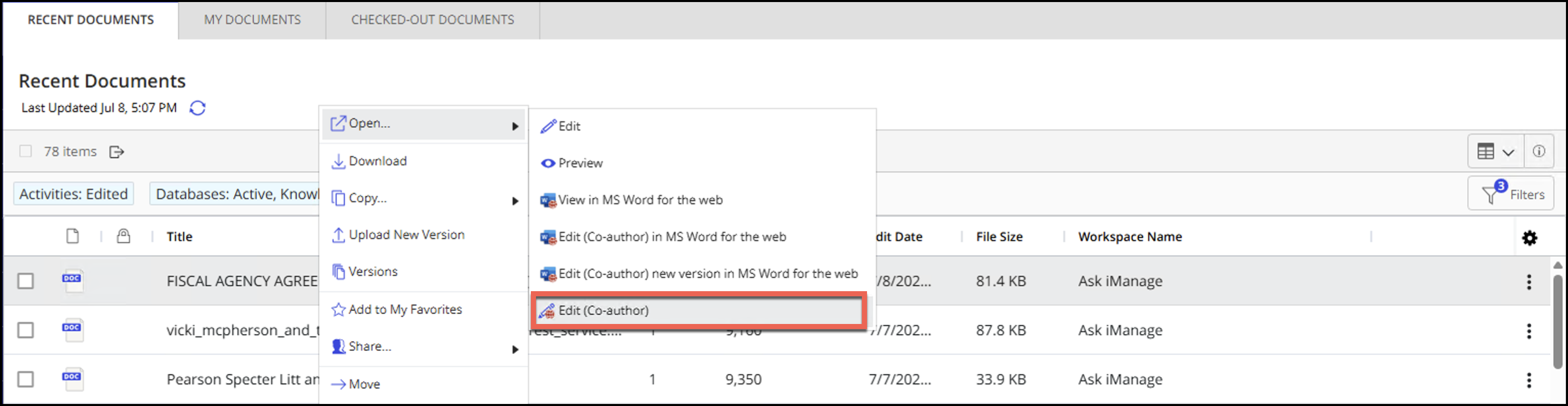
The document opens in Microsoft Word. If it opens in protected mode, select Enable Editing to open the document in edit mode.
If saved to your local device, then:
Open the document in Microsoft Word.
Select Ask iManage in the Microsoft Word ribbon as shown in the following figure.
Figure: Selecting Ask iManage in Microsoft Word
The Ask iManage panel opens within Microsoft Word as shown:
Figure: Ask iManage panel in Microsoft Word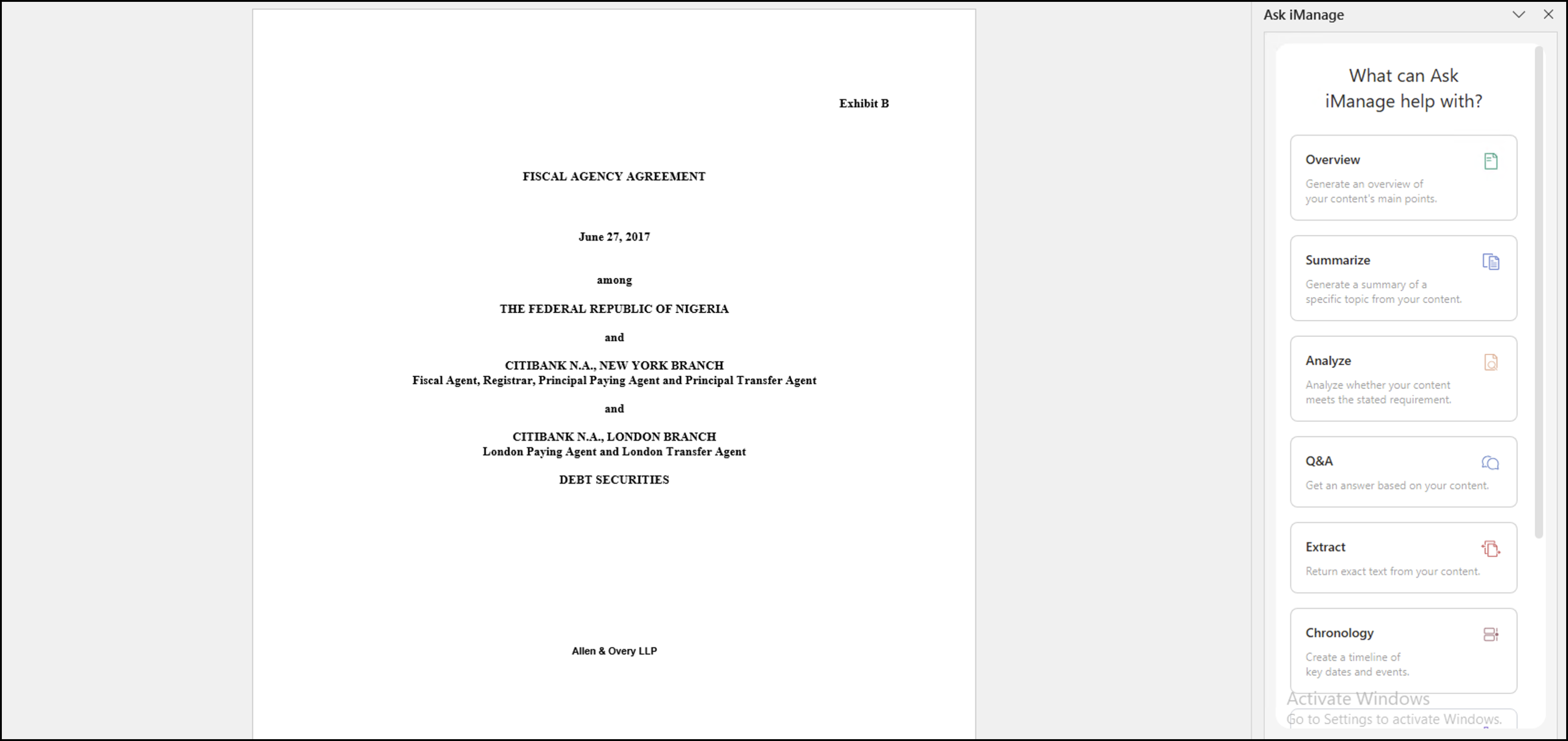
Select one of the following six guided actions:
Overview
Summarize
Analyze
Extract
Q&A
Chronology
Question list
For more information about when to select a given option, refer to Ways of asking a question in Ask iManage.
In the Ask anything about your content… field, ask a question related to the document.
The Overview and Chronology actions don’t require you to add any questions. This is because Overview provides you with an overall summary of the document and Chronology provides a timeline of the key dates of the events for the document.Figure: Ask anything about your content.. field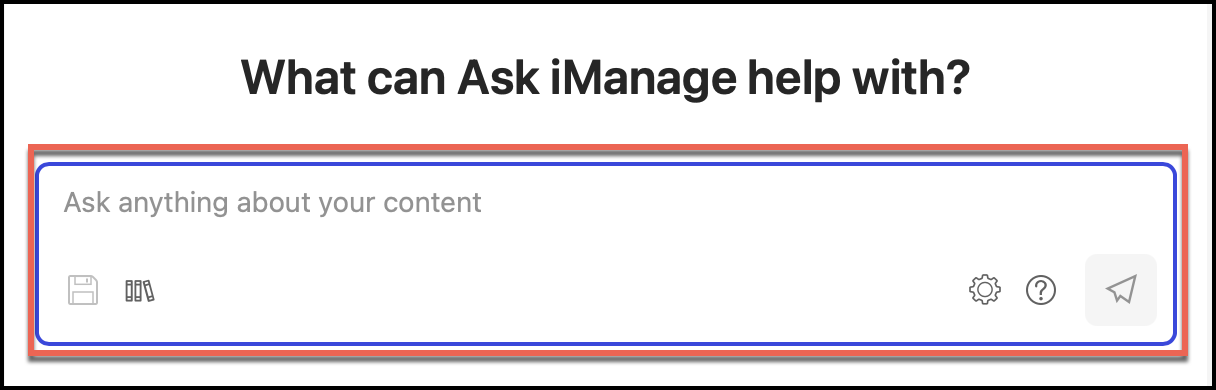
Based on the guided action you select, you may have to frame your question accordingly, a few examples of which are provided in Ways of asking a question in Ask iManage. Questions or instructions have a character limit of 4000 characters, including white spaces.
Ask iManage searches only in the document you selected. Ensure you frame the question effectively with enough detail, so that when processed, you get the desired answer.
A question or instruction with sufficient detail will help you get the answer you're seeking. Ask iManage also lets you build over your question or instruction based on the answer you get, to drill down further for more specific information or understand any related information.
NOTE: Because Ask iManage reads through your document to fetch the most appropriate answer, it may take a while.
If Ask iManage fails to find the relevant information in the document or relevant information doesn't exist for the question being asked, a “Answer not found” response is displayed.
The answers are displayed as shown:
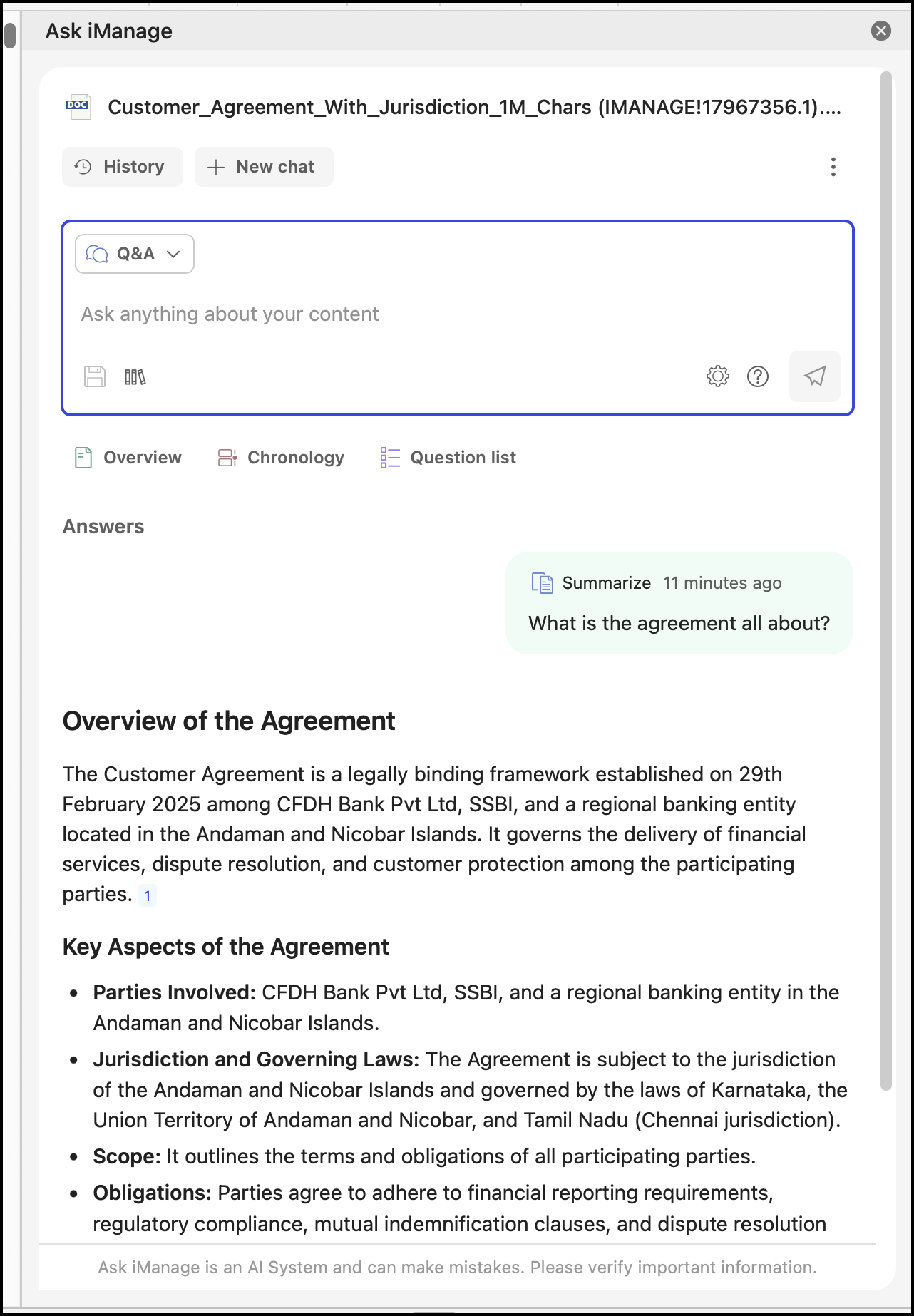
NOTE: Suggestion questions aren't displayed when you ask questions in the Microsoft Word application.