In iManage Work at cloudimanage.com, select Ask iManage from the left navigation pane or select a document, and then select one or more documents to open the Ask iManage home page.
Hover over the Ask iManage icon and then select
 Expand sidebar to view all the projects.Figure: Viewing all the projects available in Ask iManage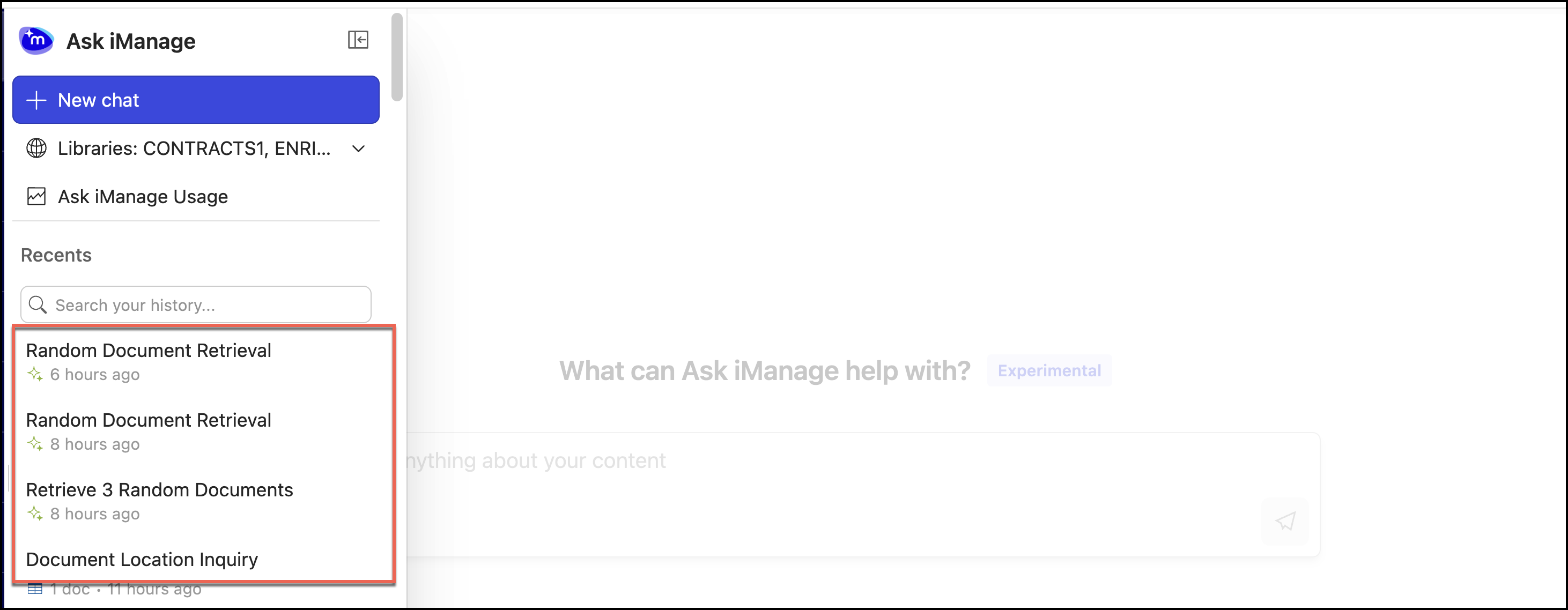
Select the comparison result, which you want to export to open it.
In the results page, select
 next to the page name and then select Export. Select one of the following options:
Export to Excel
Export to Word
Figure: Exporting the comparison information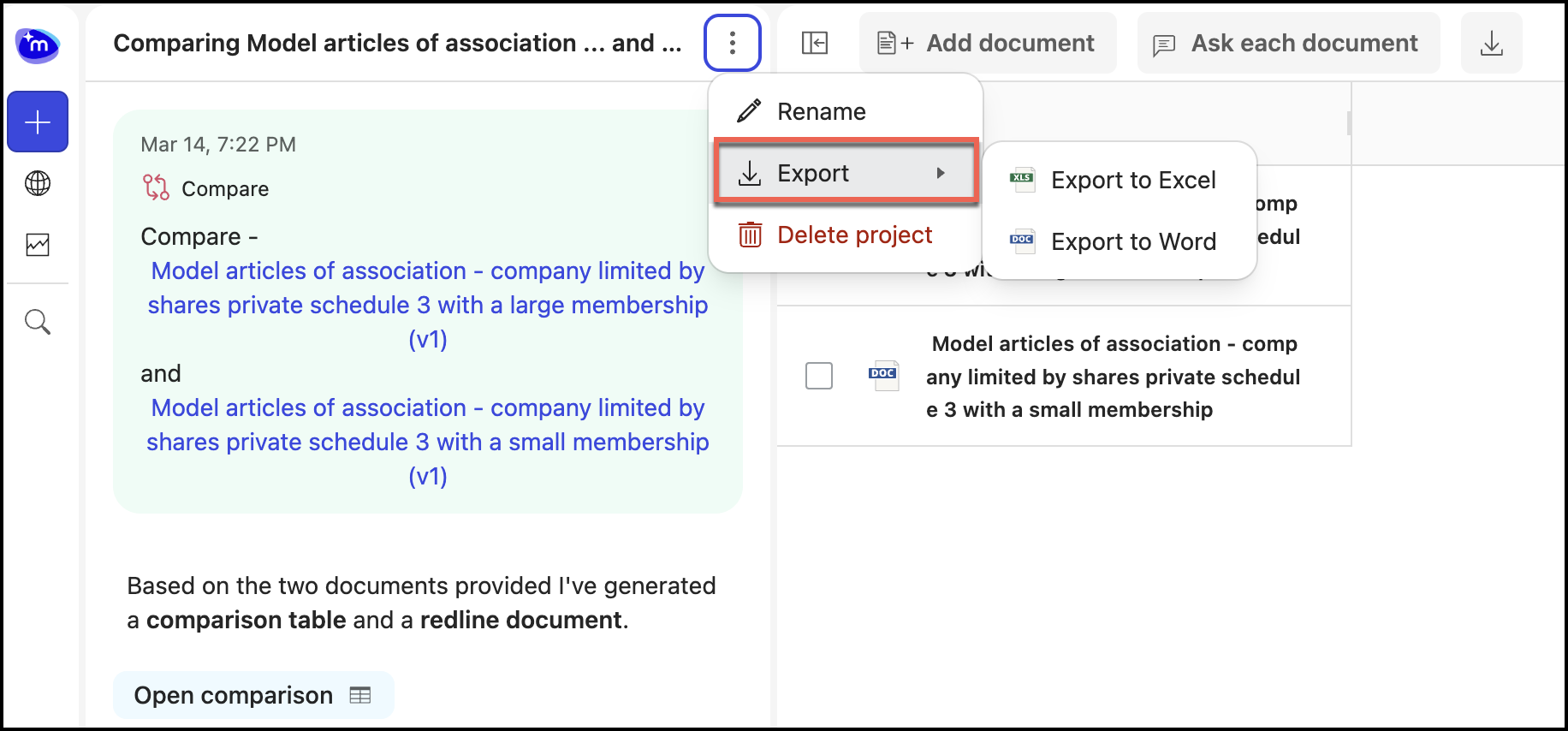
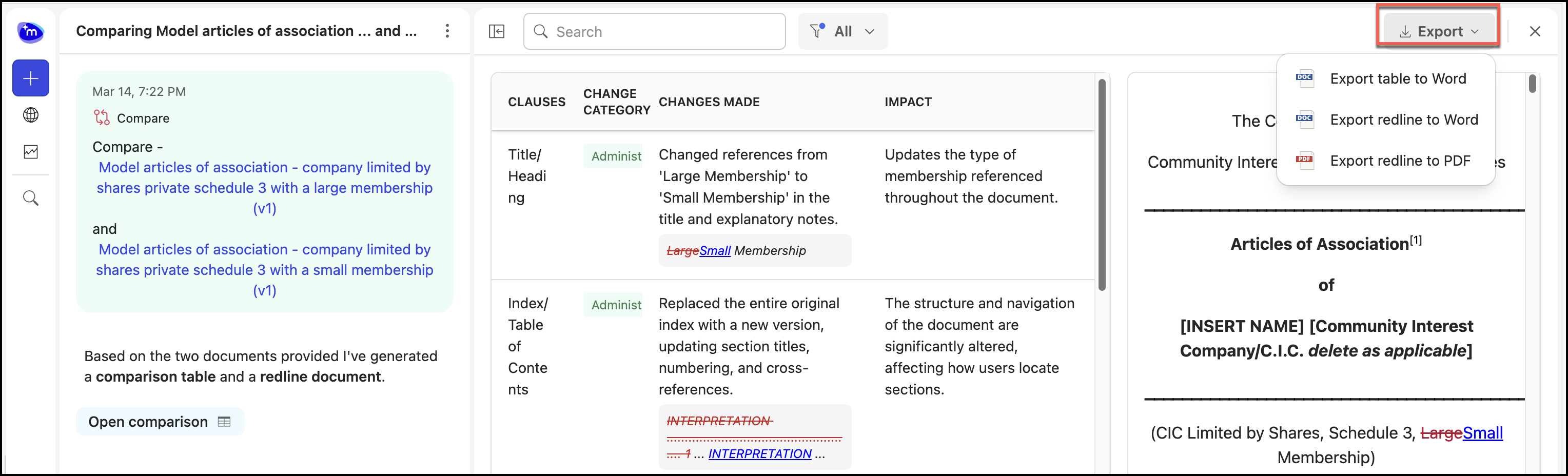
Select Open comparison in the Ask Across panel to open the comparison results and select Export and then select one of the following options:
Export table to Word: This exports the comparison table.
Export redline to Word: This exports the redline document to Microsoft Word.
Export redline to PDF: This exports to redline document to PDF.
Figure: Exporting comparison results and redline document