You can edit a question list and the questions in it.
Browse to Ask iManage side panel or Ask iManage page. For instructions about how to browse to either of these, refer to Accessing Ask iManage in iManage Work at cloudimanage.com.
If you've opened the document in Microsoft Word, then open the Ask iManage panel in Microsoft Word. For instructions, refer to Asking questions in a document.
Deleting a rule from Playbook
Select Playbook.
In the Playbook dialog, hover over the question list that you want to edit and select the more options
 icon next to it.Figure: Editing a Playbook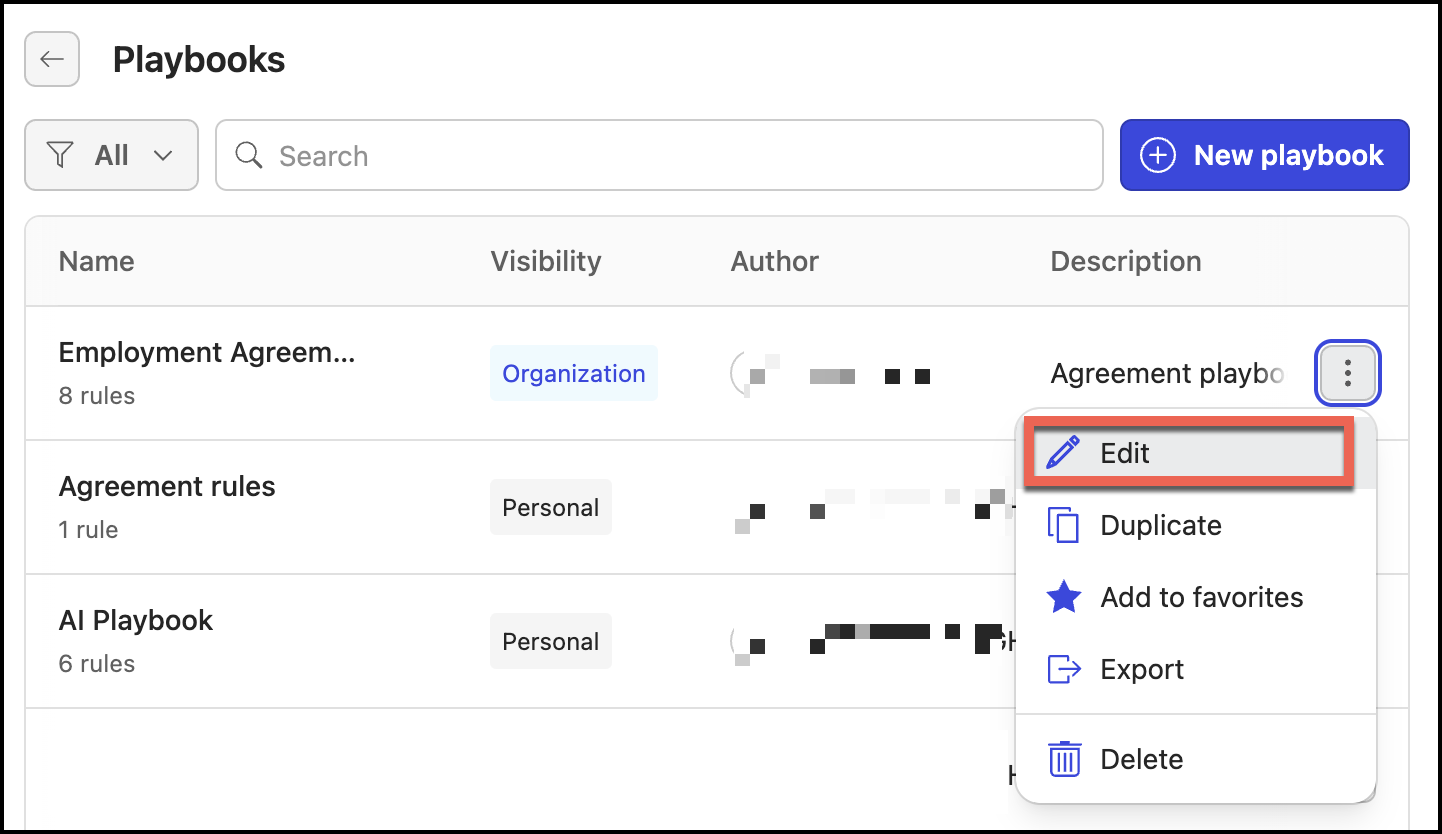
Select Edit.
In the Rules section, hover over the rule you want to delete and then select Delete
 .
.
Deleting the Playbook
Select Playbook.
In the Playbook dialog, hover over the playbook that you want to edit and select the more options
icon next to it.Figure: Deleting a Playbook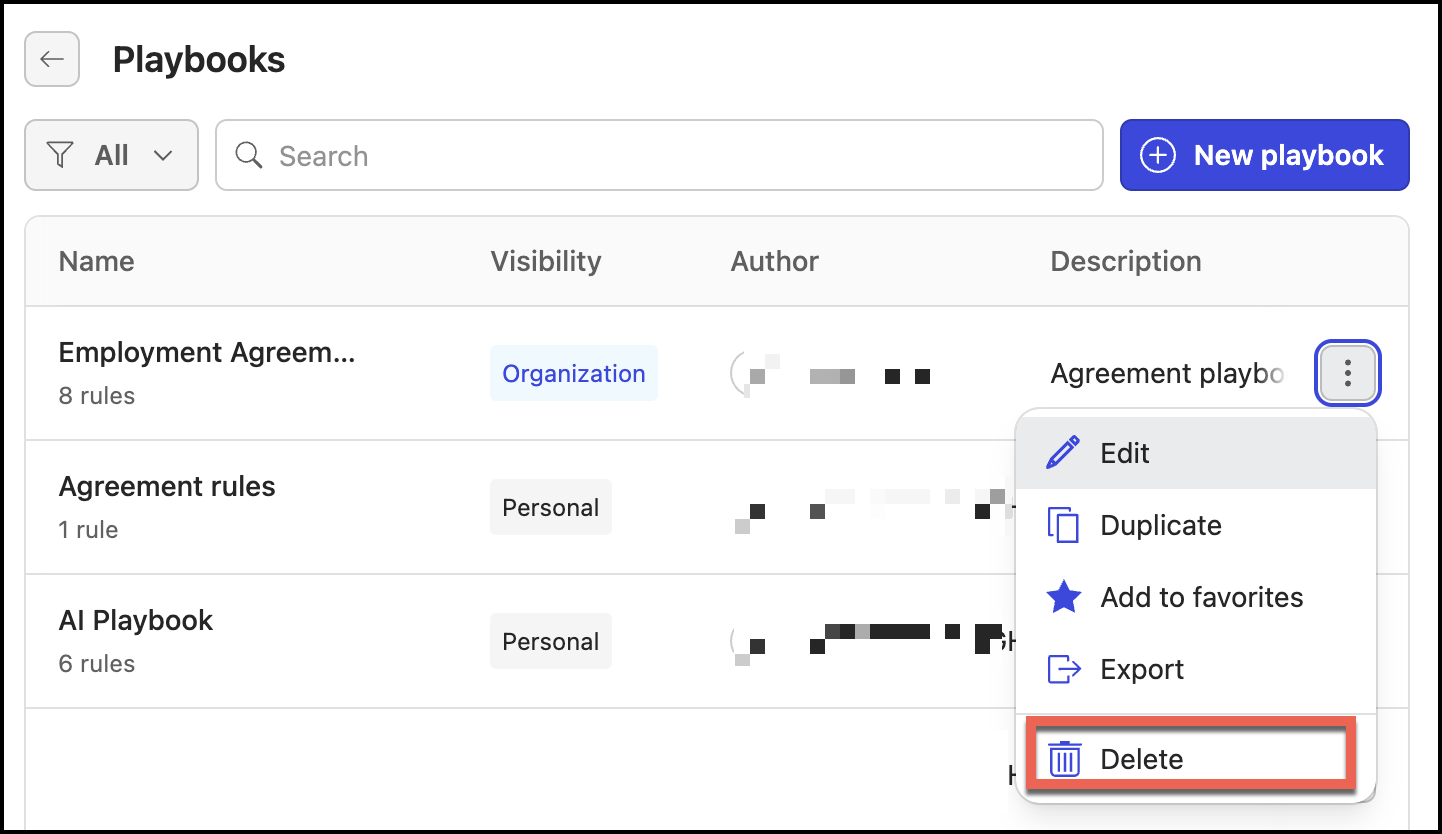
Select Delete. The Playbook is deleted.