The count of Playbook can quickly grow as you and other users start using Ask iManage and creating Playbooks. You may use a few Playbooks more often than the others for your regular work. You do have the option of marking all such Playbooks as favorites and quickly gain access to these lists by using the filtering option in the Playbooks dialog.
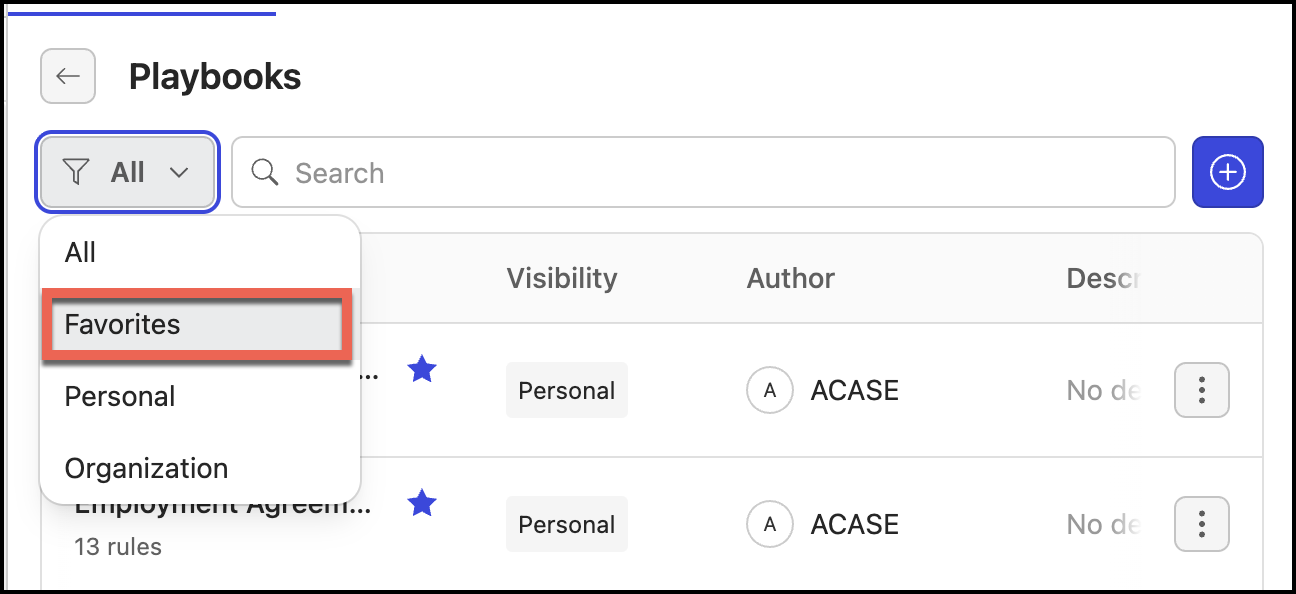
To add a Playbook to favorites:
Select Playbook.
In the Playbook dialog, hover over the playbook that you want to edit and select the more options
 icon next to it.Figure: Add to favorites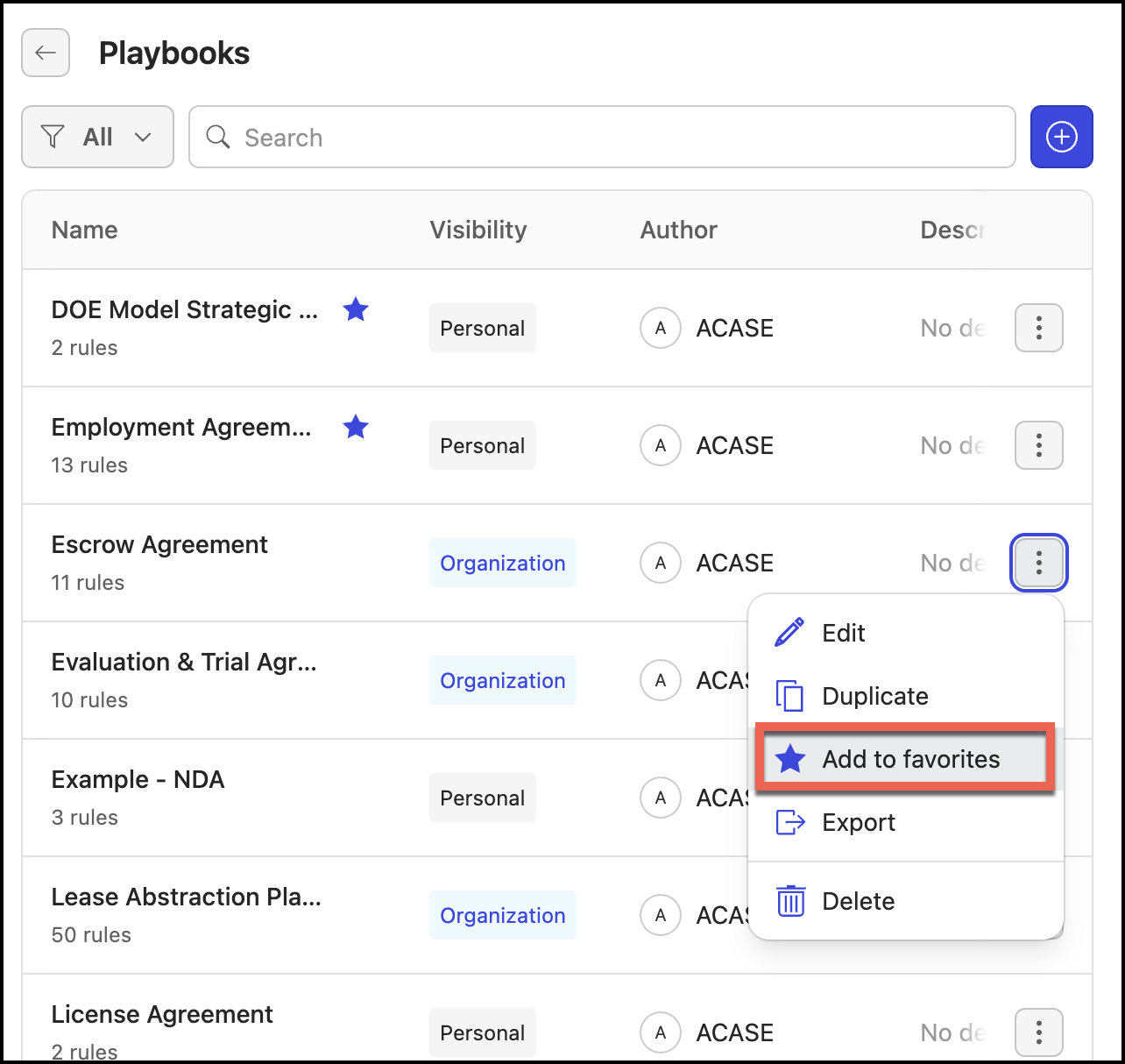
Select Add to Favorites.
To remove a playbook from favorites:
Select Playbook.
In the Playbook dialog, hover over the playbook that you want to edit and select the more options
icon next to it.Figure: Remove from favorites option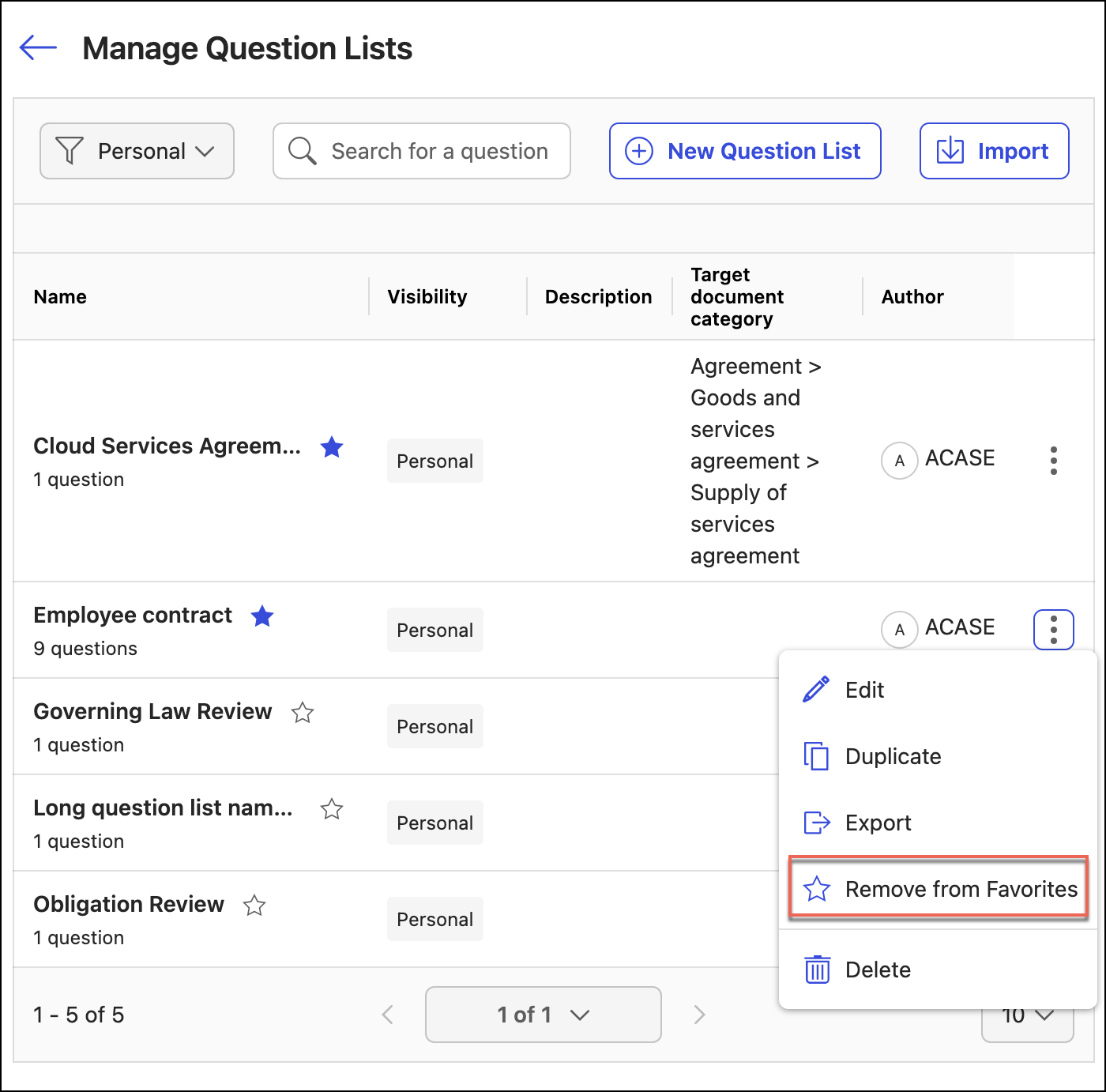
Select Remove from Favorites.
Alternatively, you can easily add or remove a playbook from Favorites by hovering over the Playbook and selecting the  or
or  icon. These icons are available at: Playbook > Select the playbook which you want to add as favorite.