If the users in your organization try to access iManage MCP services from any MCP-enabled clients other than the ones that are selected or added per Selecting or adding MCP clients, the clients get listed in the Pending approval section in the MCP Clients tab.
The following information is displayed for each client:
URL of the client that was blocked
User who tried accessing
Time when the client was blocked
Add button
Remove icon
To grant access to these clients:
In the left pane in iManage Control Center, select Extensions > MCP Settings and then select MCP Clients.
In the Pending approval section, review the list of clients awaiting approval.
Figure: Clients awaiting approval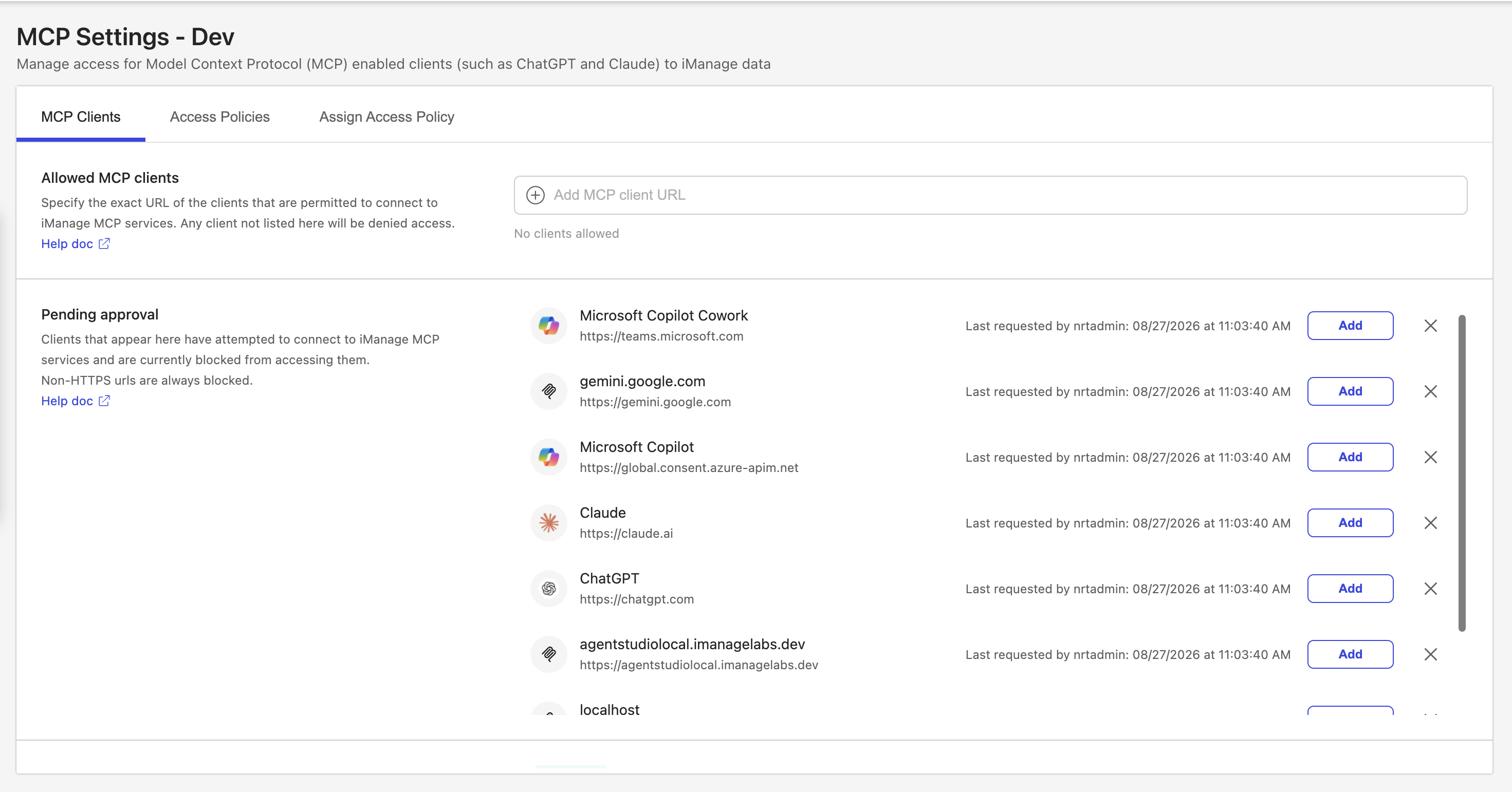
Select Add for each client that you want to unblock.
The clients you add move to the Allowed MCP clients section. They can be removed anytime as needed by selecting the remove icon.
icon.Select the remove
 icon for each client that you want to deny.
 The client is removed from the Pending approval list. If the client attempts to access iManage MCP services again, it's displayed the list again.
NOTE: The Pending approval section displays all clients awaiting approval. If the list contains more clients than can be shown at once, you can scroll up and down through the list to view them all.