The Analytics page in iManage Admin Portal features a dashboard that offers a quick overview of the collected data points in a single view. The dashboard displays data for all of your iManage Work libraries, with information gathered over the past week.
Data point details are displayed in tiles on the dashboard. You can select any tile, except for the Workspaces by Work Default Security tile, to get a more detailed view of the data, where you can filter the output and adjust the scope and date range.
To view the Cloud Analytics dashboard in iManage Admin Portal:
Go to https://cloudimanage.com/admin/ and sign in with your iManage credentials.
NOTE: To view the Cloud Analytics dashboard, the user account used to sign in to iManage Admin Portal must be assigned either the Cloud Analytics Admin or Viewer role. For more information about granting user access, refer to Access Policy.
Browse to Cloud Analytics > Analytics.
An example of the Analytics page is shown in the figures below.
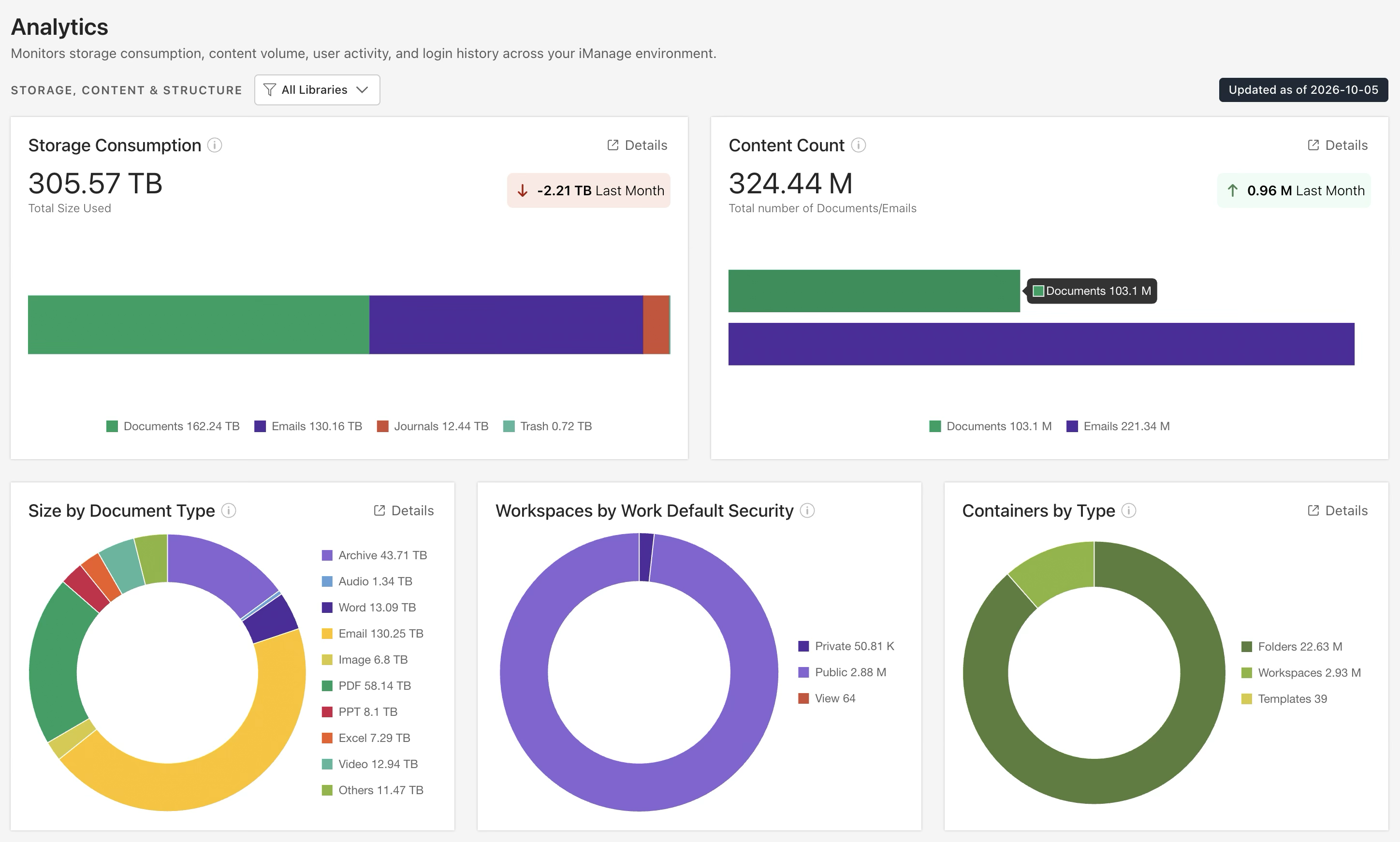
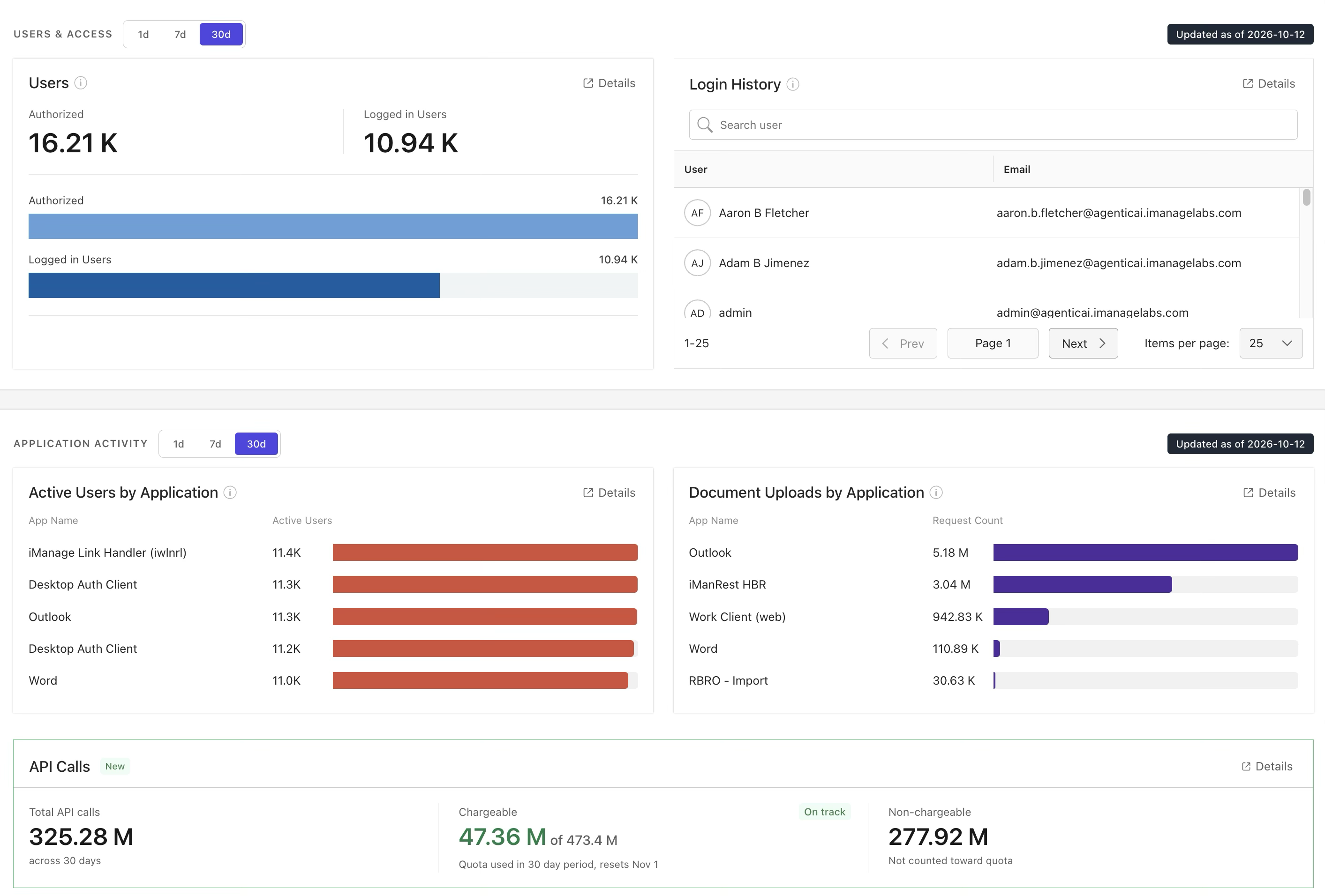
NOTE: The API Calls dashboard tile only displays if the Cloud API Analytics upcoming feature is active. This feature is currently available to select customers participating in a private Early Access Program (EAP). For instructions on how to enable this feature if you’re participating in the EAP, refer to Cloud API Analytics feature activation.
More information about the dashboard and the detailed reports you can create through it is provided in the following sections.