Two types of emails, Monthly Digest Notification and Reminder Notification, can be sent before the disposition event to all the mapped reviewers. Configure them in Settings > Disposition Review Settings > Reviewer Email Notifications. You can set these emails to send none, one, or both of these emails based on your requirements.
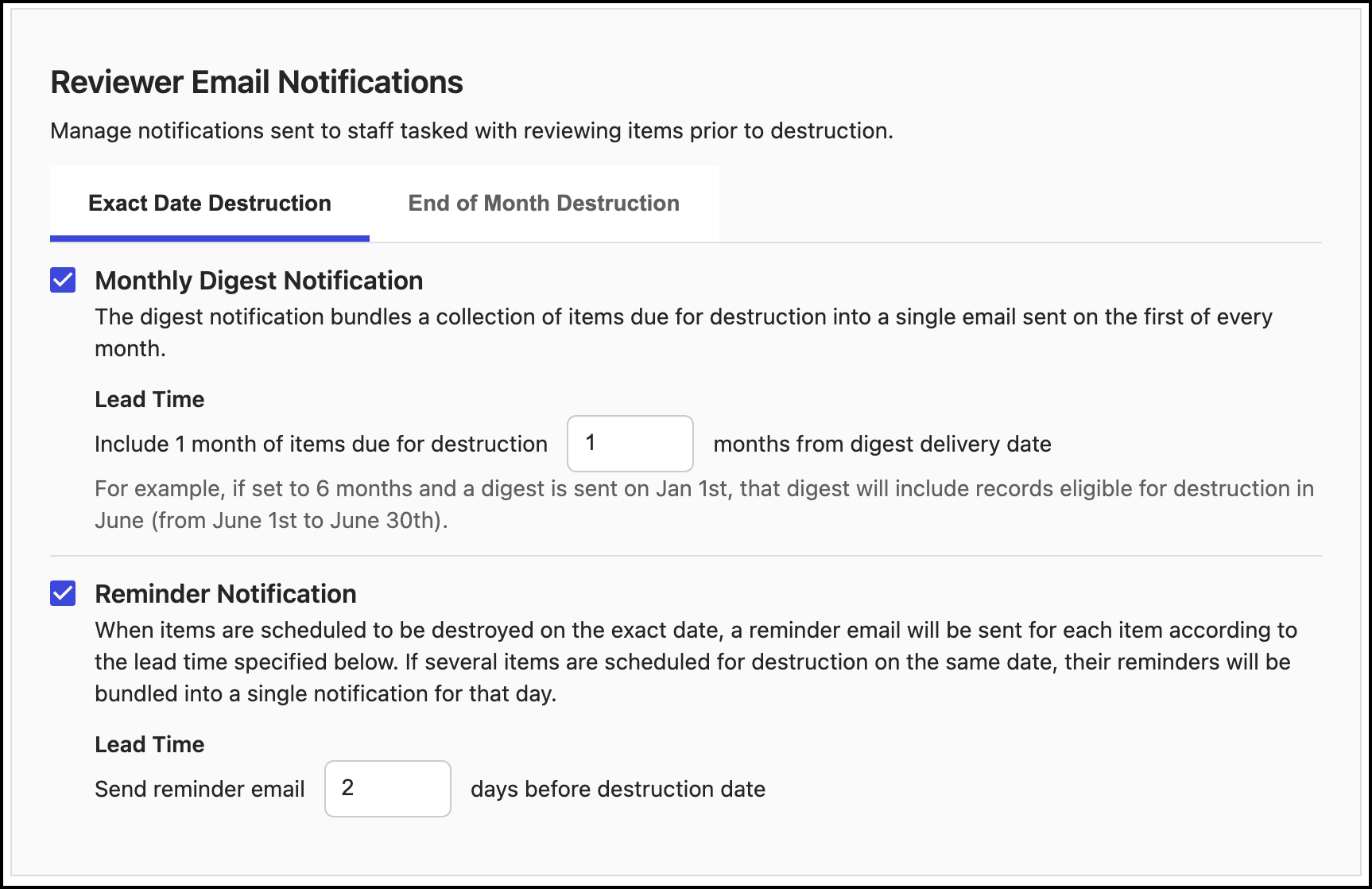
Monthly Digest Notification
For exact date destruction: The monthly digest bundles records due for destruction that month into a single email sent on the first day, with lead time based on the Lead Time drop-down list.
For example, if the current month is January and the lead time is 6 months, the digest sent on January 1 includes records eligible for destruction in June. The default lead time is 1 month; the maximum is 240 months (20 years).
For end-of-month destruction: Similar to exact date destruction, the monthly digest bundles records due for destruction at month-end into a single email sent on the first day, with lead time based on the Lead Time drop-down list. The default lead time is 1 month; the maximum is 240 months (20 years).
Reminder Notification
For exact date destruction: When records are scheduled for exact date destruction, a reminder email is sent for tasks according to the specified time.
If multiple items are scheduled for destruction on the same day, reminders are bundled into a single notification.
For example, if destruction is set for an exact date and the lead time is 2 days, an email is sent two days before the exact date.
The default lead time for reminder notifications is 2 days; the maximum is 28 days.
For end-of-month destruction: When records are scheduled for month-end destruction, one reminder email is sent per month for those items, according to the specified lead time.
For example, if destruction is set for month end and the lead time is 2 days, an email is sent two days before the month end.
The default lead time for monthly digest notifications is 2 days; the maximum is 28 days.