The Properties pane can is available on the File Plan, Disposition Review, and Tasks pages.
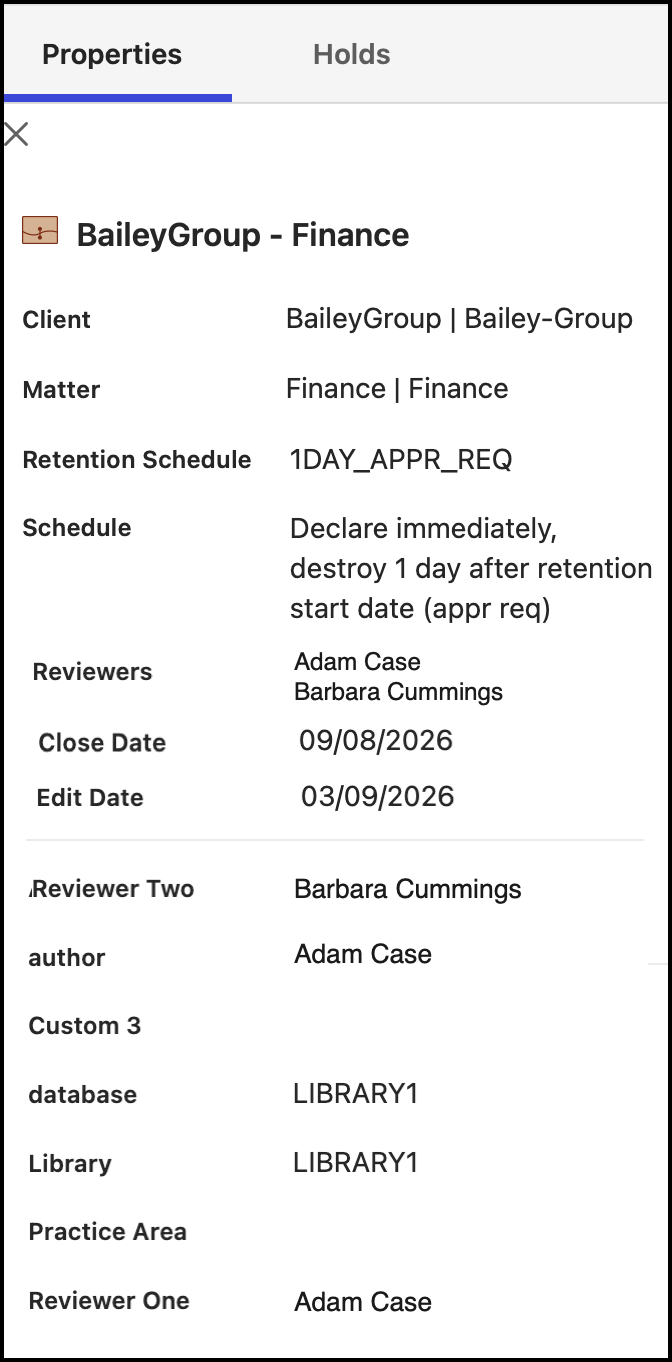
The Properties pane displays the following information:
Client and workspace details
Retention schedule name and schedule details
Reviewers details, if available
Close date and edit date, if available
Library and any other details that are declared in iManage Work
Records Managers and Disposition Managers can access the Properties pane using one of the following ways.
On the File Plan page
Browse to a workspace, folder, subfolder, or record.
Select the
icon next to the workspace, folder, subfolder, or record for which you want to see the Properties pane and then select Properties. The Properties pane is displayed.
On the Disposition Review page
Select the icon next to the task for which you want to view the Properties pane and then select Properties. The Properties pane is displayed.
On the Tasks page
Select the Triggered or Upcoming tab.
Select the