The Reviews pane can be viewed on the Disposition Review and Tasks pages.
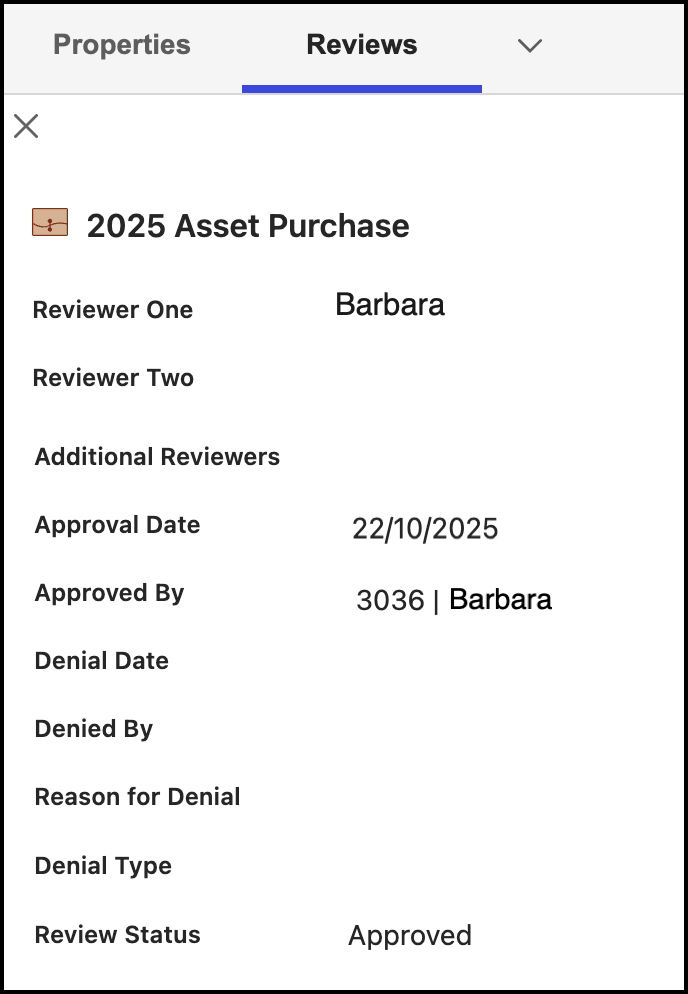
The Reviews pane displays the following information:
Reviewer details: This information is based on details selected in iManage Work at cloudimanage.com and mapped in iManage Disposition Manager metadata.
Additional Reviewers: Displays reviewers name when Records Manager adds additional reviewers on the Disposition Review page.
Approval date: Displays the date the task was approved, if approval is required. This field is empty if the field is pre-approved or denied.
Approved by: Displays the name of the reviewer or Records Manager who approved the task for destruction. This field is empty if the field is pre-approved or denied.
Denial date: Displays the date the task was denied. This is empty if the task is approved, pre-approved, or pending approval.
Denied by: Displays the name of the reviewer or Records Manager who denied the task.
Reason for denial: If denied on the Disposition Review page, the reason is displayed here.
Review Status: Displays the task status based on the Disposition Review page.
NOTE: The Review pane displays details of only the most recent review. When records are approved, then Denial date, Denied by, and Reason for denial don’t display any information.
Similarly, when records are denied, Approval date and Approved by don’t display any information.
Records Managers and Disposition Managers can access the Reviews pane by doing the following.
On the Disposition Review page
Select the
icon next to the task for which you want to view the Reviews pane and then select Properties.
In the Properties pane, select Reviews from the drop-down list that's displayed.
On the Tasks page
Select the Triggered or Upcoming tab.
Select the
Select the Reviews tab to view the Reviews pane.