New features are continuously being added to iManage Insight+. Refer to the enhancements and feature changes available in each update.
March 2026
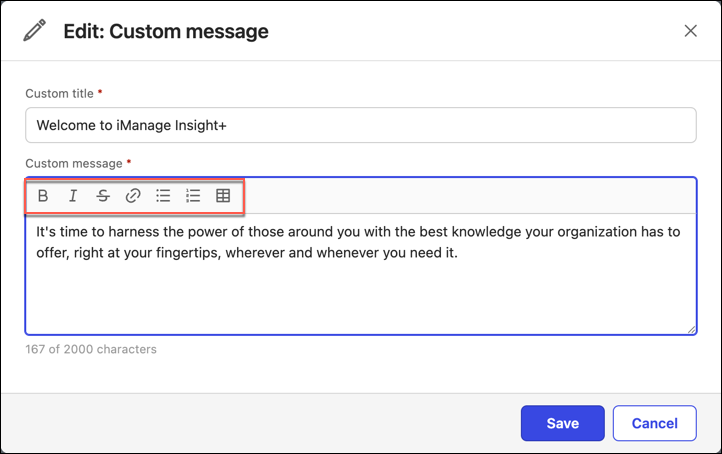
Rich text editor for custom messages
As an administrator, you can use the rich text editor to create custom messages with several formatting features, such as adding bold, italic, and lists with indent controls. You can also add hyperlinks for URLs, email addresses, and text in table format.
February 2026
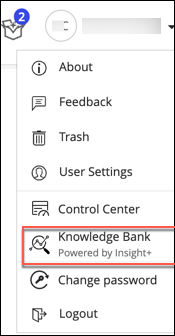
Customizable Insight+ label in Work Web menu
As an administrator, you can now customize the Insight+ display name in the Work Web user menu.
A new configurable option Customize Insight+ Label has been added in iManage Control Center to the Web Client > SETTINGS > General tab letting you configure the Insight+ display name.
For more information on customizing the display name, refer to Enabling iManage Insight+ user application access from iManage Work.
October 2025
Default filters and user profiles
Insight+ introduces a new functionality which enables administrators to create user profiles based on their Information Architecture and their own requirements, and then configure default filters and values to apply to those profile groups. This allows admins to customize their end users' default search experience. This new feature also introduces functionality to enable users to create their own preferred default (sticky) filters.
For more information, refer to User profiles and default filters.
September 2025
Customer behavioral analytics
As an administrator, you can now enable and receive raw analytics about how users in your organization interact with iManage Insight+. To view this data, you'll need to use a visualization tool, such as Power BI. You can identify trends, spot usage gaps, take informed steps to boost user engagement, and optimize platform usage.
For more information about what your organization will need to do to engage with this data, refer to Customer analytics.
August 2025
Enable and configure Matter Search
NOTE: Organizations must have an Insight+ Professional Tier license to enable iManage Insight+ Matter Locator (Matter Search) feature in iManage Control Center and add Matter Search tab. This feature isn't available by default. To enable this feature or for more information, contact iManage Support.
Administrators can now enable Insight+ Matter Locator (Matter Search) feature in iManage Control Center and add Matter Search tab from iManage Insight+ Admin > Tabs. You can also set filters, advanced search criteria, and metadata properties to help your organizations' users achieve desired results.
For more information, refer to Enabling and configuring Matter Search.
July 2025
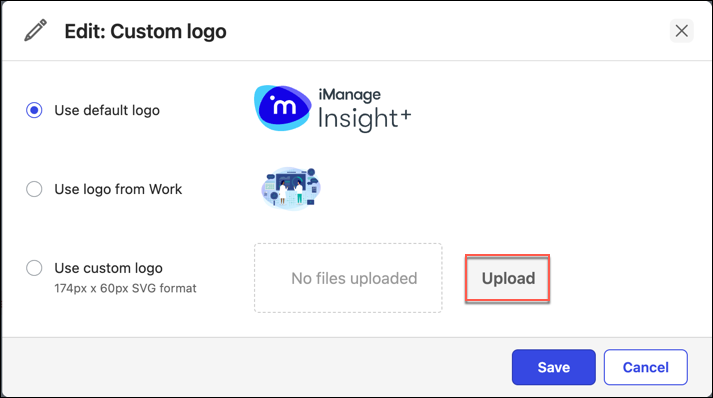
Adding custom logos
Custom brand logos are now supported in iManage Insight+.Your organization’s logo can be displayed for all users on the Insight+ interface.
June 2025
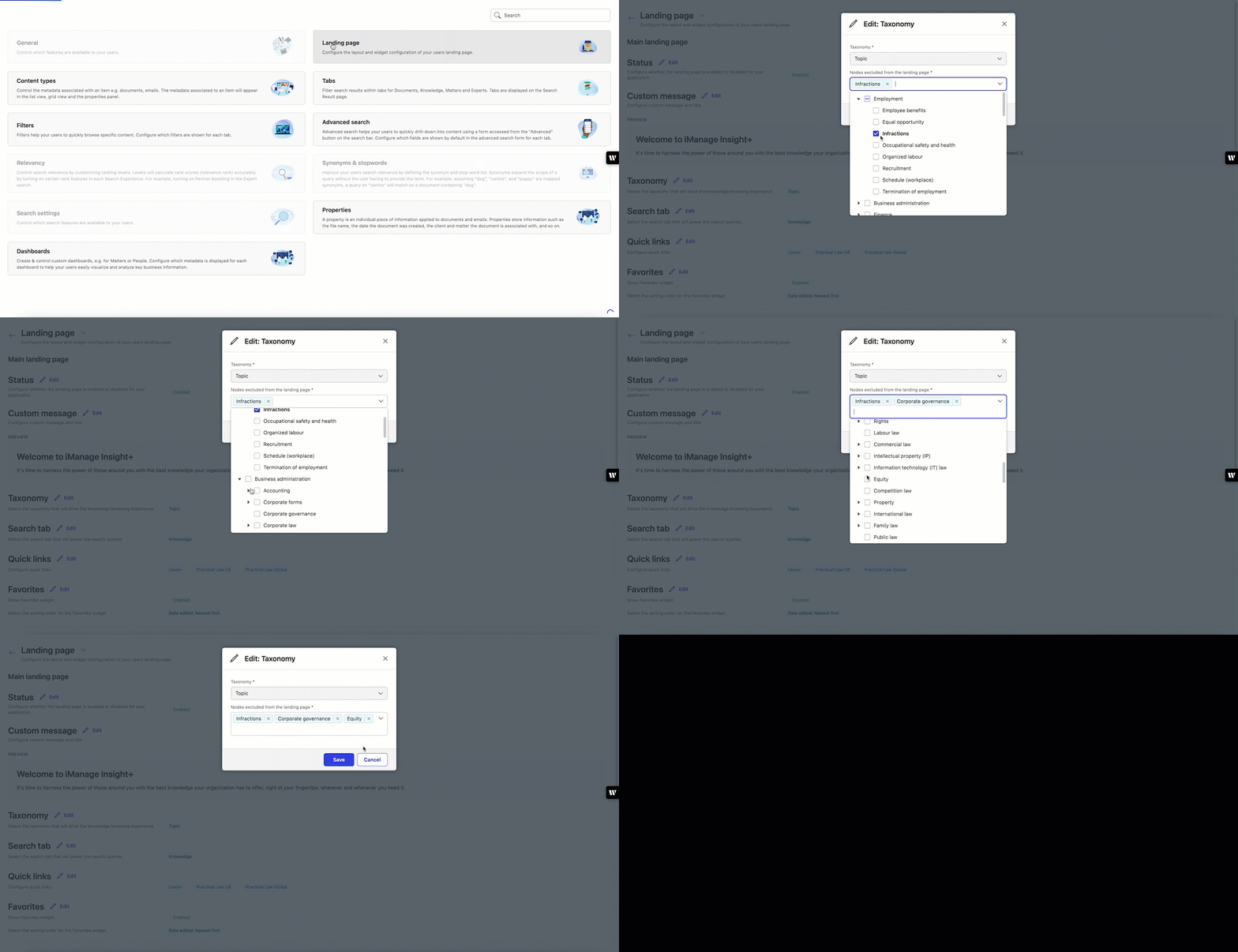
Excluding nodes from Landing page
Enhance user search experience in your organization by excluding nodes of low-priority from Landing page.
April 2025
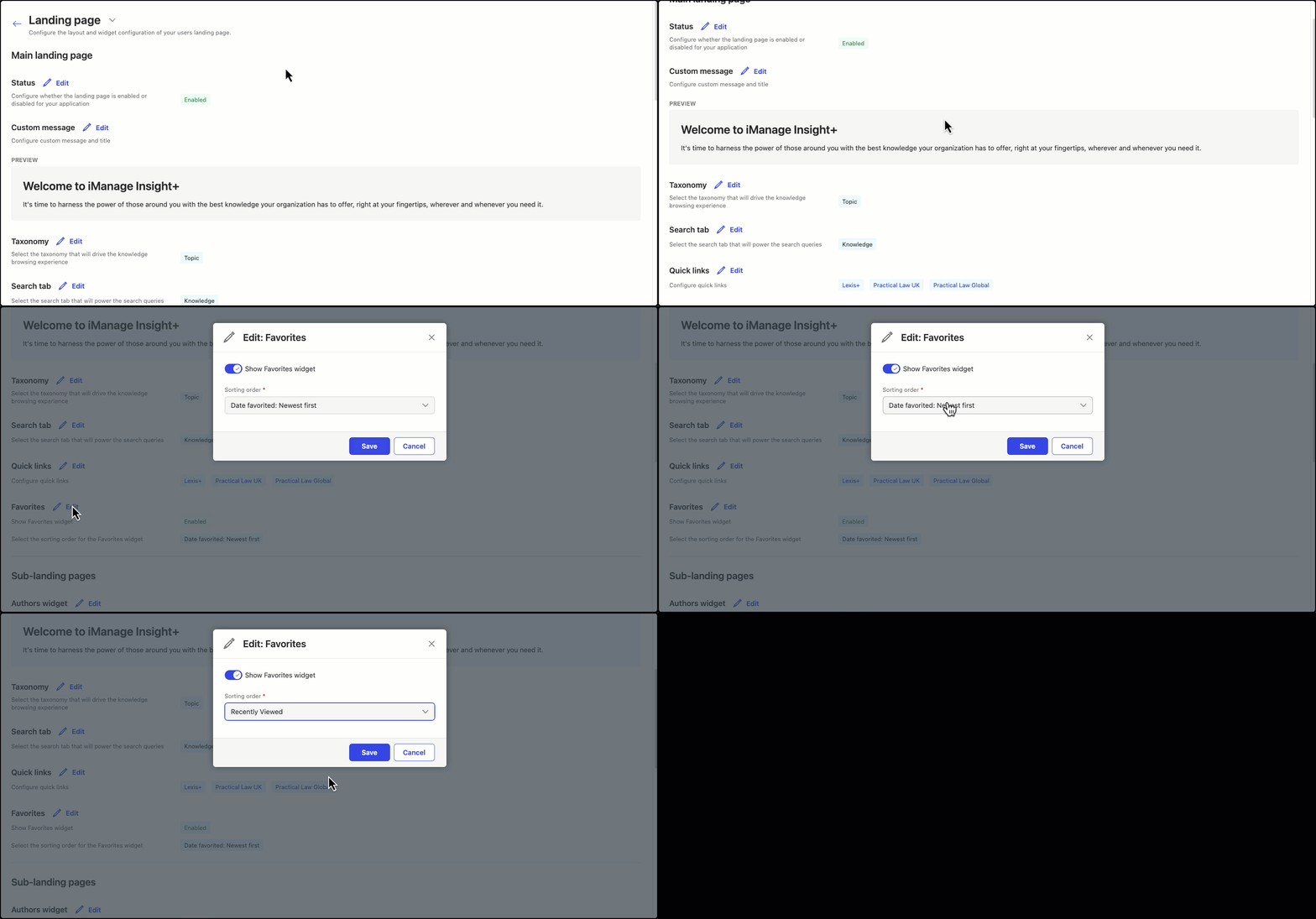
Configuring the Favorites widget
Enhance the access of users in your organization to their favorite documents from their chosen home page by presenting a sorted list through the Favorites widget.
October 2024
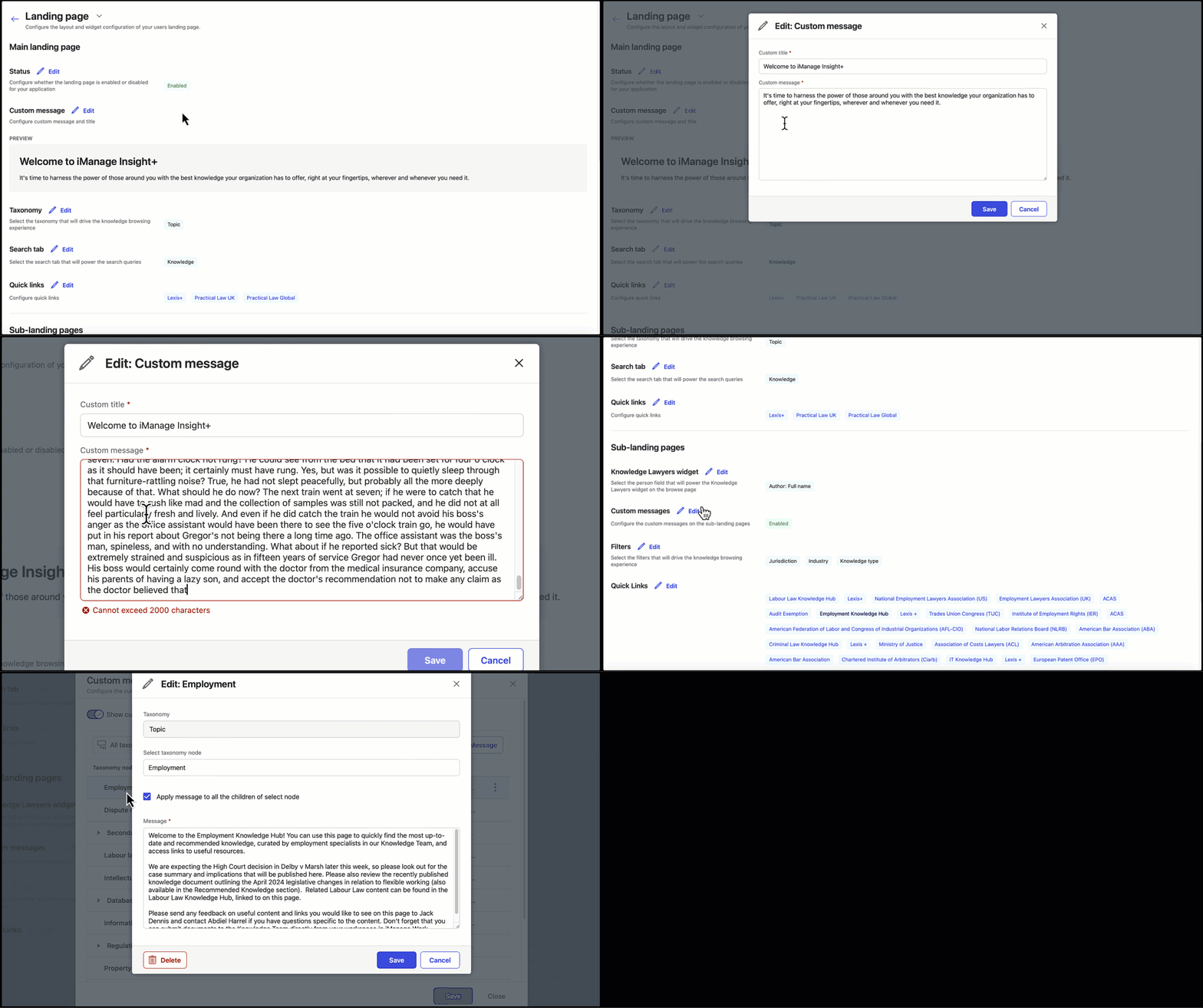
Character limit notification for custom messages
When entering a custom message for a Landing page or Sub-landing page, you're notified when you exceed the limit of 2000 characters.
September 2024
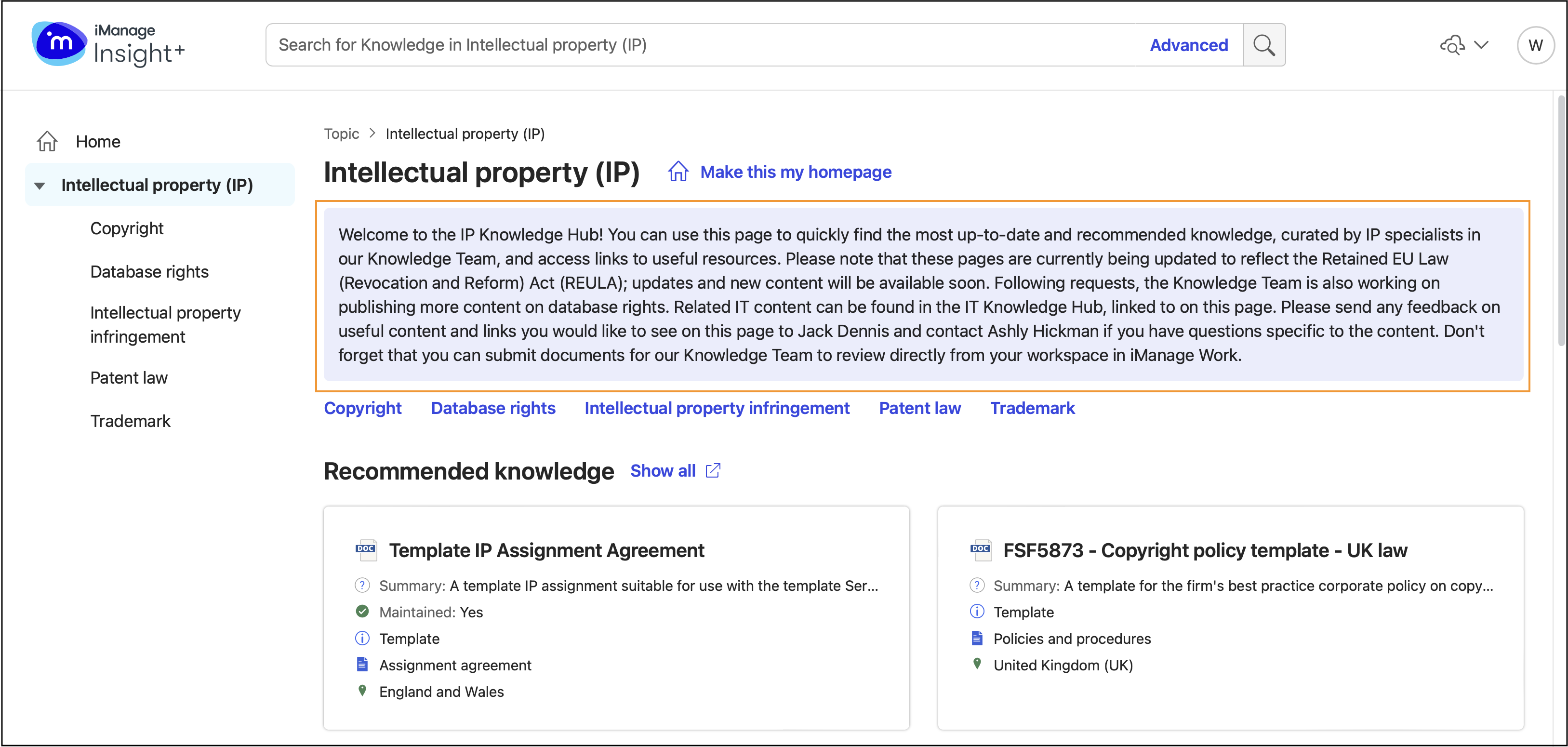
Option to configure message for each Sub-landing page
Add custom text to any of the Sub-landing pages. Use the message to inform users about what they'll find on the Sub-landing page.
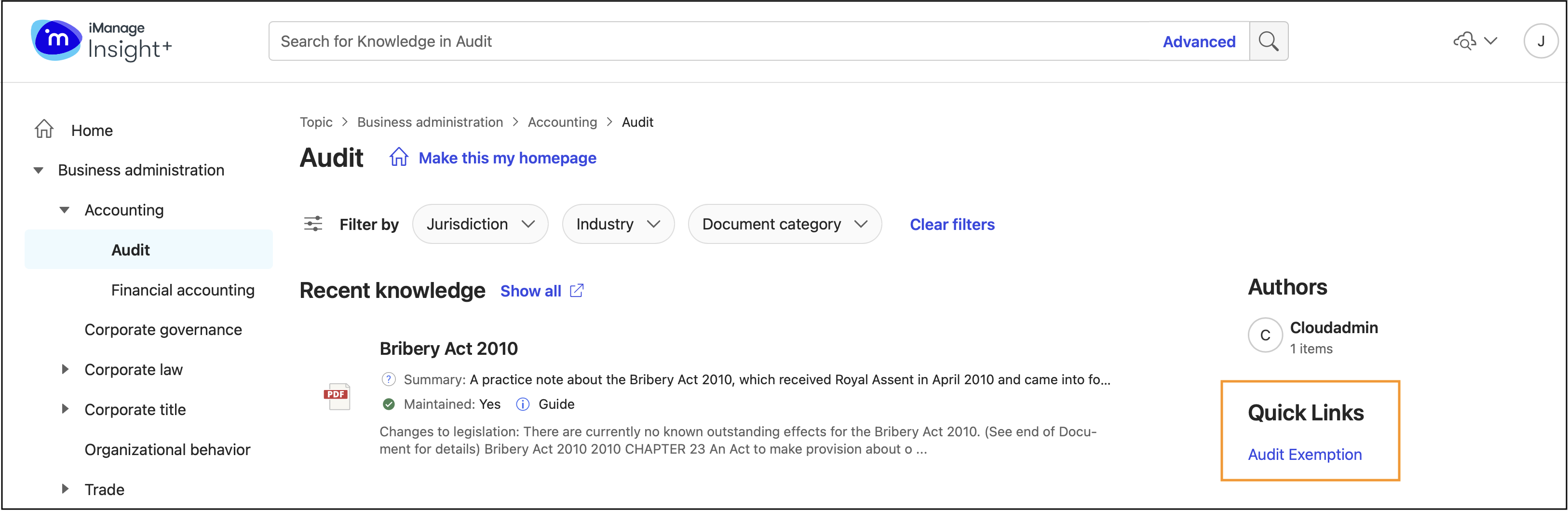
Quick links for each Sub-landing page
Add quick links on Sub-landing pages to important websites or internal resources that are related to the topic of a page. This helps you make useful resources available to your team.
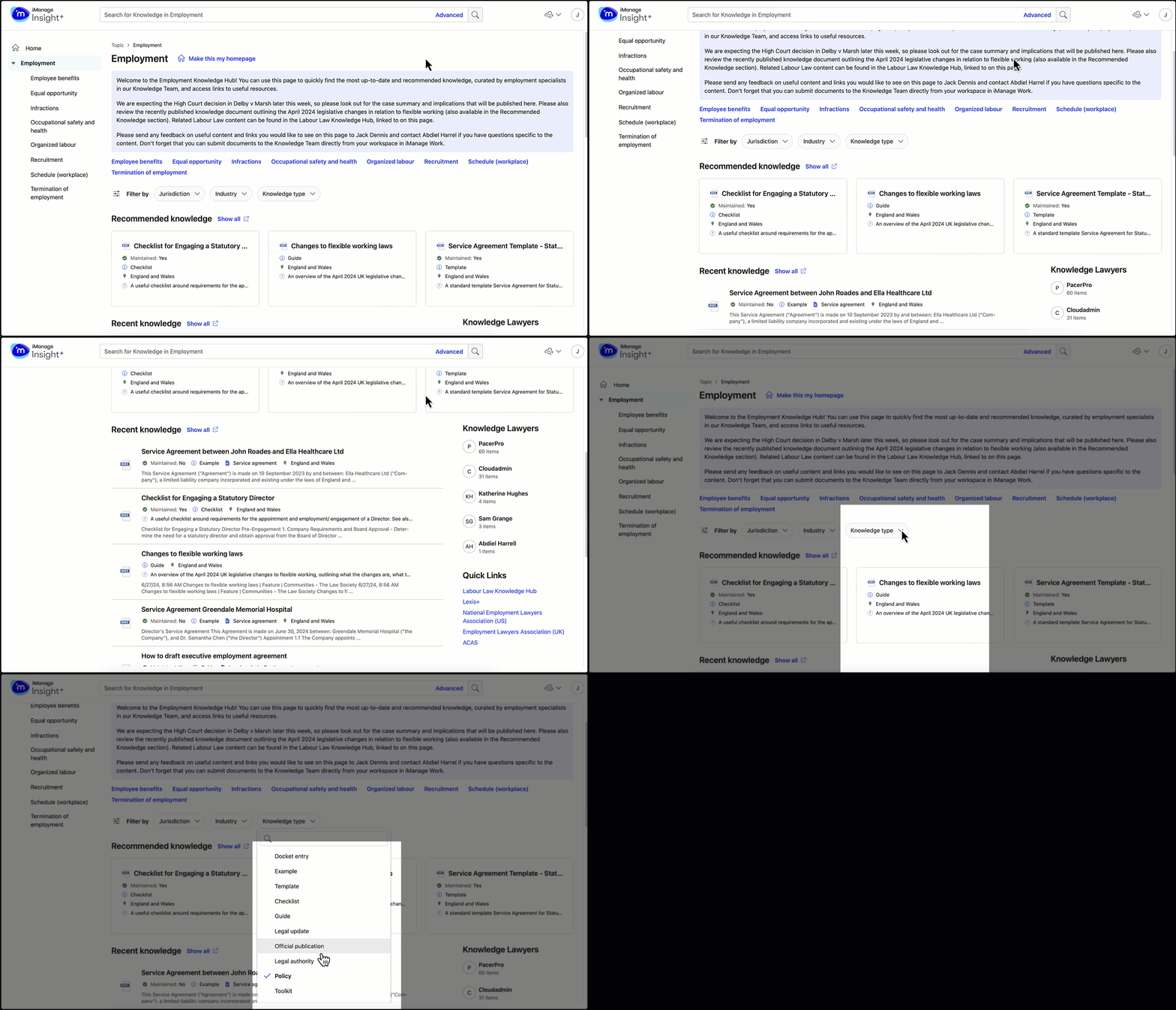
Adding filters to a sub-landing page
Configure up to seven filters and choose any taxonomy or look-up field for any Sub-landing page. Depending on the taxonomy, you can choose the filters to navigate through the Sub-landing pages. As a best practice, you can set three filters to enhance users' browsing experience.
July 2024
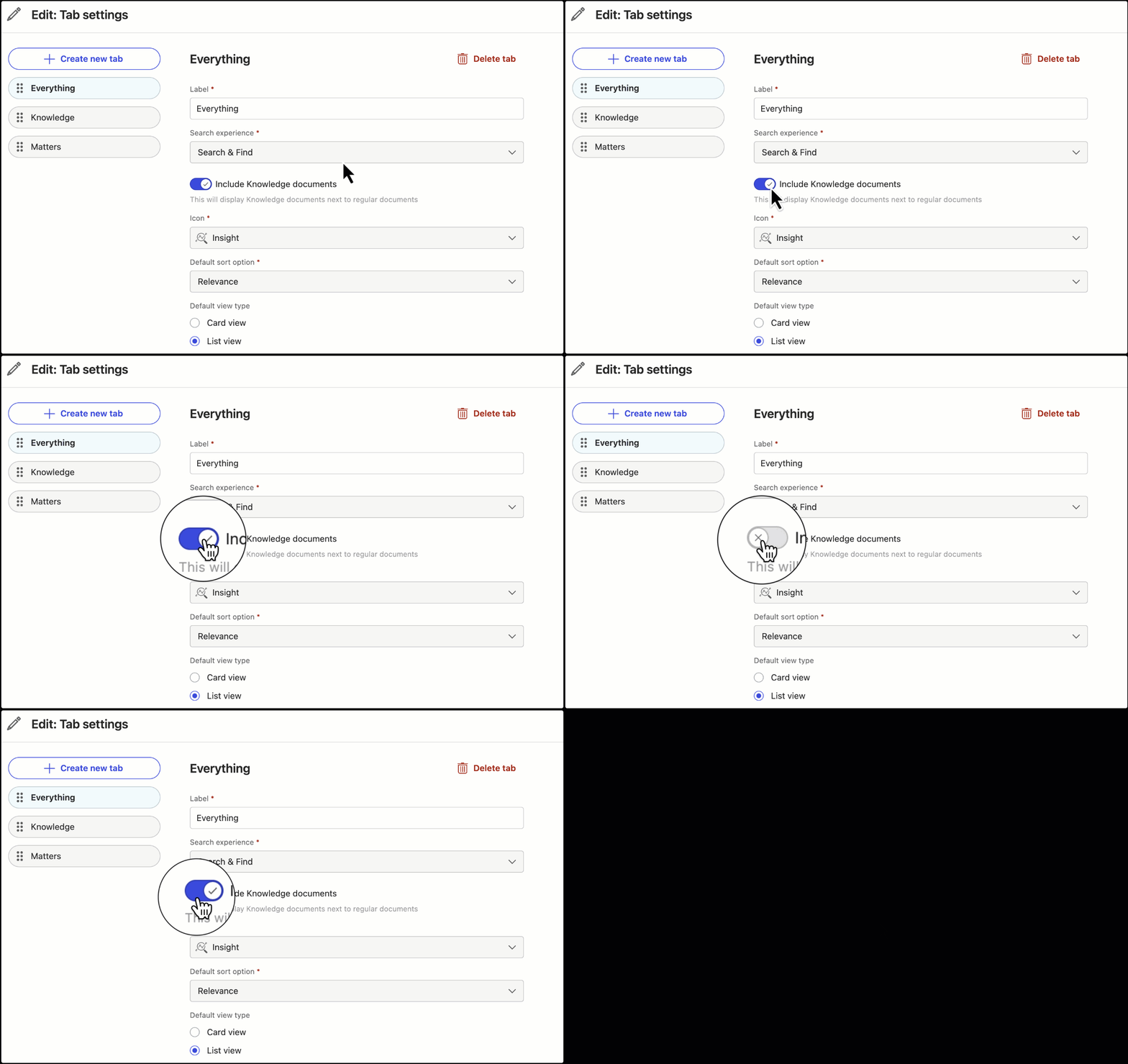
Excluding Knowledge documents from the Search & Find locator tab
Administrators can now choose whether the Search & Find locator searches only the live iManage Work Server, or both the live iManage Work Server and the Knowledge Library.
Simply go to Tabs on the Insight+ Admin pages and then select the relevant tab. To exclude the documents from searches, move the Include Knowledge documents slider to the left.
April 2024
Analytics collected for iManage Insight+ updated
The list of Events and Event Properties being captured as part of usage analytics for iManage Insight+ is updated. You can find the updated list of data captured for analysis by iManage in iManage Help Center.
For more information about iManage policy around gathering these user analytics data, refer to Usage analytics.
If you have any questions about the implementation of analytics at iManage, you may reach out to analytics@imanage.com.
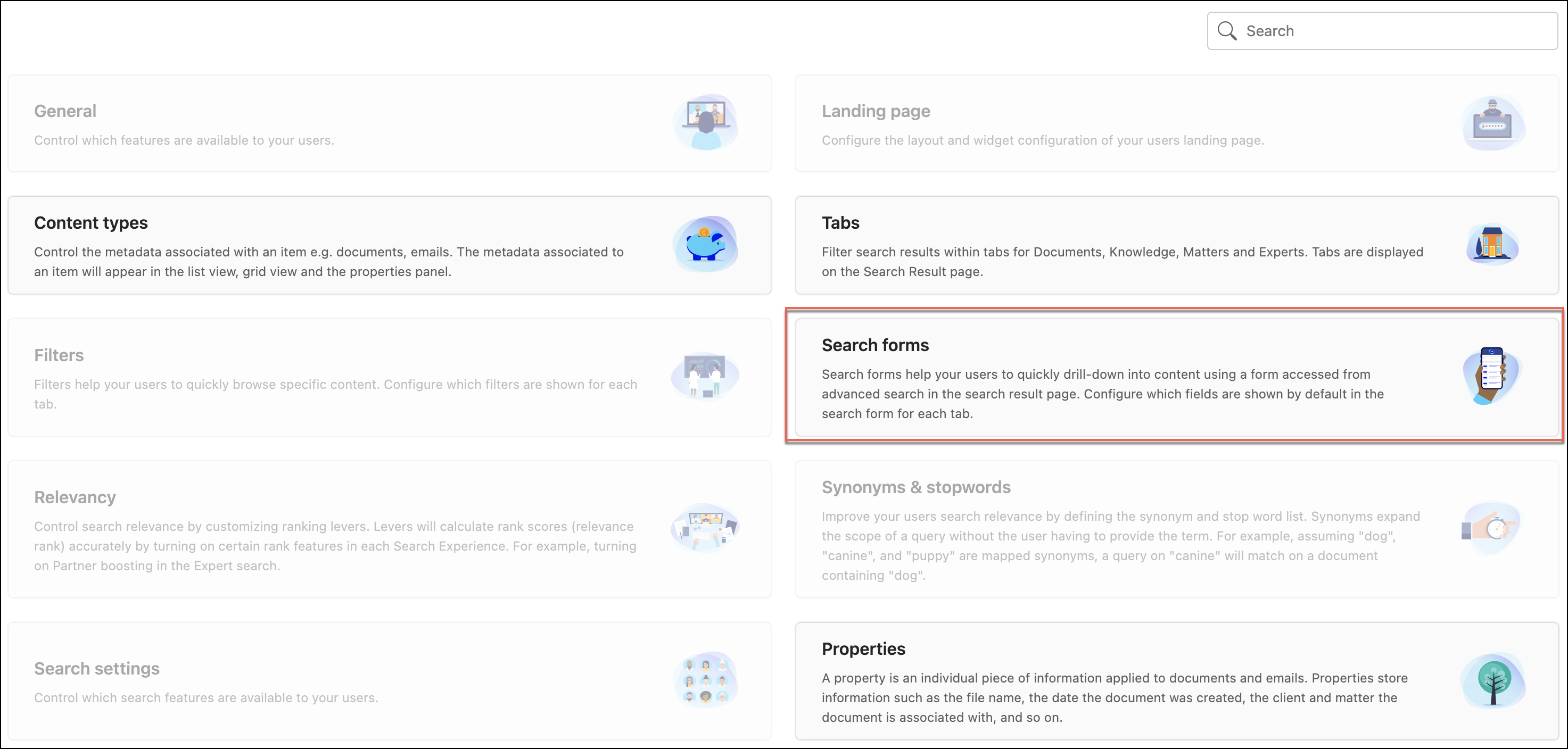
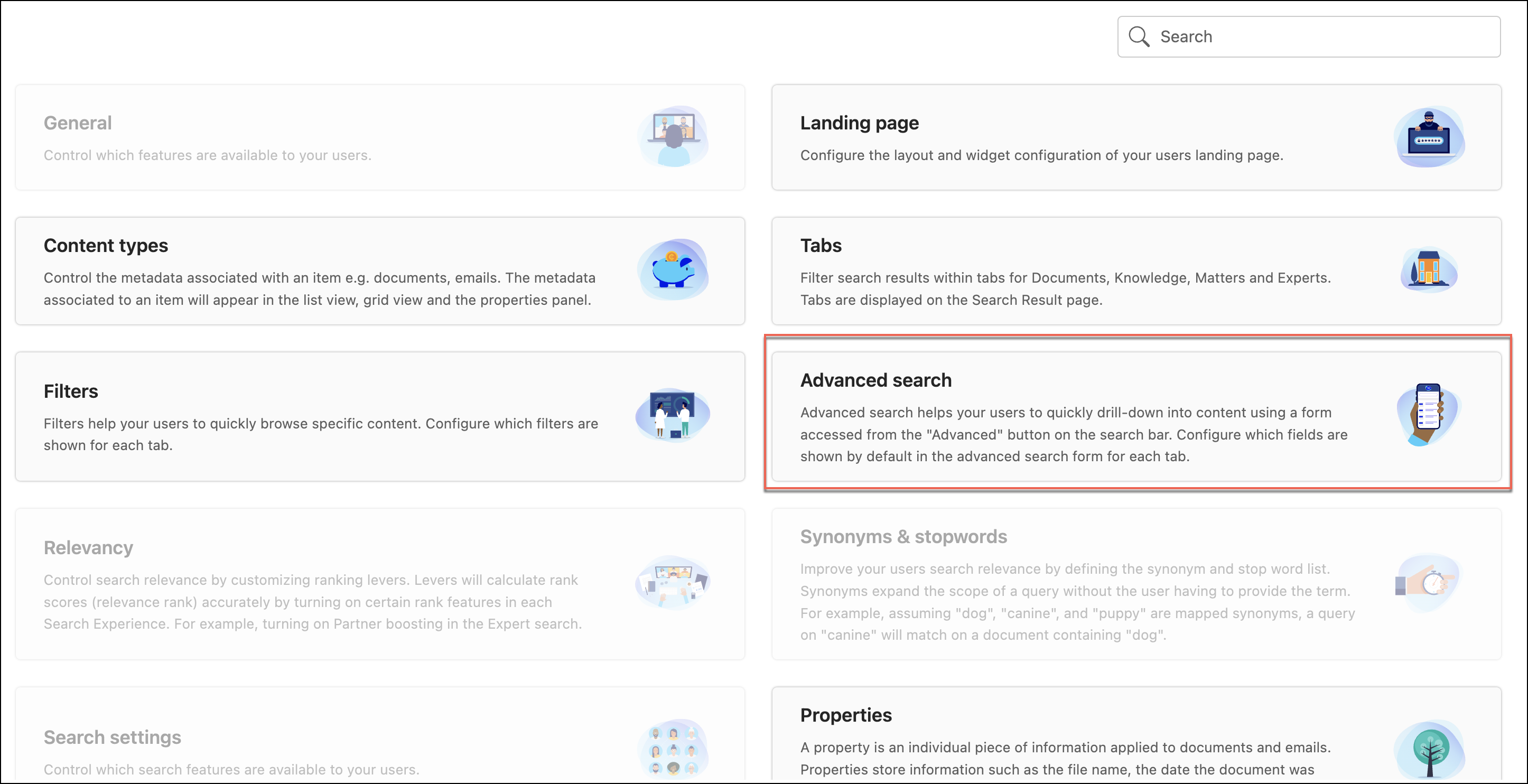
Search forms is now renamed as Advanced search in iManage Insight+ Admin interface
As an administrator, you can define the properties (fields) that users can access and use by default in the Advanced Search option in the iManage Insight+ search interface. This configuration is made from iManage Insight+ administration interface in iManage Control Center. The configuration option in the administration interface was called Search forms. It is now renamed to Advanced search to make it consistent with the naming convention in the iManage Insight+ search application.
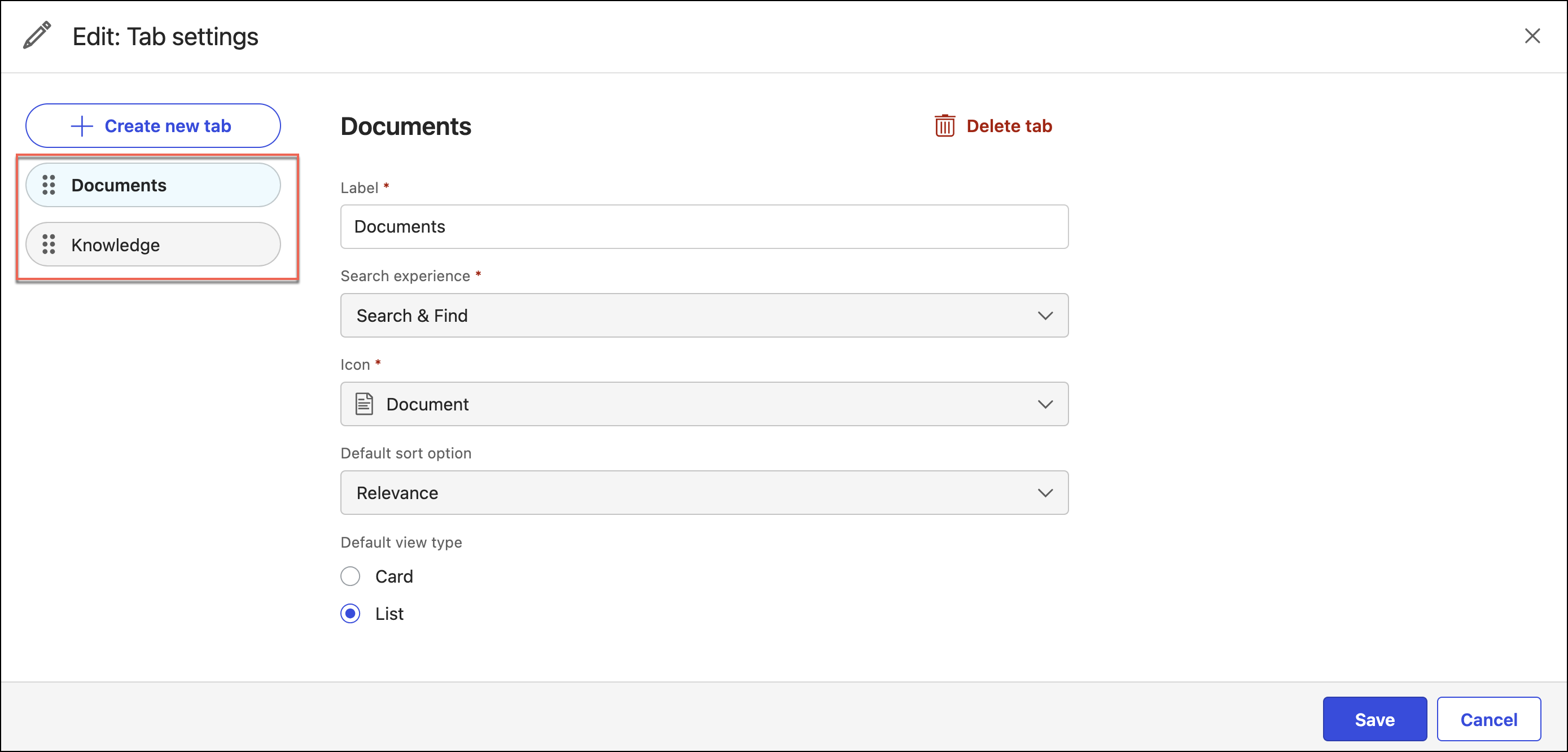
Tabs administration page in iManage Insight+ Admin interface redesigned
The Tabs administration page in iManage Insight+ Admin interface has been redesigned to bring about a consistent user experience across all the administration configuration pages.
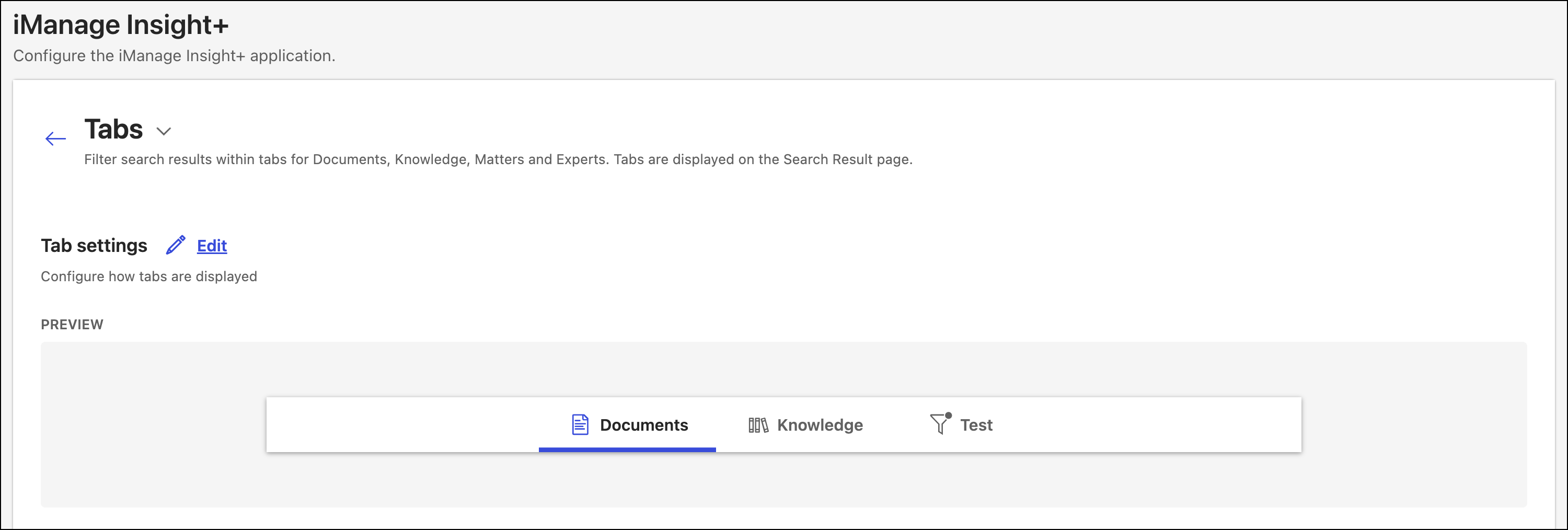
You can now configure the display order for tabs in iManage Insight+ by dragging the tabs on the left using the reorder icon ( ).
).
Properties administration page in iManage Insight+ Admin interface redesigned and enhanced
The Properties administration page in the iManage Insight+ Admin interface has been redesigned to bring about a consistent user experience across all the administration configuration pages. The way properties are configured has been modified. The key changes are:
Documents & Emails, People, and Matters properties will now be separately configured in the UI.
The property configuration process streamlines customizations and uniformly applies the customizations across all properties of the same type.
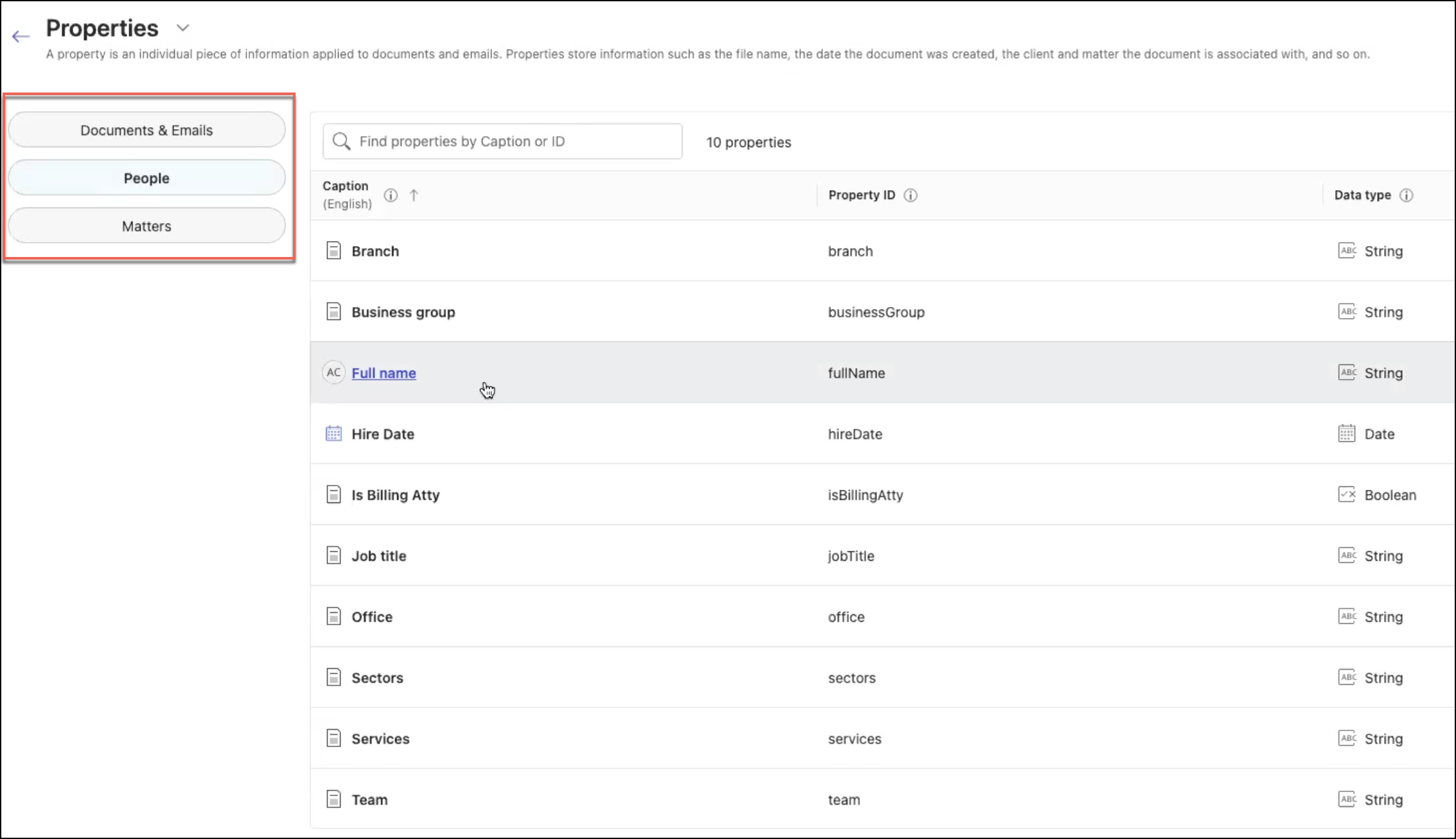
As a result of these changes, configurations of existing custom titles and icons for all People and Matter properties will be lost and will be reset to default settings. For example, if the title for Author: Full Name was changed to Custom author title, it'll be reset to Author: Full Name.
March 2024
iManage Insight+ Landing page is now generally available
The Insight+ Landing page is now available in iManage Insight+ Admin interface. As an Insight+ administrator, you can configure a Landing page for the iManage Insight+ search interface. Landing pages help users browse to particularly important content, or content organized around specific teams of practice groups.
After you sign in to iManage Control Center, in the left navigation bar, go to EXTENSIONS, and select iManage Insight+.
Figure: Insight+ configuration page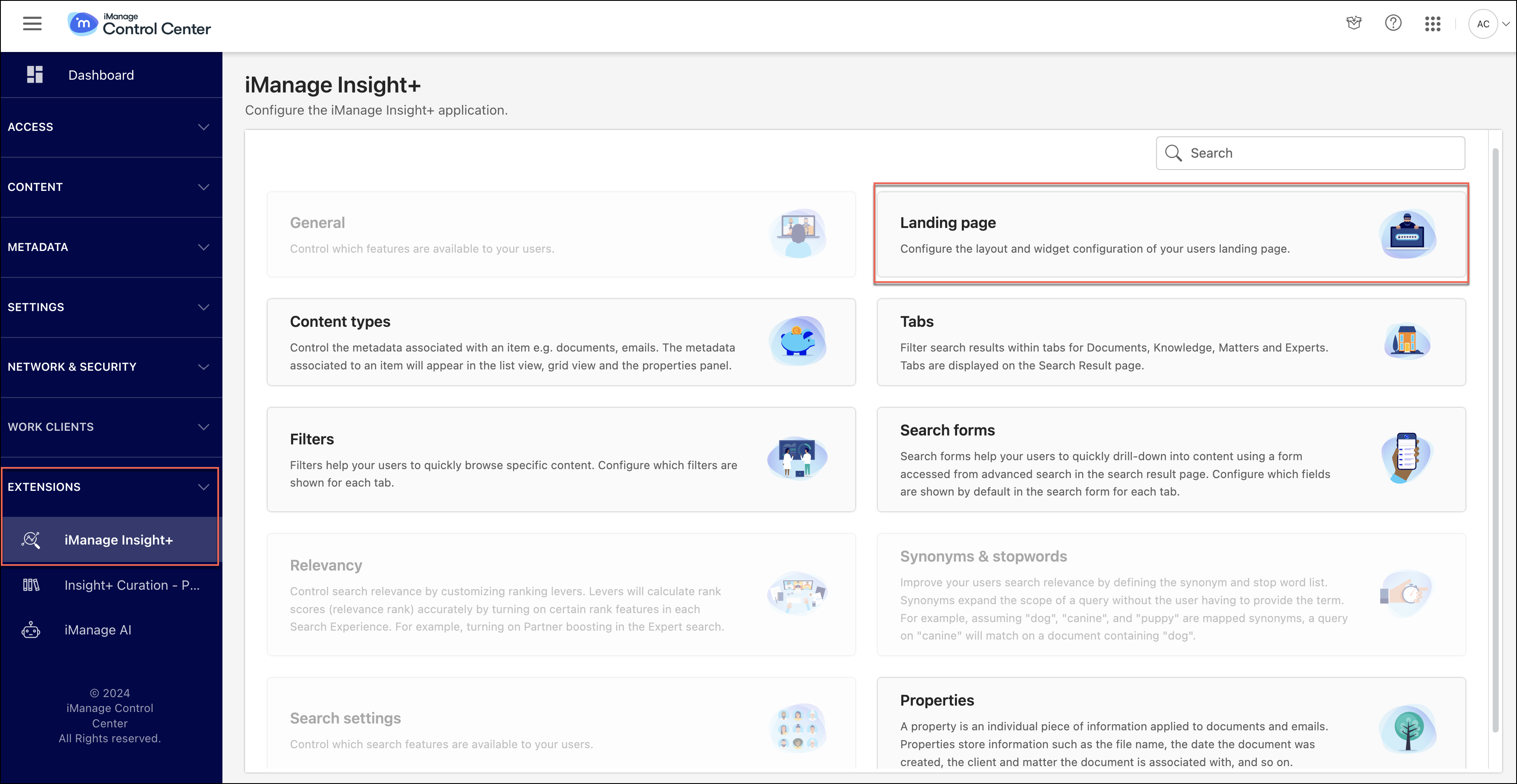
On the Configuration page, select Landing page.
On this page, you can view the list of available properties that are configurable.Select Edit next to the property that you want to configure, update the property value/content, and select Save to update the configuration. These changes will reflect on the Landing page in the iManage Insight+ search application.
Figure: Landing page configuration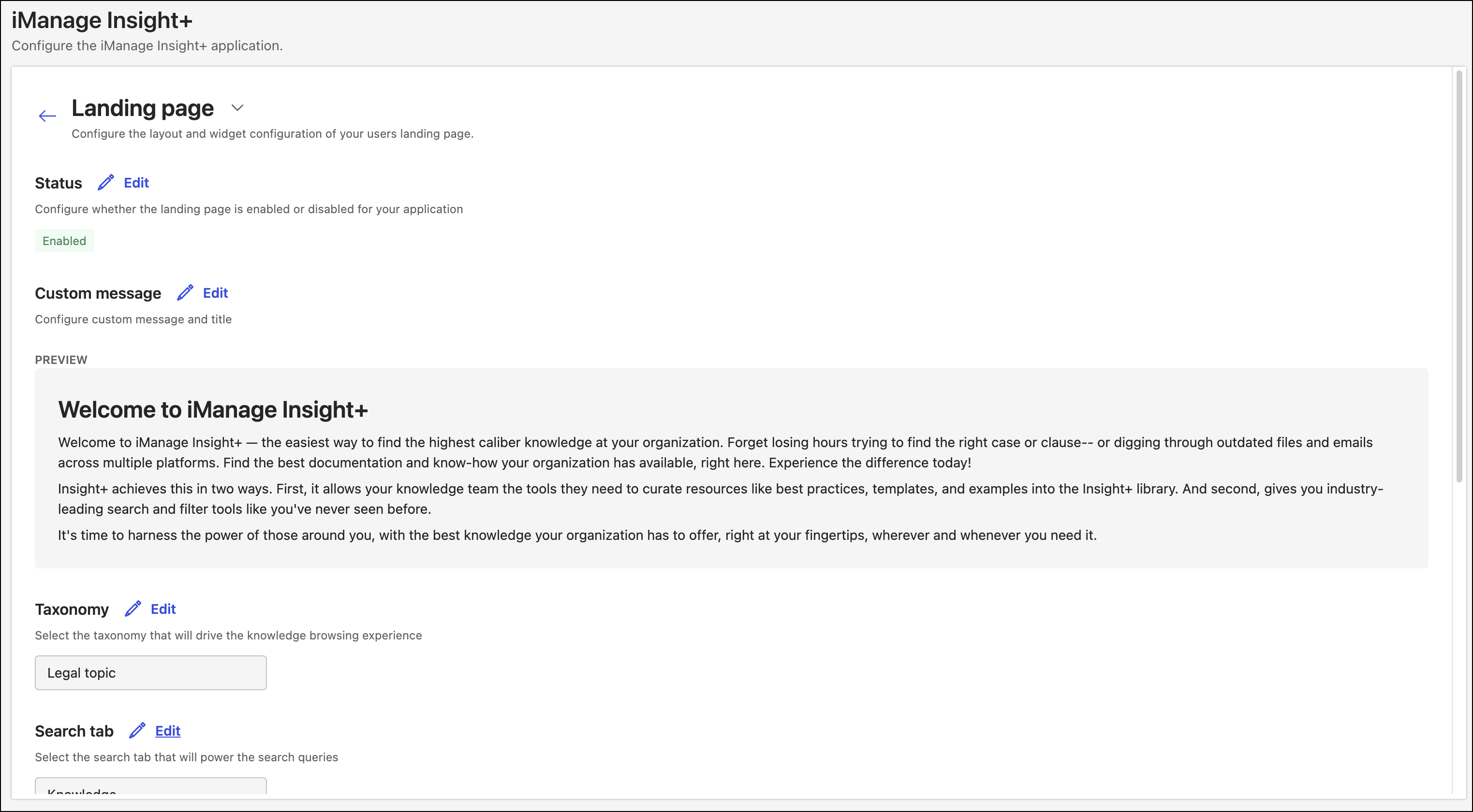
For more information about the Landing page, its use cases, and how to configure the landing page, refer to Configuring a landing page.
February 2024
iManage Insight+ monitoring now available in Trust Center in iManage Help Center
You can now monitor the status of iManage Insight+, outage history, scheduled maintenance windows, and so on in iManage Trust Center.
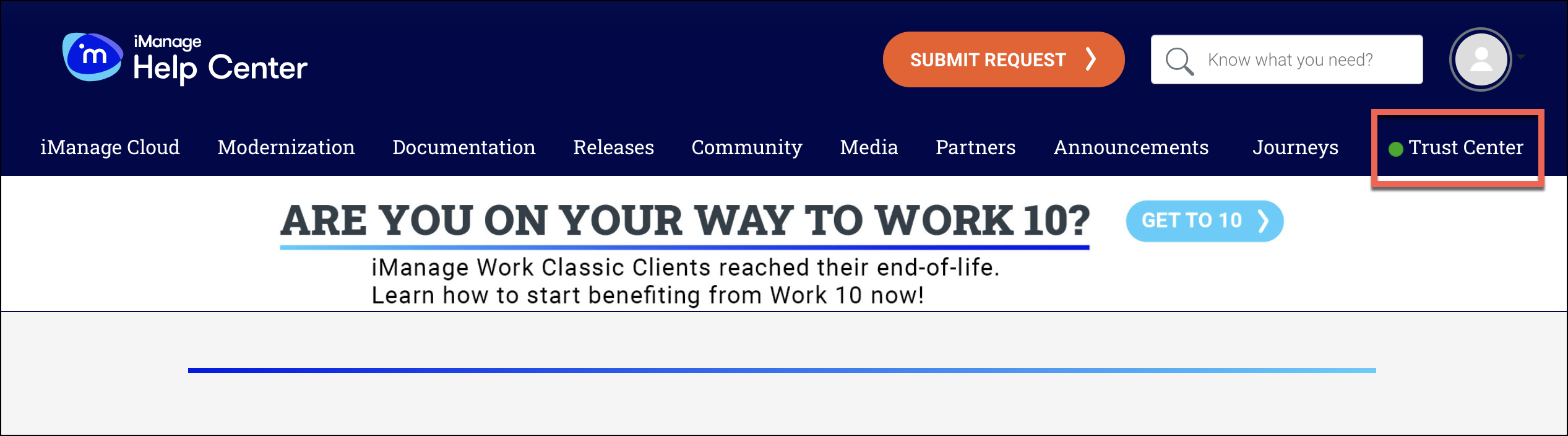
The following features are monitored and reported as outages in case of failure:
Sign in
Indexing
Search
Preview