You can access Ask from multiple locations, allowing you to start a conversation without leaving your current task. To open it, select:
The Ask button next to the search bar at the top of the current page. The Ask page is displayed.
Figure: Ask in the search bar
Search in the left navigation pane, then New chat in the Search panel. The Ask page is displayed.
Figure: Access Ask from Search option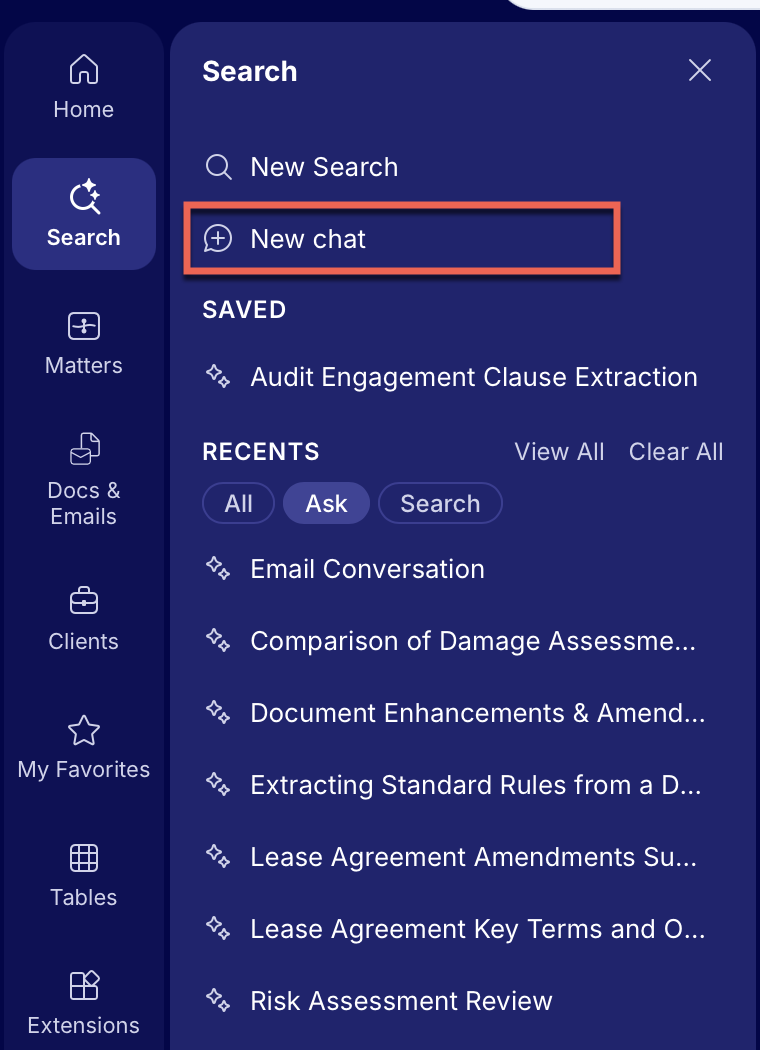
The Ask icon in the right navigation bar. The Ask page is displayed as a side panel.
Figure: Ask in the right navigation bar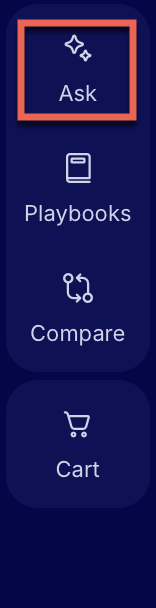
The Ask icon at the lower right corner. The Ask page is displayed as a floating panel.
If you can’t see this option, enable it by doing the following,In the upper-right corner, select Settings. User Settings opens in the General tab.
Select Appearance.
Slide Ask iManage quick access button to right to display the quick-access Ask button in the lower right corner.
Select the Ask icon to open Ask as a floating panel.
Figure: Quick access to Ask
When Ask panel opens, you'll see the What Can Ask iManage Help With? prompt and a box labeled Ask anything about your content, ready for your first question.