To create a Playbook using AI,
On the left navigation bar, select Playbooks
 to display the Playbooks dialog.
 Select New > Create using AI to open the Create a playbook dialog.
Figure: Creating Playbooks using AI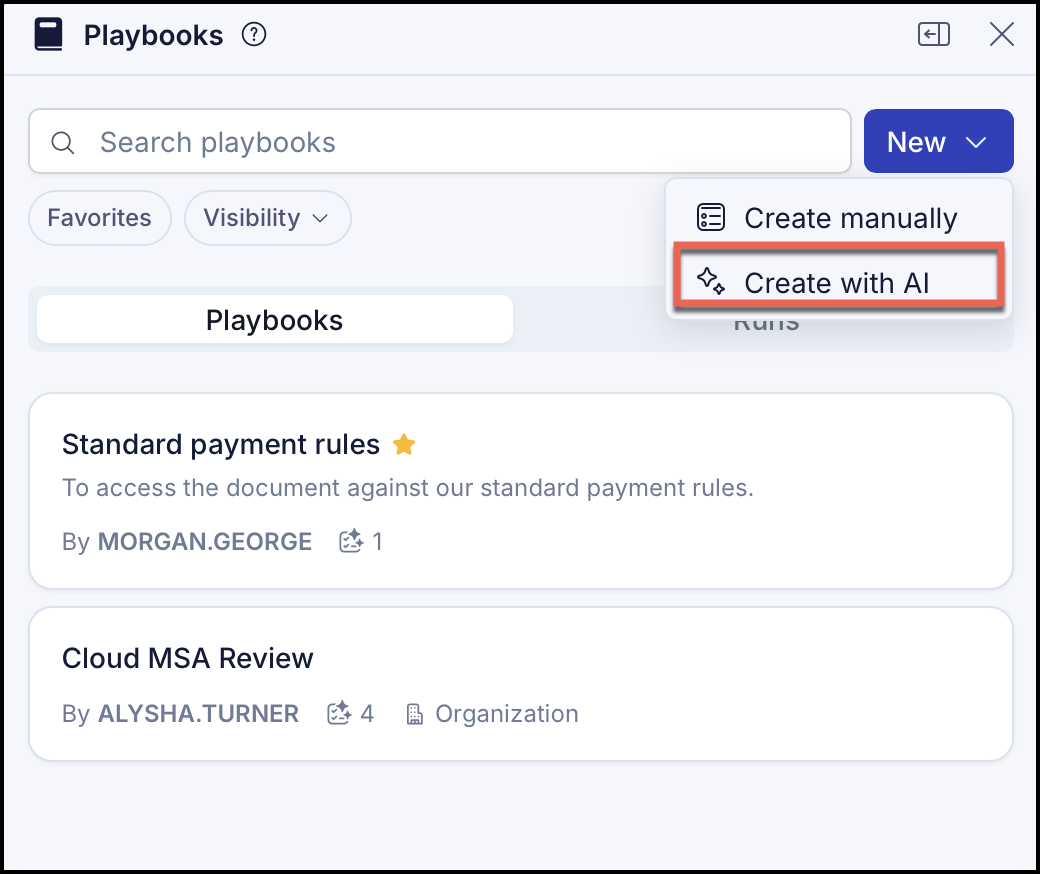
In the Ask page that opens, do the following,
Select More options and then select Attach.
Figure: Selecting the document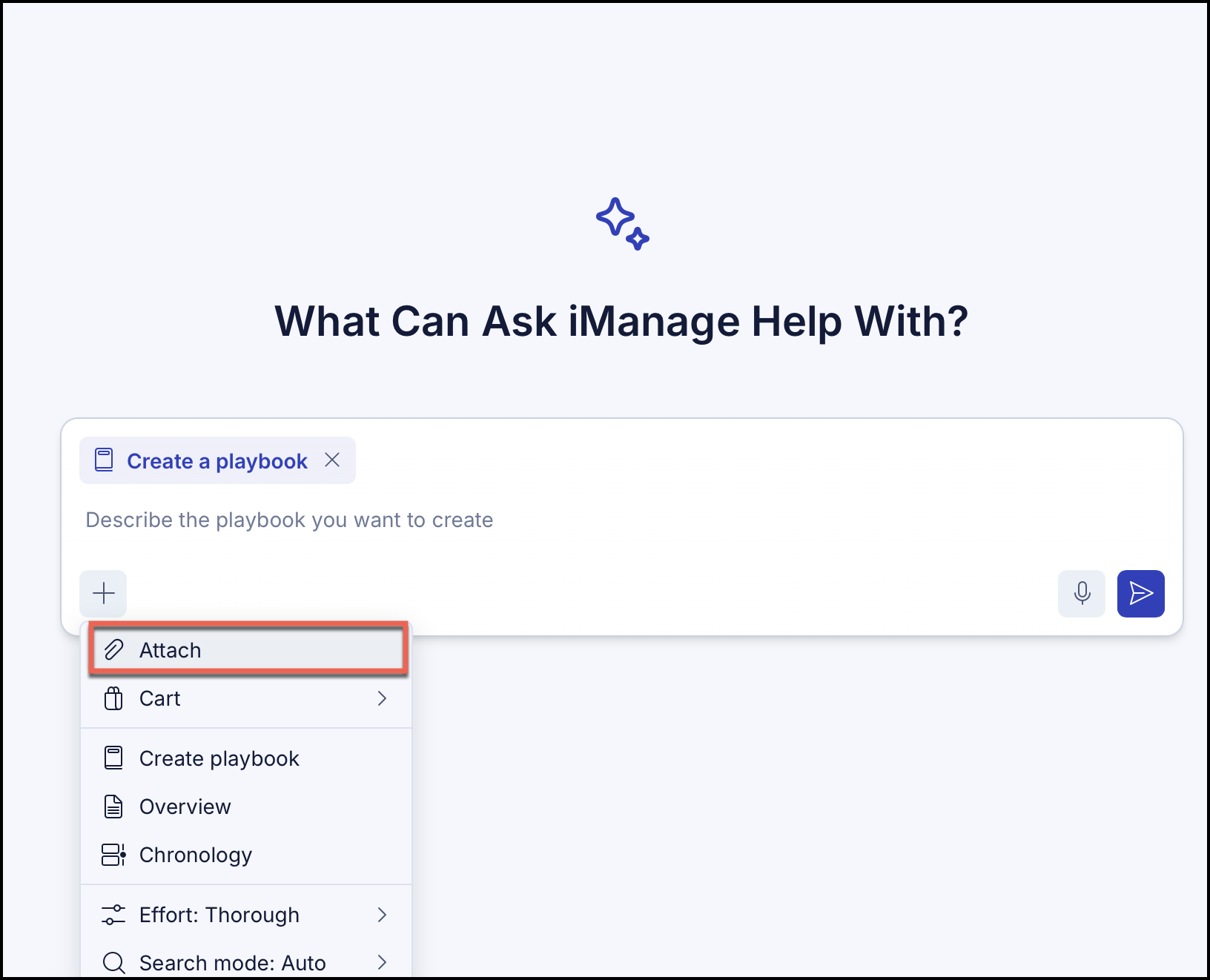
If a document isn't selected, you'll be prompted to select a document or specify the guidelines or regulations.
Browse and select a document.
Figure: Selected document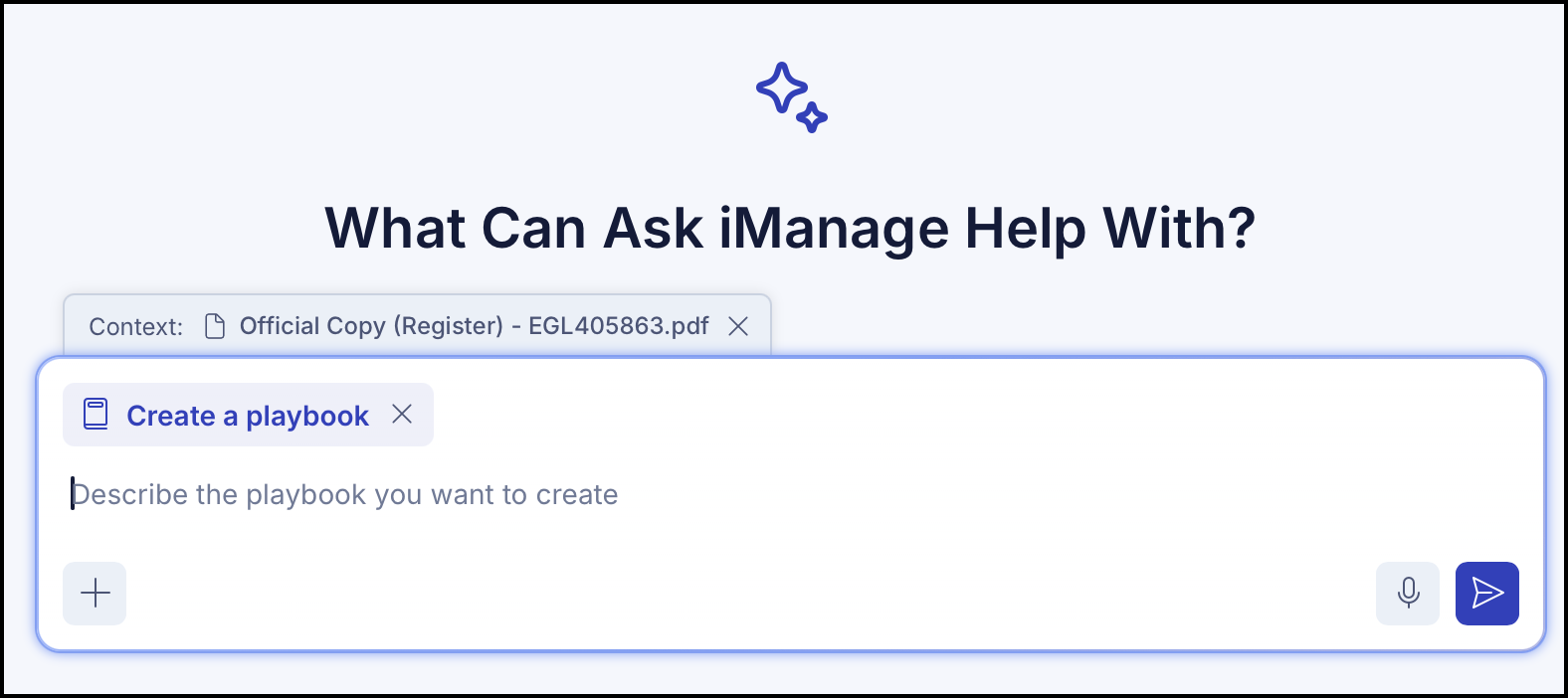
Provide a description of the Playbook you want to create. You can also use the Enhance prompt to enhance your question and select Send.
iManage may prompt you to make selections when creating a Playbook. Select the relevant option or enter a prompt. Select Skip to bypass the prompt.
Figure: Making selections if prompted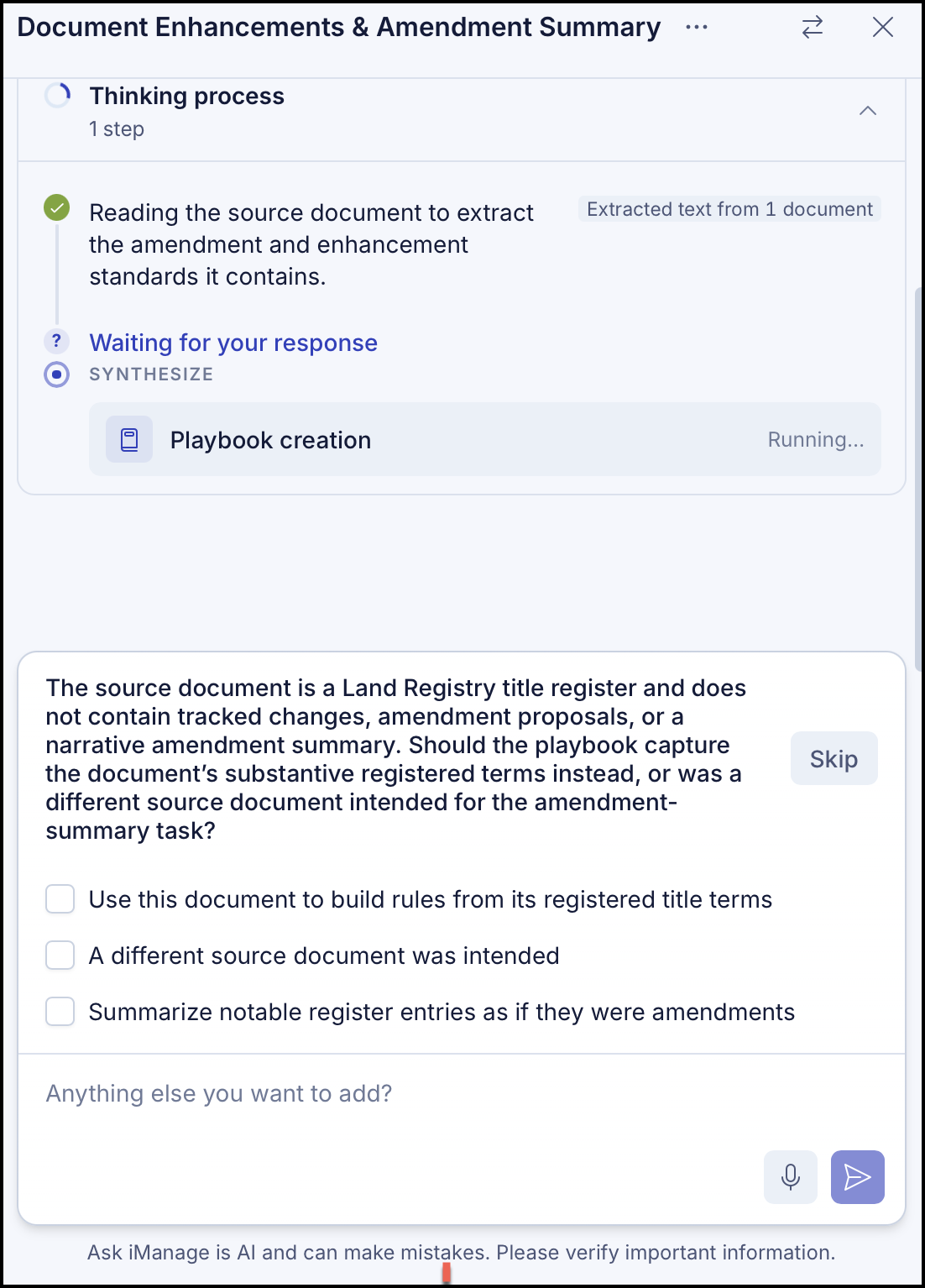
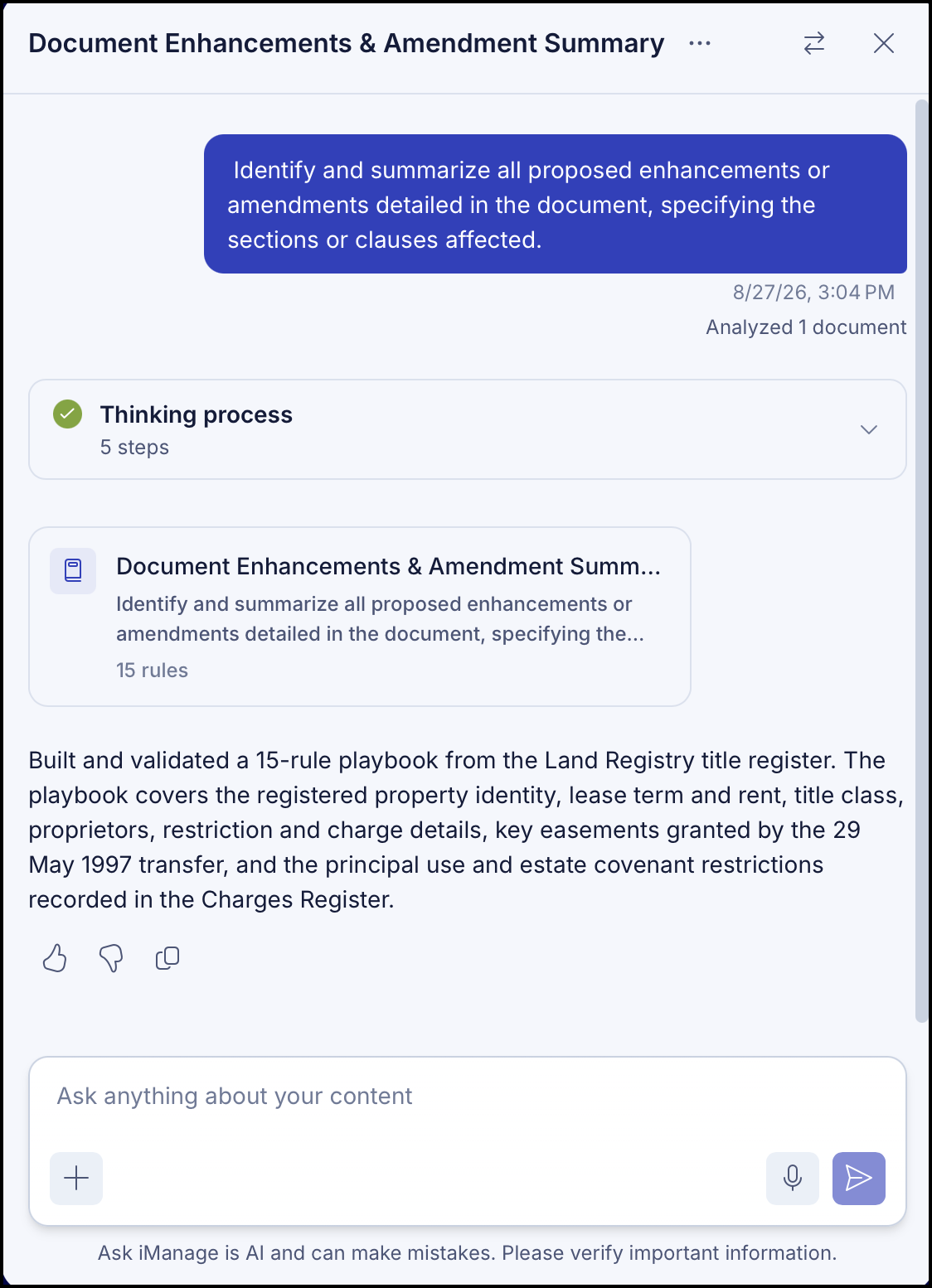
The Playbook is created and a confirmation is displayed as shown.
Figure: Playbook generated using AI