You can import a set of rules saved as a JSON file to create a Playbook. Importing lets you reuse an existing rule set instead of creating each rule manually.
In this section:
Create a Playbook by importing a rules file
To create a Playbook by importing a rules file:
On the left navigation bar, select Playbooks
 to open the Playbooks dialog.
 Select New > Create manually.
Figure: Creating playbook manually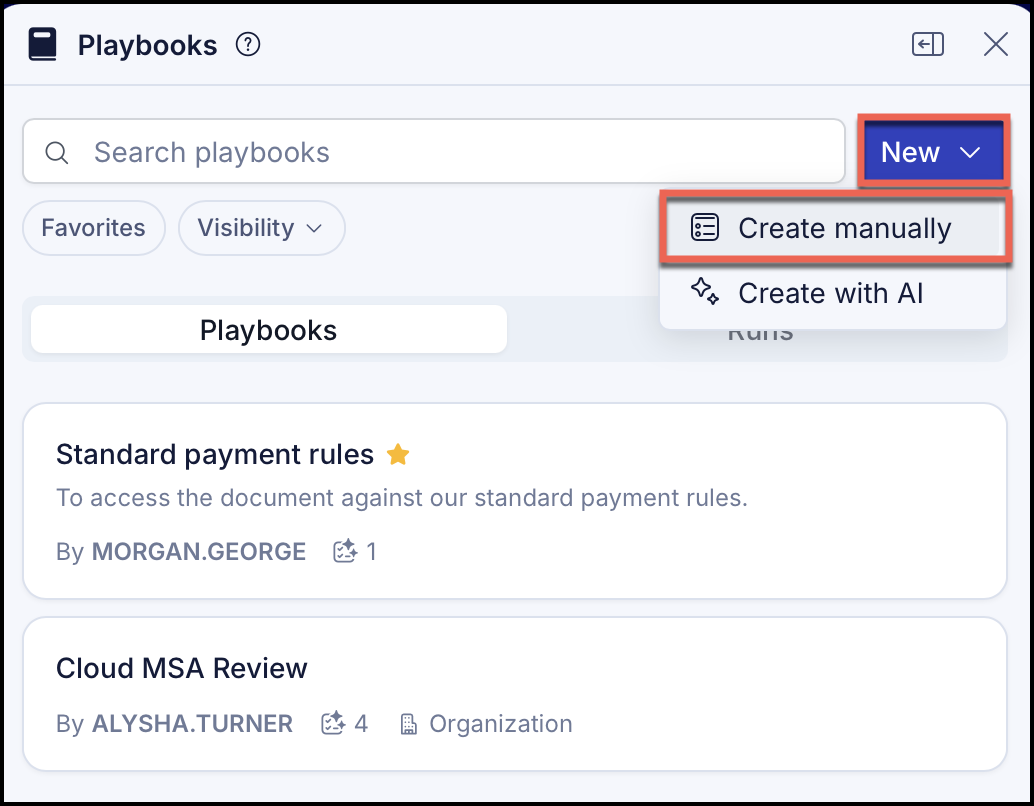
In the Create a playbook dialog, do the following:
Figure: Create a playbook dialog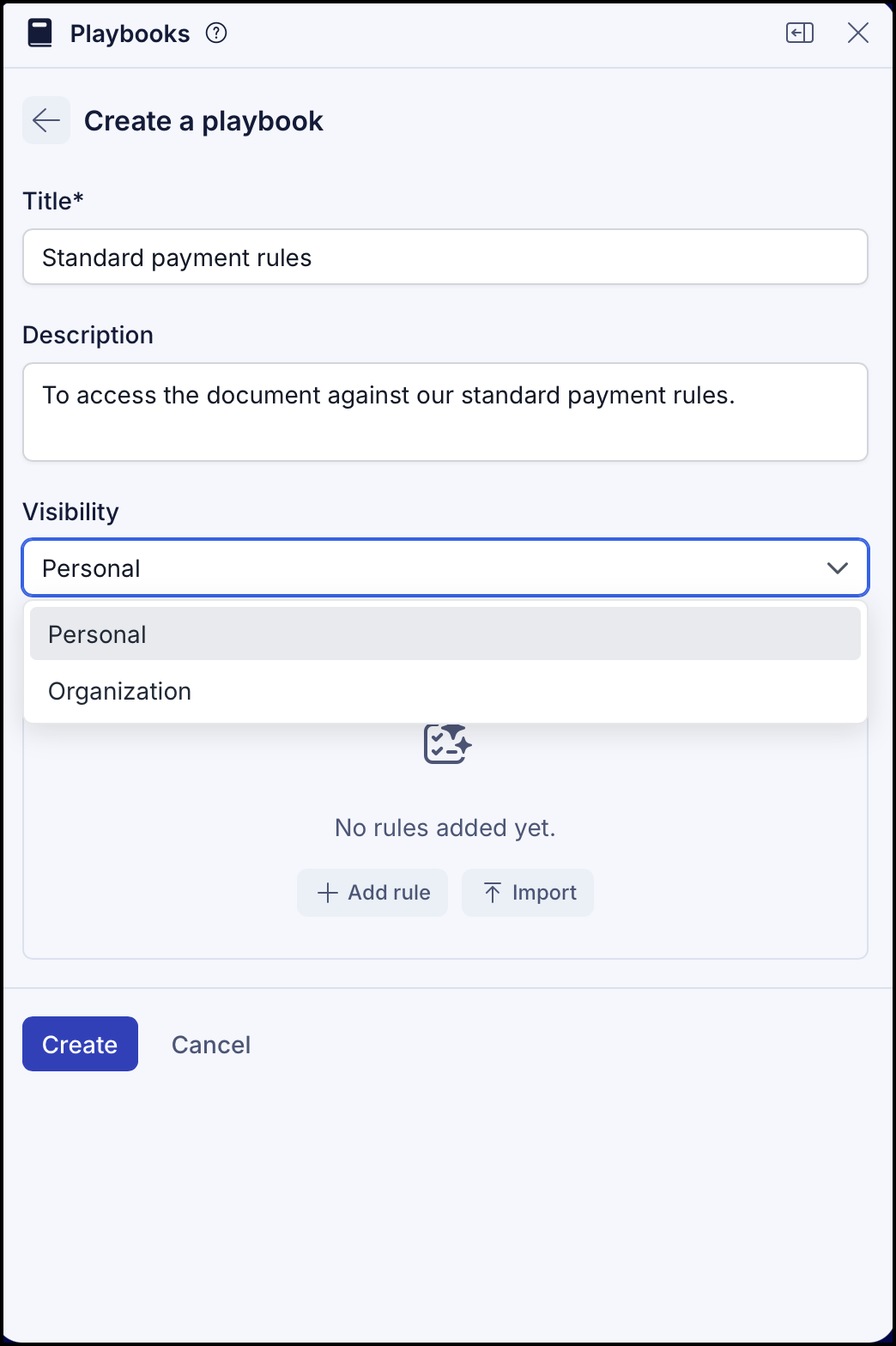
In Title, enter a name that identifies the Playbook when you apply it to a document.
In Description, add information that explains the Playbook's purpose and contents.
In the Visibility drop-down, select Personal to make the Playbook visible only to you, or Organization to make it visible to your organization.
In Rules, select Import, then browse to and select your saved rules file in JSON format.
Select Create. The rules are saved to the Playbook.
(Optional) Add more rules or import another rules file. The Playbook is now available to apply to a selected document.
Select Create. This Playbook is now available to apply to a selected document.
Playbook rules fields and description
Each rule in an imported file describes a single check the Playbook performs against a document, plus your preferred and fallback positions. A rules file contains a version and a list of rules; each rule has the following fields.
Table: Playbooks fields and description
Field | Required | Description |
|---|---|---|
| Yes | A short, identifiable name for the rule. You see this when reviewing the Playbook. |
| Yes | Explains what the rule checks in the document. |
| Yes | How the rule is treated when applied.
|
| Yes | How the rule is evaluated. |
| No | Your default position for the rule. |
| No | One or more acceptable alternatives if the standard position isn't accepted. |
Both standard_position and each entry in fallback_positions contain the same three fields.
Table: Standard position and fallback positions fields
Field | Required | Description |
|---|---|---|
| Yes | The position text that should appear in the agreement. |
| No | Guidance on how to revise the document to meet the position. |
| No | Optional context or rationale for the position. |
Rules file example
The following is a minimal rules file with a single rule. A real file can contain many rules inside the rules array and multiple fallback positions in the fallback_positions array.
{ "rules": [ { "name": "Liability cap is based on fees paid in the prior 12 months", "description": "Check whether the draft uses the preferred fees-paid cap rather than a fixed dollar cap.", "rule_classification": "required", "rule_type": "boolean", "standard_position": { "text": "The limitation of liability cap should be tied to fees paid or payable in the prior 12 months.", "drafting_note": "Replace fixed-dollar caps with the fees-paid formulation unless approved.", "comment": "Fixed caps can be under-protective as account value changes." }, "fallback_positions": [ { "text": "A fixed cap may be acceptable only with business approval and a cap amount sized to the deal.", "drafting_note": "Escalate fixed caps below expected annual fees.", "comment": null } ] } ]}