To view previously run Playbook analysis,
On the left navigation bar, select Playbooks
 to display the Playbooks panel.
 Select Runs in the Playbook panel. All the previously run Playbook analysis are displayed.
You can do the following:
Select
 More options and then select,
 View playbook details to view all the rules and positions for the Playbook.
Delete playbook run to delete the Playbook run. When the confirmation dialog is displayed, select Delete.
Figure: More options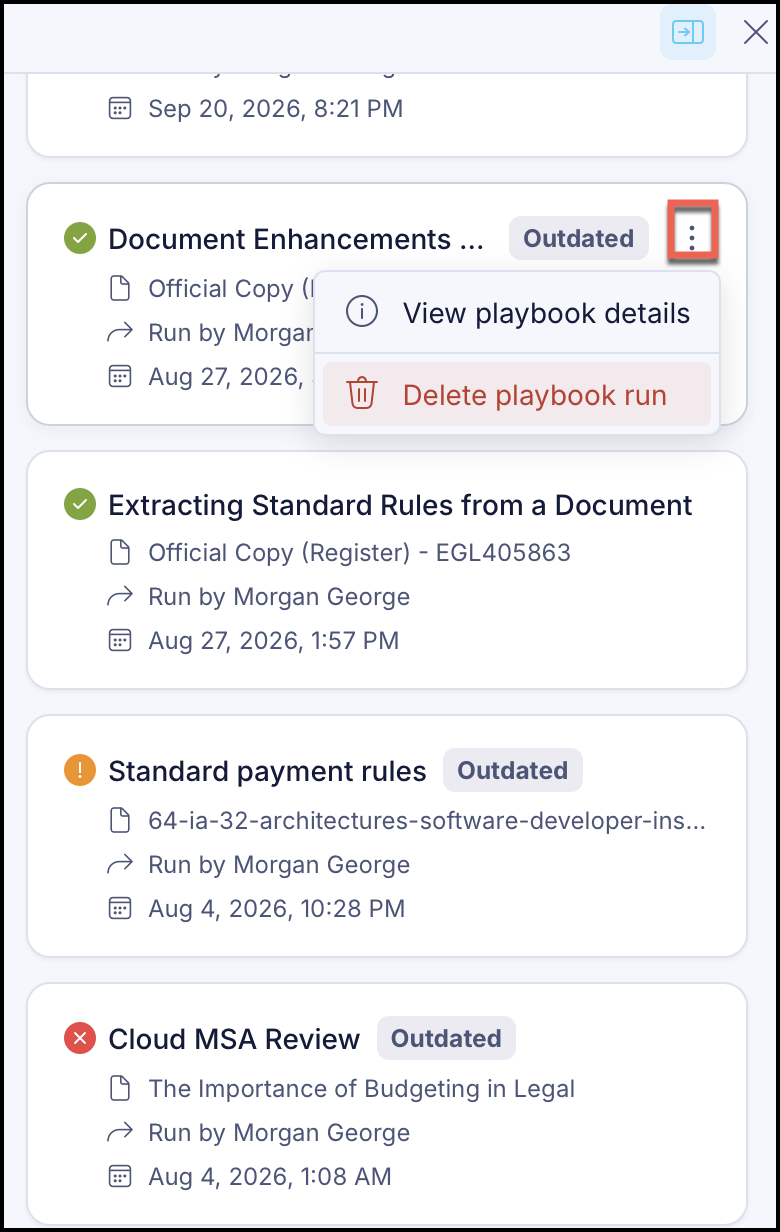
Select the Playbook to view the details. The details are displayed. In the details pane, you can do one of the following:
Select
 Rerun playbook to run the analysis again.
 Select
 More options and then select,
 View playbook details to view all the rules and positions for the Playbook.
Delete playbook run to delete the Playbook run. When the confirmation dialog is displayed, select Delete.
NOTE: Outdated is displayed for Playbooks runs for which the Playbooks have been modified.