The iManage Threat Manager API supports two authentication methods: application token authentication and user sign-in authentication. The method you choose determines your level of API access: application token authentication provides limited access suitable for SIEM integrations, while user sign-in authentication provides a similar level of access to what the user would have in the admin console. Both methods return an access token, which is required for all subsequent API requests.
In this section:
Authentication using an application token and secret
Application tokens validate both authentication and privilege levels. An application token is used when sending a sign-in request; Threat Manager returns an access token in response. The expiration duration for access tokens is set by the customer’s admin when configuring the Threat Manager application in iManage Control Center. (For more info, refer to Installing the iManage Threat Manager plug-in for Control Center in iManage Threat Manager Installation Guide.) Access is limited to the following endpoint:
POST https://xxxxxx.tm-cloudimanage.com/tm-api/getAlertList
NOTE: The /getAlertList API returns only alerts from Behavior Analytics rules. Alerts generated from Detect and Protect rules are obtained with a different API to which the application token doesn’t have access. This is because these alerts already take automated actions defined in the rule. This is expected and by design.
Role requirement
The Integrations Manager role is required to generate an application token.
If a user with the Integrations Manager role is made inactive in iManage Work, or the Integrations Manager role is removed from a user, all application tokens created by that user become inactive.
If the user is re-enabled or the role is re-added, the tokens become available again, to be used to generate an access token.
Task: Generate an application token
In Configuration > System > Application Tokens for Utility Access, select New Token. The New Token dialog opens.
Figure: New Token dialog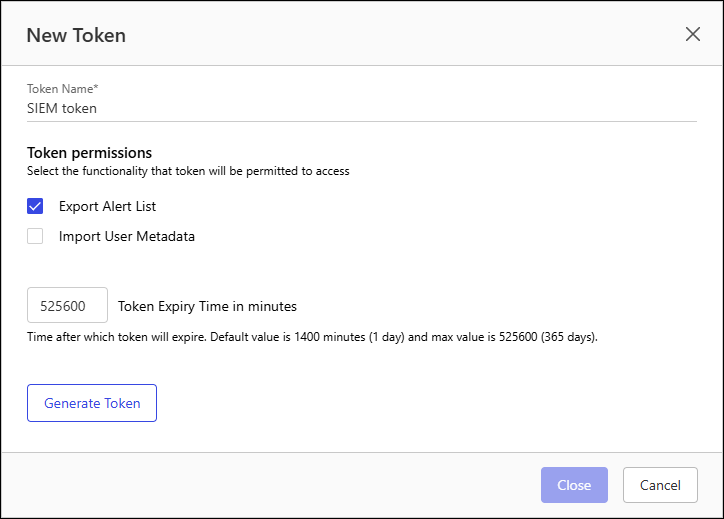
In Token Name, enter a unique name for this application token.
Select the Export Alert List permission.
In Token Expiry Time in minutes, enter the number of minutes before this token becomes invalid. By default, application tokens expire after 1440 minutes (1 day). The maximum value is 525600 (365 days).
Select Generate Token. The New Token dialog shows the generated application token and secret.
Figure: Generated Application Token and Secret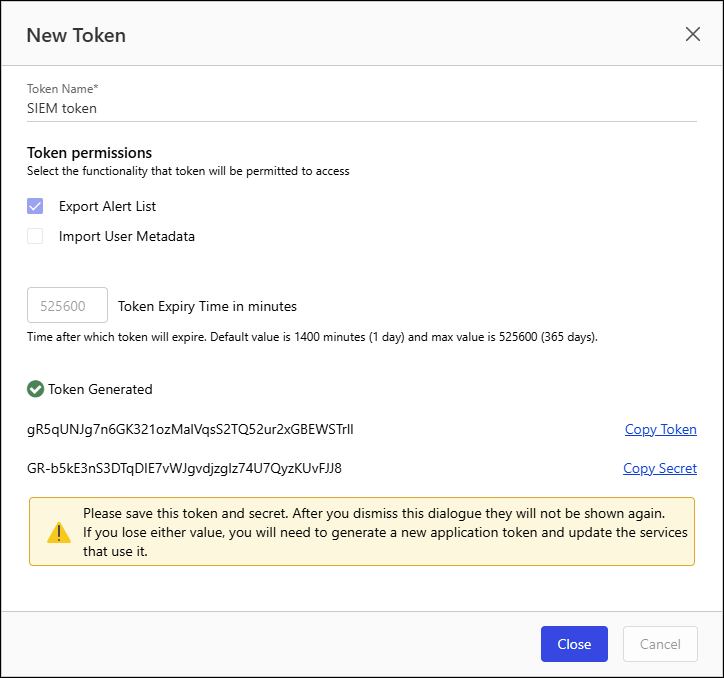
IMPORTANT: Record the token and secret before closing the New Token dialog. After the dialog is closed, neither the token nor the secret will be displayed again.
Task: Acquire an access token
Access tokens are required to make alert list requests.
Send a POST request to the
/v2/login/api_tokenendpoint with the application token and secret:Endpoint:
POST https://xxxxx.tm-cloudimanage.com/tm-api/v2/login/api_tokenRequest Body:
{"token":"6sP#####################################rsY","secret":"e-N#####################################49c"}
Threat Manager returns a response containing the access token.
Example of sign-in response body (with # in place of characters):
{"access_token":"eyJ###########################################################################A"}
Record the access token. You will use it in the header of subsequent API requests to authenticate when using the iManage Threat Manager API for acquiring Alert List information.
Authentication using user sign-in credentials
User sign-in authentication provides a similar level of access to what the user would have in the admin console, and widens the possibilities of a SIEM integration.
Endpoint:
POST https://xxxxx.tm-cloudimanage.com/tm-api/v2/loginRequest Body:
{"username":"YOUR_USERNAME","password":"YOUR_PASSWORD"}
Response:
{"access_token":"YOUR_ACCESS_TOKEN"}
The following APIs provide alerts generated by configured rules in Threat Manager:
Behavioral Analytics alerts:
POST https://xxxxxx.tm-cloudimanage.com/tm-api/getAddressableAlertsDetect and Protect alerts:
POST https://xxxxxx.tm-cloudimanage.com/tm-api/getDetectAndProtectAlerts
Using this authentication method, the SIEM integration can be expanded and designed to act on these alerts using other requests. This isn't possible with application token authentication.