You can manage the folders that link between Microsoft Outlook to iManage Work through the Managing folders dialog from a button on the Linking folders task pane. In addition to linking and unlinking folders for automated filing, the Manage folders dialog has additional features so you can:
Search for folders in Microsoft Outlook
Sync linked folders
Graphically display the status of the links in the Tree View (broken or inactive)
Open a linked iManage Work folder
Sort the Inbox folders by All, Linked, or Not linked
Sort the Inbox folders by status—Any status, Broken Link, or Inactive Link
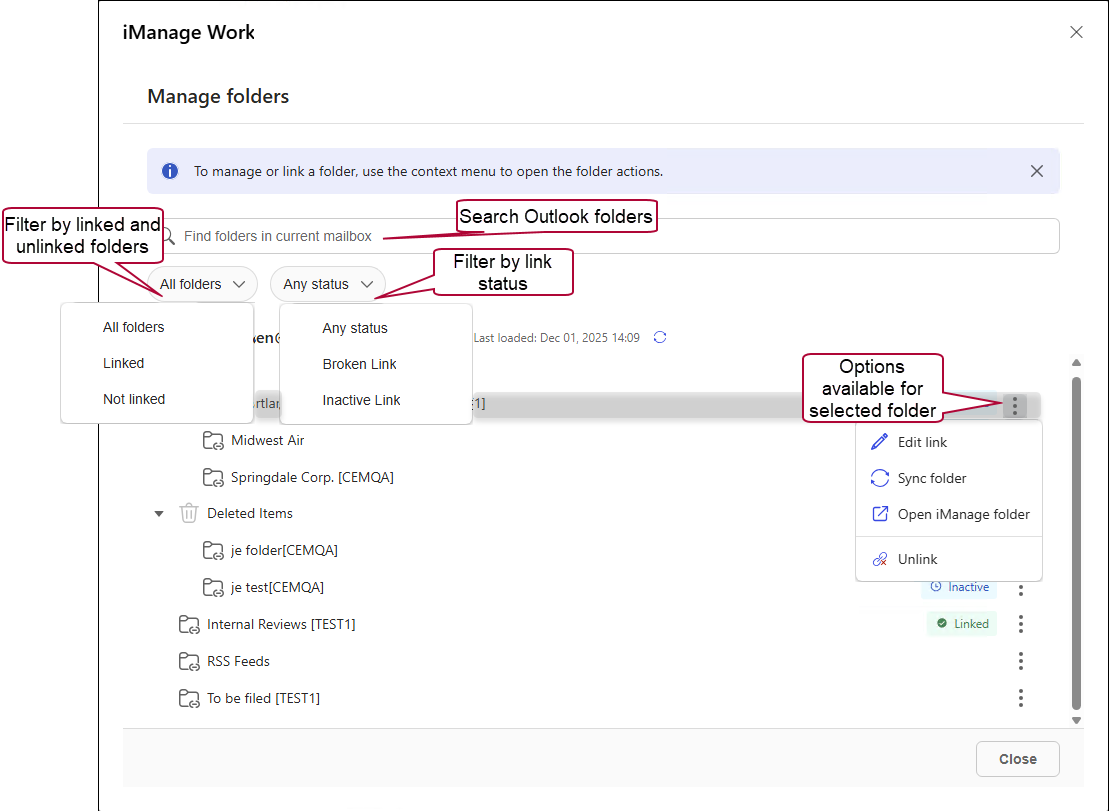
Figure: Manage folder functions