Select a document that's related to other documents, and then select Show Details.
Select the Related Documents tab in the Properties panel to view the list of related documents.
In the Related Documents tab, use one of the following ways to remove the relation between documents:
Select the check box next to a document and then select Remove Relation.
Figure: Removing document relation using the check box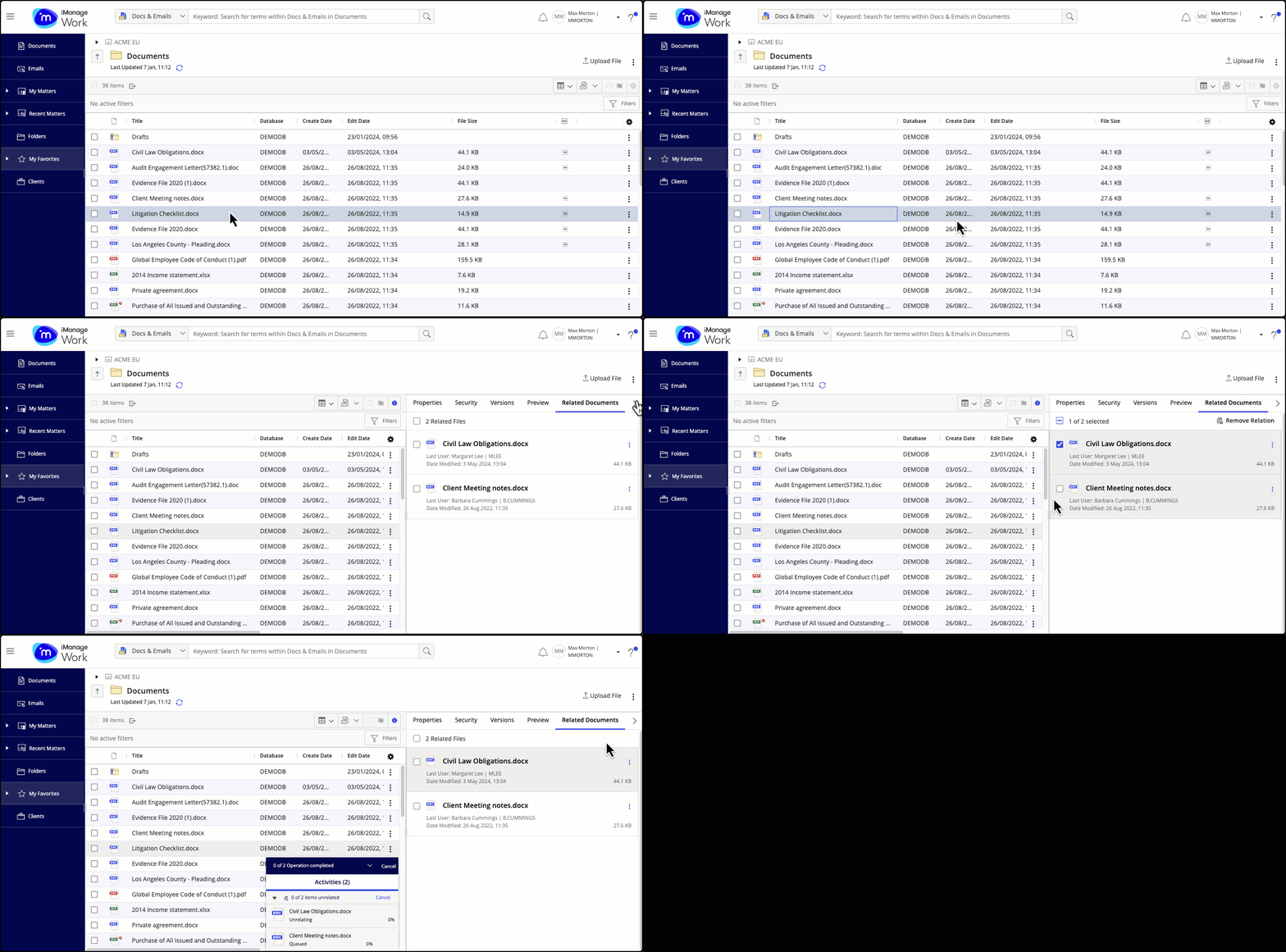
Right-click on a related document and then select Remove Relation.
Select the kebab menu for a related document and then select Remove Relation.
Figure: Unrelate documents using the kebab menu option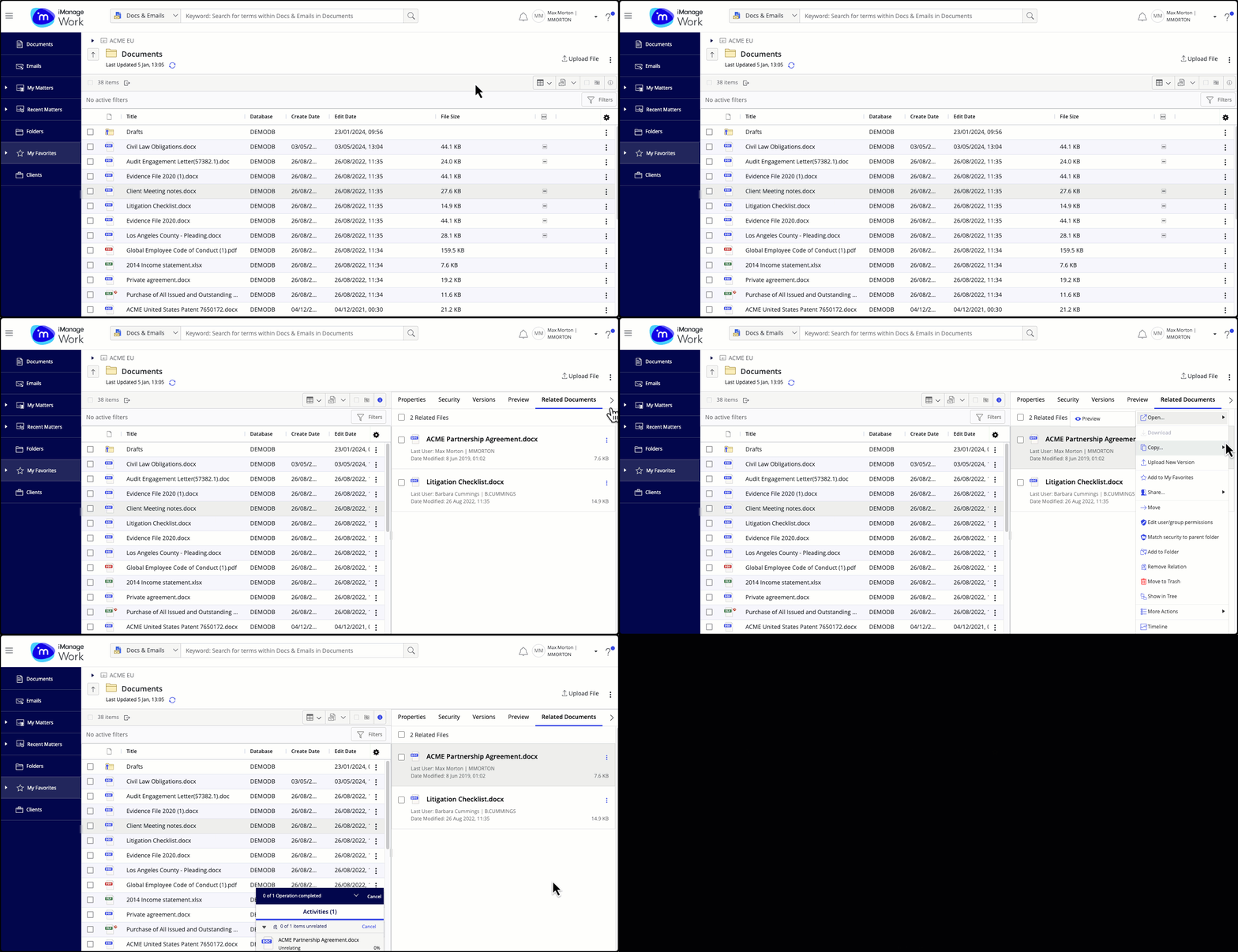
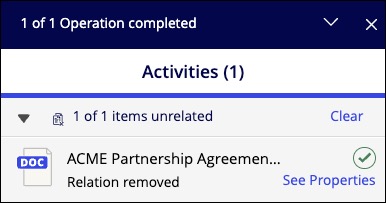
A progress dialog appears. Select See Properties to preview the related document that you just unrelated.
NOTE: When viewing iManage Work in the mobile view, the Related Documents information is displayed in the Properties tab, and not on the new dedicated tab. To remove the relation between documents in the mobile view:
Select a document that has related documents > Show Details > scroll down the Properties tab to the Related Documents section.
Select Expand to view related documents.
Select
 next to each relation you want to remove.