The Versions panel in iManage Work helps you perform tasks that are related to a document or versions of a document.
The Versions panel is available under the Details Tab, and its location in the details tab can be configured by your administrator in iManage Control Center.
Keyboard navigation and screen readers are fully supported in the Versions panel.
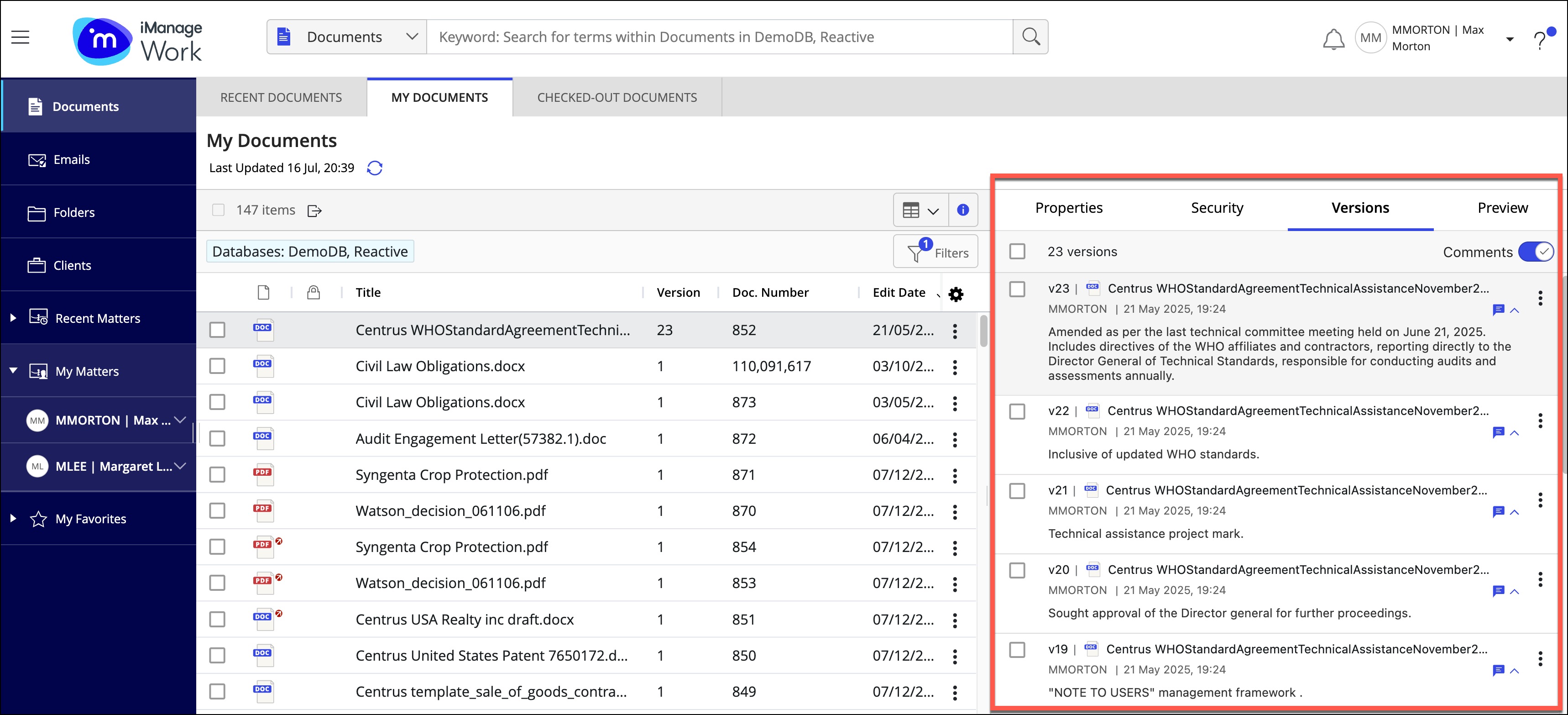
From the versions panel, you can:
Perform context menu actions as configured by your administrator.
Show or hide individual or all comments to free up space, and see a longer list of versions.
Edit an individual comment field and then save the changes by selecting outside the comment field or using the Tab key or use the ESC key to revert the changes.
Figure: Working with comments in the versions panel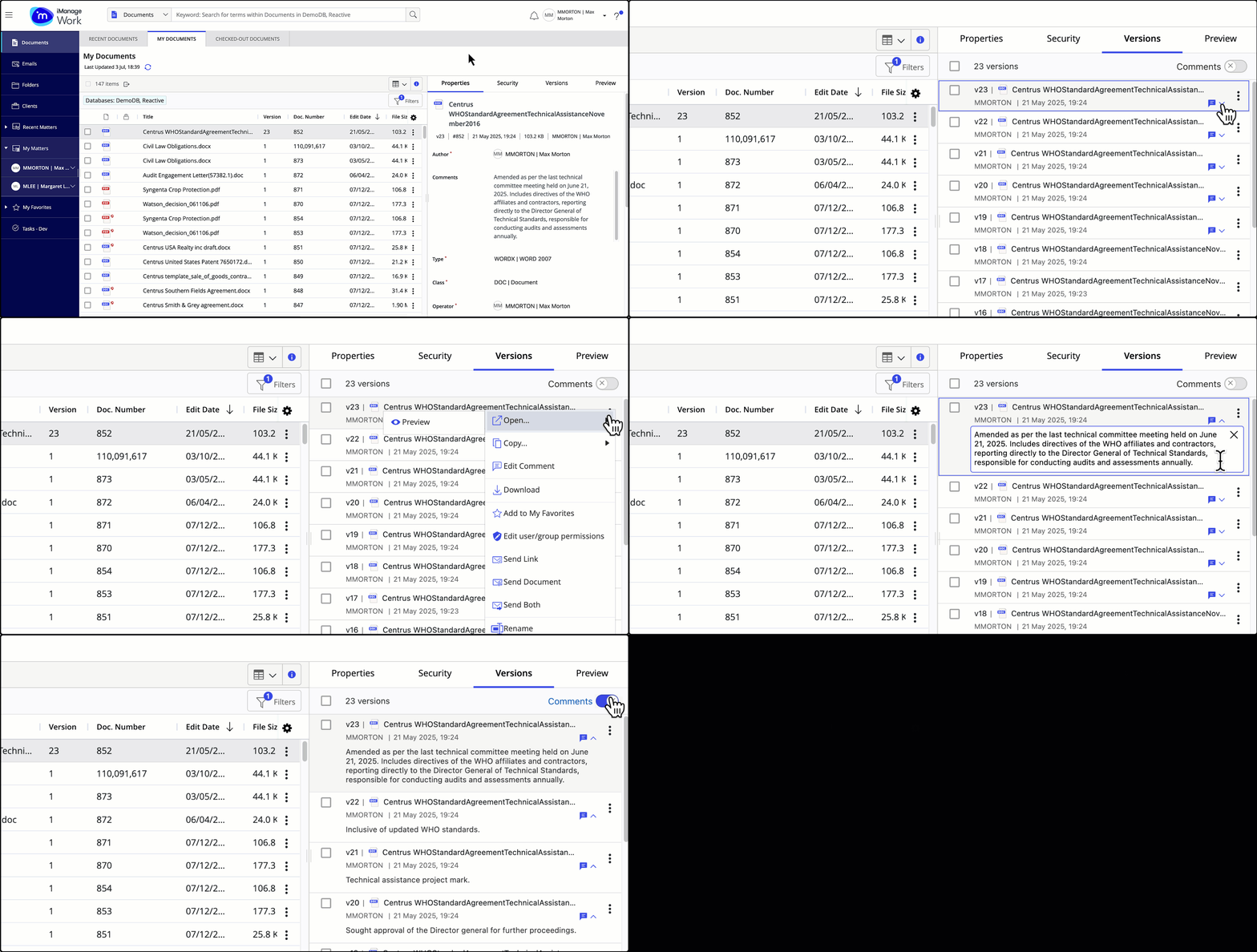
Select multiple versions of a document to perform various actions, including Declare as Record, Move to Trash and so on.
Figure: Selecting multiple document versions and performing actions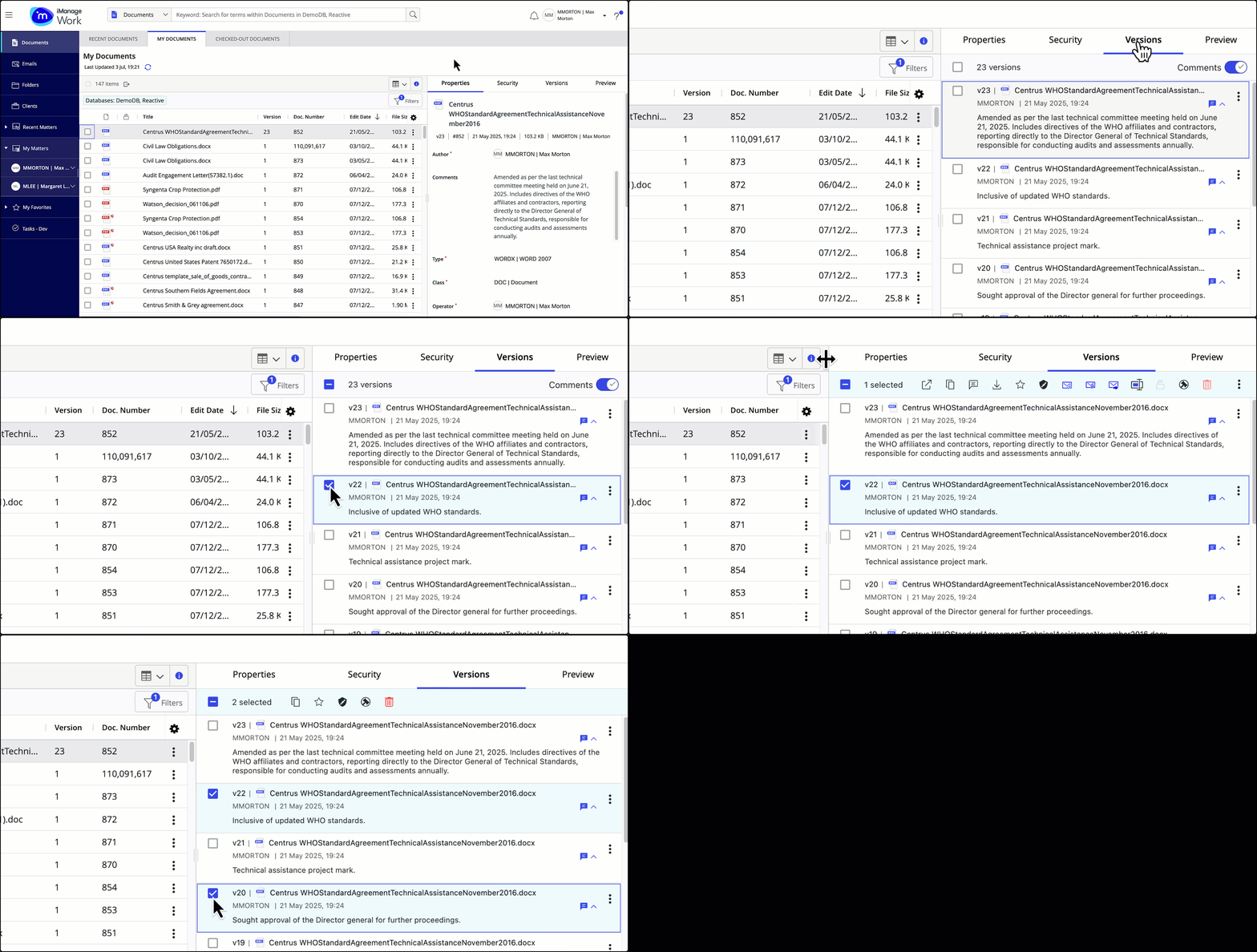
Update security of a document using the Edit user/group permissions action (if it's enabled and configured by your administrator in iManage Control Center).