Q: Is the document locked when it’s sent for signature?
A: No, the document isn't locked when it's sent for signature. Any user with the required permissions can edit the document.
Q: Is there an indication that a document is sent and is pending signature?
A: Yes. Right-click the document and select Check E-signature status.
Q: How do we know if a document was rejected by the signatory?
A: Docusign and Adobe Sign send an email notification if a document was rejected by the signatory. You can view the status on the E-signature dashboard.
Q: Are certificates of completion/audit reports available in iManage Work E-signature under related documents?
A: Yes, certificates of completion (Docusign) and audit reports (Adobe Sign) are available in E-signature. For more information, refer to Accessing Certificate of Completion and Accessing Audit report.
These documents can also be accessed in Docusign and Adobe Sign. For more information, go to the following:
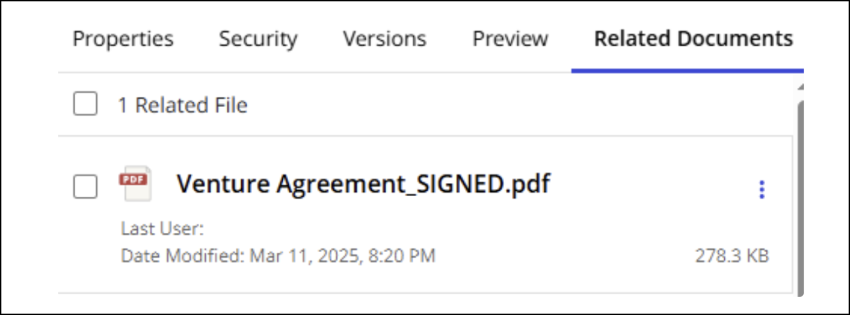
Q: Is the signed document/agreement linked to the original document?
A: Yes, the signed document/agreement is linked to the original document and can be found on the Related Documents tab.
Q: What types of signatures are supported?
A: Electronic signatures are supported for Docusign (default in Docusign) and Adobe Sign. Advanced Electronic signature and Qualified Electronic signature aren't officially supported.
Q: What does the status dashboard show?
A: The E-signature dashboard contains all the information about documents in a workspace that are sent for signing.
Q: How does a user connect to Docusign/Adobe Sign?
A: Each user needs to have a user name and password to access Docusign or Adobe Sign. After iManage Work E-signature is added to iManage Work in iManage Control Center and configured, users can send documents for E-signature.
Users will be prompted to enter their Docusign or Adobe Sign credentials when sending a document to a recipient for signature.