Microsoft 365 file open options lets you configure how Microsoft 365 file extensions open when you select on the document title or double-click on the document row.
The extension types and a few of the format examples supported are listed in the following table:
Table: Extension type and example formats
Extension type | Example Formats |
|---|---|
Microsoft 365 file extension |
|
Microsoft 365 apps in iManage Work |
|
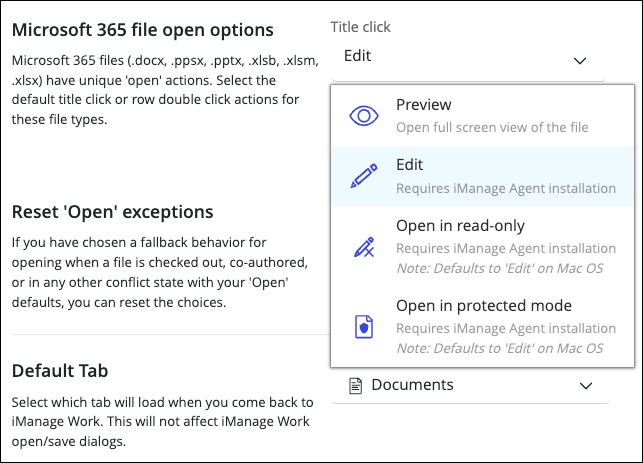
The following table shows the options available to set the Microsoft 365 file-open behavior for title click and row double-click.
Title click options | Row double-click options |
|---|---|
 |
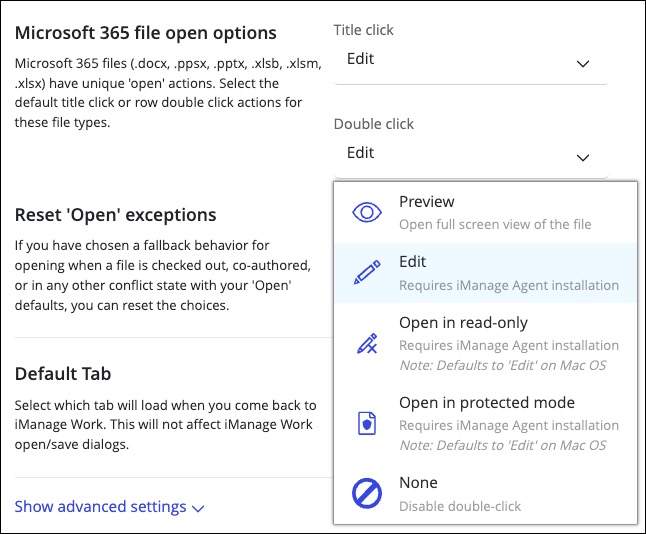 NOTE: Selecting the None option disables the row double-click action. |
iManage Work Agent must be installed and configured on your device for the following title and row-double click actions to work:
Edit
Open in read-only
Open in protected mode
NOTE: ”Open in read-only” and “Open in protected mode” actions default to “Edit” action on macOS.
For all title and row double-click actions, you're provided with fallback options in situations where your configured action can't be completed.
Here’s an example of when a fallback option would appear and how you'd continue.
If you’ve set Edit as the File open option for title click, but have read-only rights to the document and also don’t have iManage Work Agent installed and configured on your device, then you’re presented with an Error in the connection fallback dialog when you edit a document.
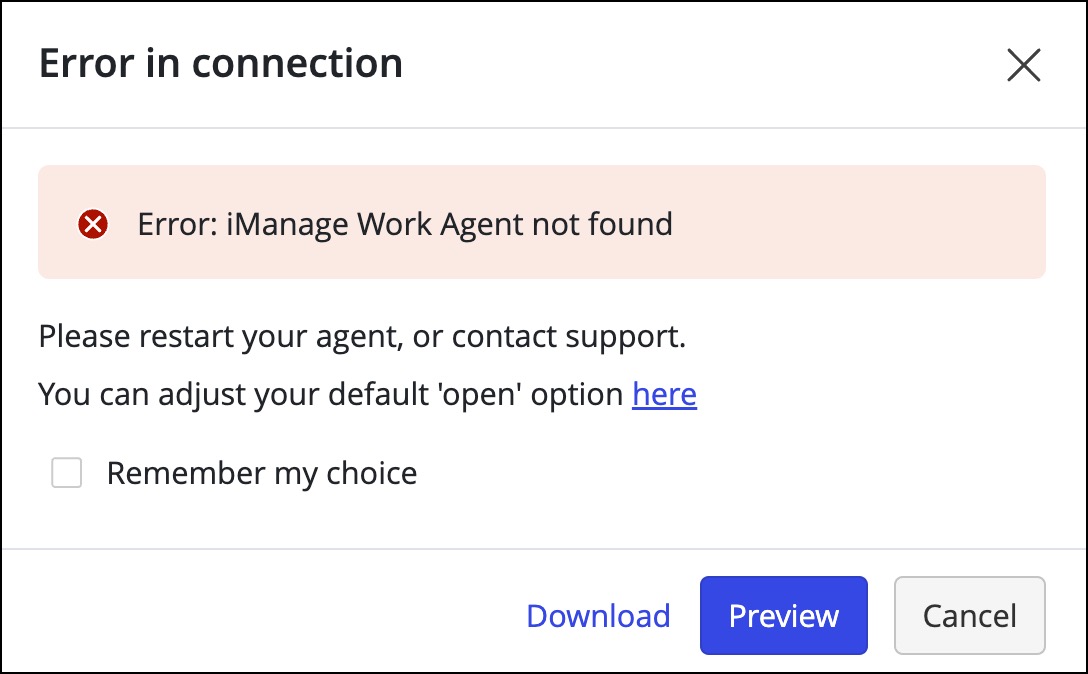
You can either Cancel the action or perform one of the following actions on the document:
Preview
Download
You can also select the Remember my choice check box and then select Preview, or Download as your preferred action to be executed when you face the same situation again.
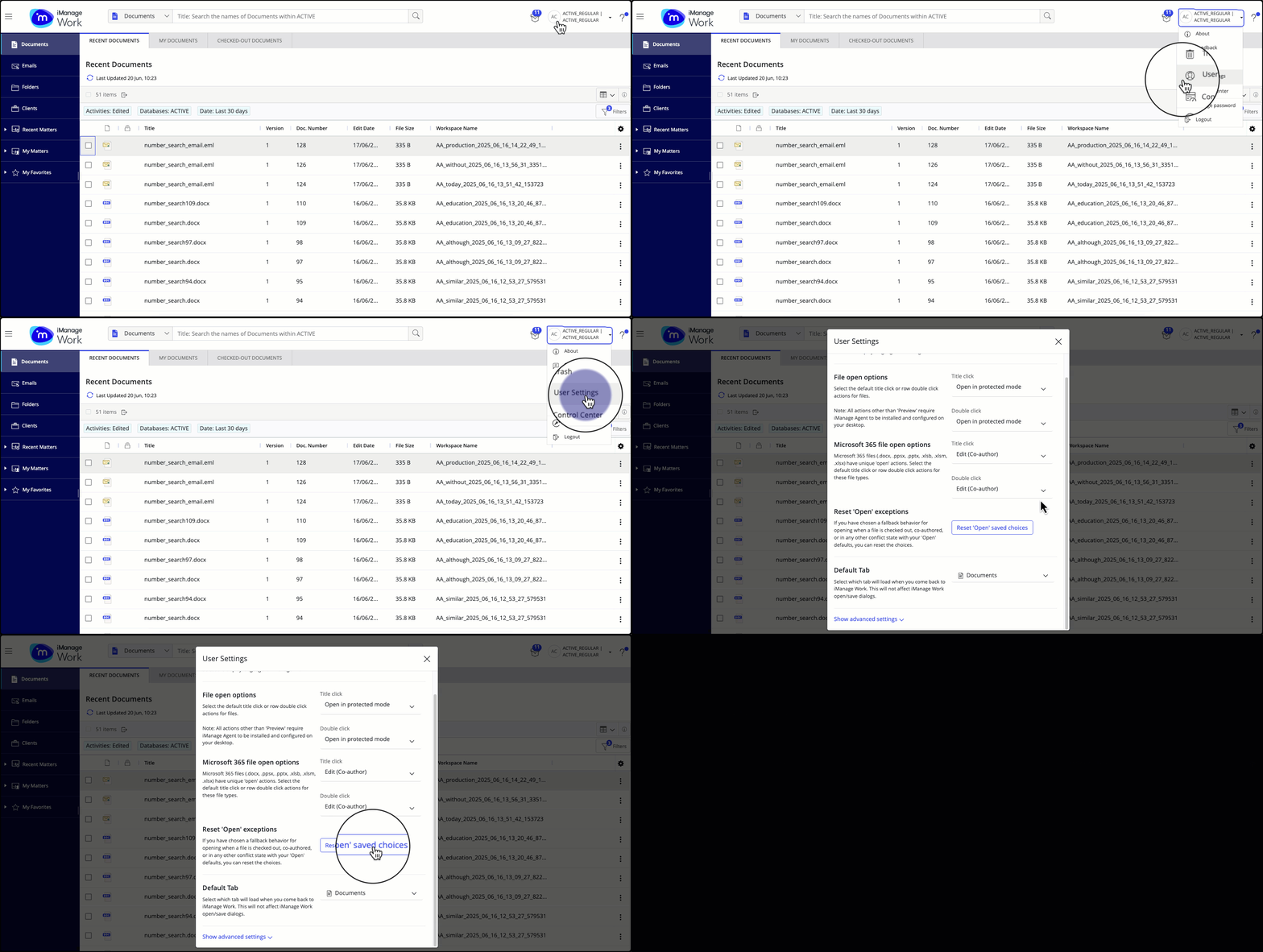
At any time, if you want to reset the preferred action set by you using Remember my choice in any fallback dialog, browse to User Settings and then select Reset ‘Open’ saved choices.
Based on the document status and whether iManage Work Agent is installed and configured on your device or not, each of the following title and row double-click actions offer fallback options:
Table 1: Fallback options for Edit title and row double-click action
Document status | If iManage Work Agent is enabled on your device | If iManage Work Agent isn't enabled on your device | Mobile device |
|---|---|---|---|
You have edit rights for the document |
| You can perform any one of the following actions on the document.
| Preview |
You have read-only rights for the document
| You can preview or open the document as 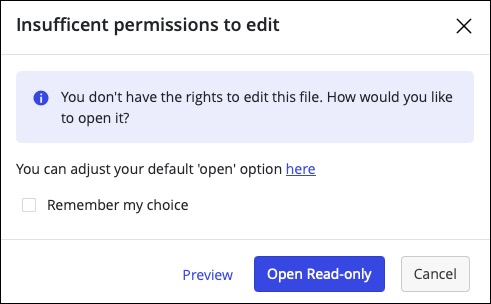 | You can perform any one of the following actions on the document.
| Preview |
Document is checked out or locked | Scenario 1: If the document is checked out or locked by someone else, then you can preview or open the document as read-only. 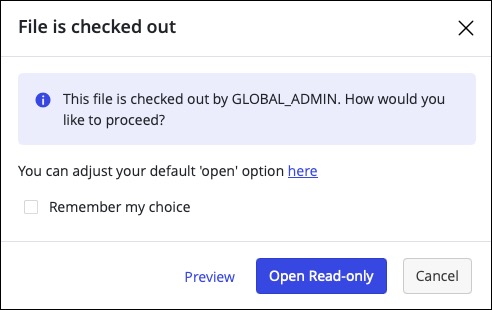 Scenario 2: If you’ve checked out the document, then the document opens in the native desktop application using iManage Work Agent. | You can perform any one of the following actions on the document.
| Preview |
Document is declared as a record | You can preview or open the document as 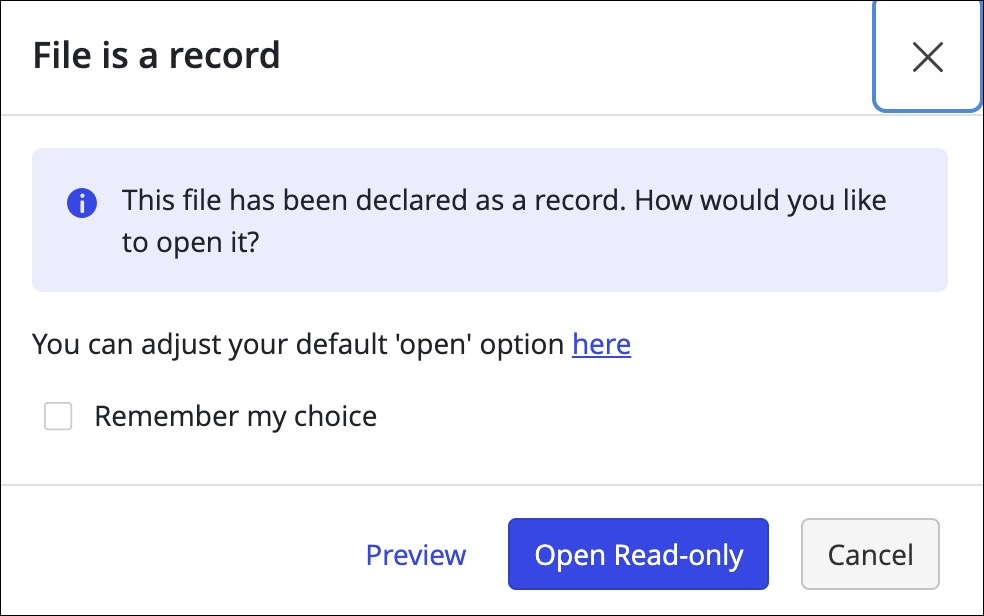
| You can perform any one of the following actions on the document.
| Preview |
Table 2: Fallback options for Open in read-only title and row double-click action
Document status | If iManage Work Agent is enabled on your device | If iManage Work Agent isn't enabled on your device | macOS (If iManage Agent is installed on your device) NOTE: Open in read-only action isn't supported on macOS. | Mobile device |
|---|---|---|---|---|
You have edit rights on the document | Document opens in the native desktop application using iManage Work Agent in read-only mode. | You can perform any one of the following actions on the document.
|
| Preview |
You have read-only rights on the document | Document opens in the native desktop application using iManage Work Agent in read-only mode. | You can perform any one of the following actions on the document.
|
| Preview |
Document is checked out or locked | Document opens in the native desktop application using iManage Work Agent in read-only mode. | You can perform any one of the following actions on the document.
| You can perform any one of the following actions on the document.
| Preview |
Document is declared as a record | Document opens in the native desktop application using iManage Work Agent in read-only mode. | You can perform any one of the following actions on the document.
| You can perform any one of the following actions on the document.
| Preview |
Table 3: Fallback options for Open in protected mode title and row double-click action
Document status | If iManage Work Agent is enabled on your device | If iManage Work Agent isn't enabled on your device | macOS (If iManage Agent is installed on your device) NOTE: Open in protected mode action isn't supported on macOS. | Mobile device |
|---|---|---|---|---|
You have edit rights on the document |
| You can perform any one of the following actions on the document.
|
| Preview |
You have read-only rights on the document | Document opens in the native desktop application using iManage Work Agent in the protected view.
| You can perform any one of the following actions on the document.
| You can perform any one of the following actions on the document.
| Preview |
Document is checked out or locked | Document opens in the native desktop application using iManage Work Agent in the protected view. | You can perform any one of the following actions on the document.
|
Scenario 2: If you’ve checked out the document, then the document opens in the native desktop application using iManage Work Agent.
| Preview |
Document is declared as a record | Document opens in the native desktop application using iManage Work Agent in the protected view.
| You can perform any one of the following actions on the document.
| You can perform any one of the following actions on the document.
| Preview |