The high-level storage consumption customer summary pane displays storage usage and subscription metrics for a selected customer. It also shows how the customer’s storage needs have changed compared to the previous billing period. An example of this pane is shown in the following figure.
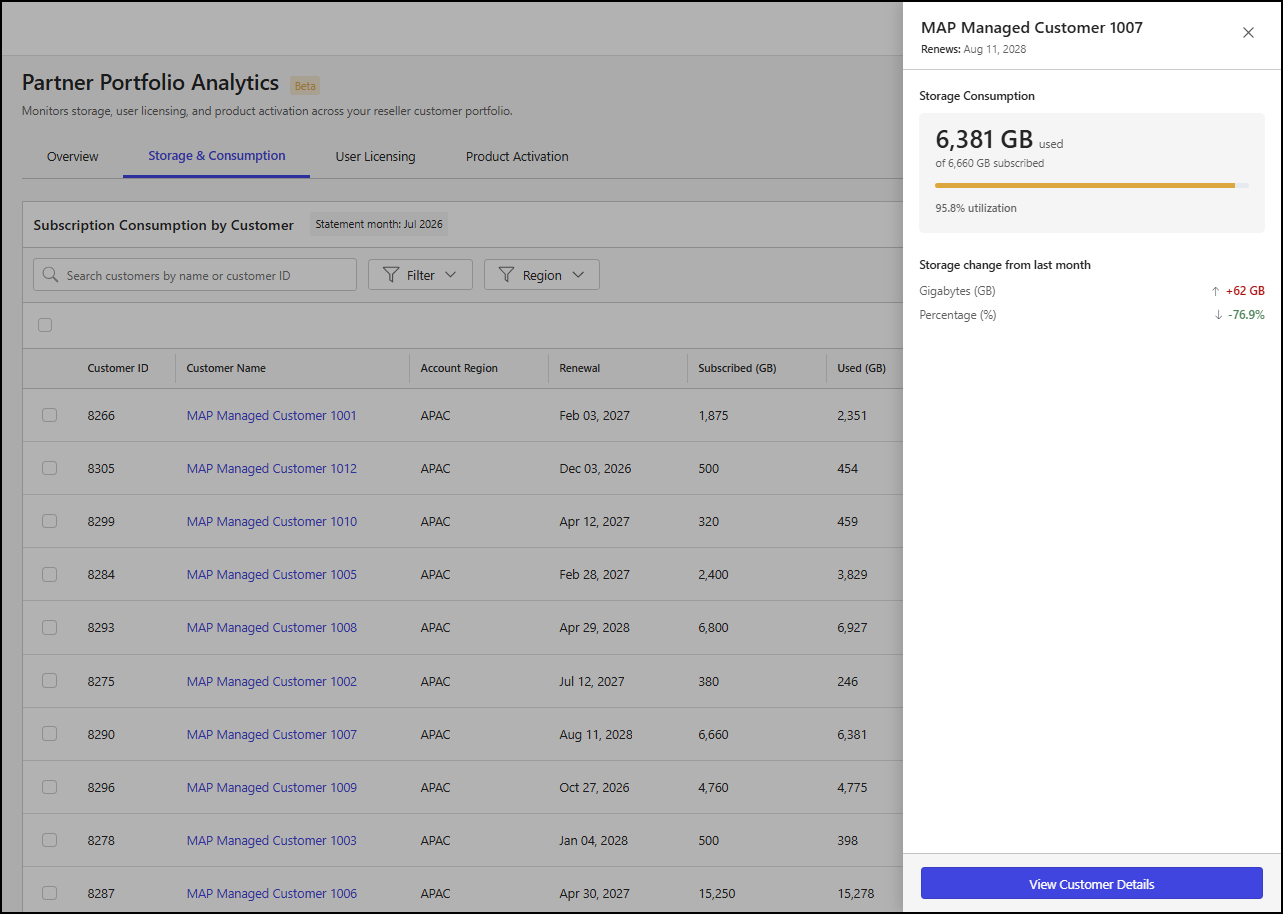
The customer pane includes the following details:
Customer Name: The name of the customer.
Renews: The iManage subscription renewal date for the customer.
Storage Consumption: This section features a storage consumption tile with the following information:
x GB used: The amount of storage (x) used by the customer, measured in gigabytes (GB).
of y GB subscribed: The amount of licensed storage (y) available to the customer, measured in gigabytes (GB).
Bar chart: A segmented bar that displays the following details as applicable:
Used: The amount of storage currently being used by the customer.
Total: The total amount of licensed storage available to the customer.
Storage change from last month: This section includes comparison messages that show how the storage (Gigabytes (GB)) and percent utilization (Percentage (%)) metrics have changed from the previous billing period:
No change from last period: The metric didn’t change from the billing period for the month before the selected month.
[+-]x vs last month: The metric increased or decreased in the billing period for the selected month compared to the previous billing period, where x is one of the following:
An integer for the Gigabytes (GB) metric.
A percentage for the Percentage (%) metric.
View a detailed customer summary
To view more detailed information about a customer from the high-level storage consumption customer summary pane, select View Customer Details. This will open a page with additional details about the selected customer. For more information, refer to Detailed customer summary.