If your administrator has enabled a site security policy, you can’t add more sites or remove sites in Site preferences. However, you can modify the site preferences on the Settings page as follows:
Sign in to iManage File Transfer extension.
Select Settings.
In the Settings dialog, select the domain whose preferences you want to change.
Figure: Changing site preferences for all allowed sites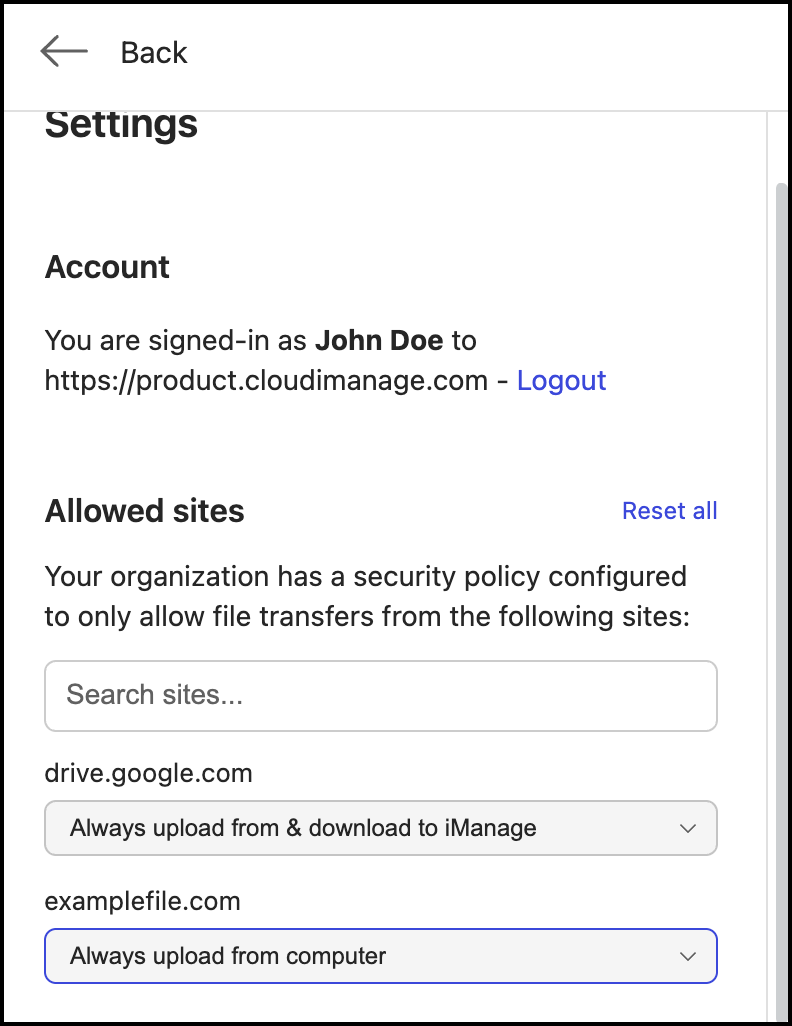
Change the preference by reselecting any of the following options:
Always upload from & download to iManage: iManage Open or Save dialogs are always displayed for upload and download. You can select the local computer option as needed.
Always upload from computer: Always displays the location of your device to select a document to upload.
Always download from computer: Always displays the location of your device to save your document.
Always upload from and download to computer: Always displays the location of your device to upload or save your document.
Select Reset all to reset all your preferences to the default value of Always upload from & download to iManage.