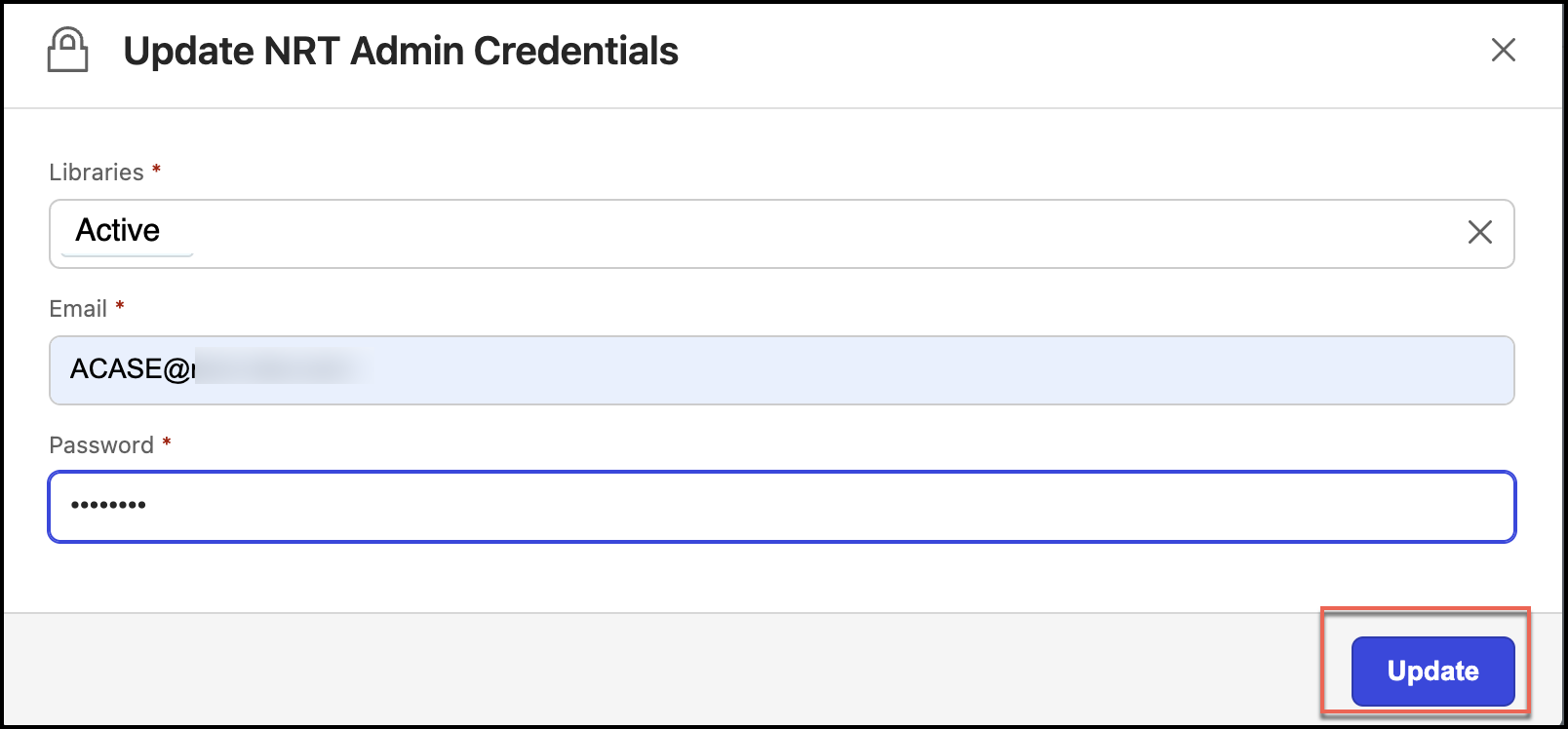
The NRTADMIN account is mandatory when setting up iManage Disposition Manager as this would be the service account to generate the file plan, execute tasks, and so on. NRTADMIN access is configured by adding a user to the NRTADMIN group within an iManage Work library.
If this account isn't configured or is configured incorrectly, iManage Disposition Manager doesn’t function correctly. An NRTADMIN user automatically has full privileges within the library and supersedes all other privileges. This includes adding NRTADMIN in iManage Control Center and updating NRTADMIN credentials in iManage Disposition Manager.
Adding NRTADMIN in iManage Control Center
NOTE: You have to configure NRTADMIN to every library defined for iManage Disposition Manager.
Sign in to iManage Control Center.
In the left navigation pane, under Access, select Users.
Figure: Select Users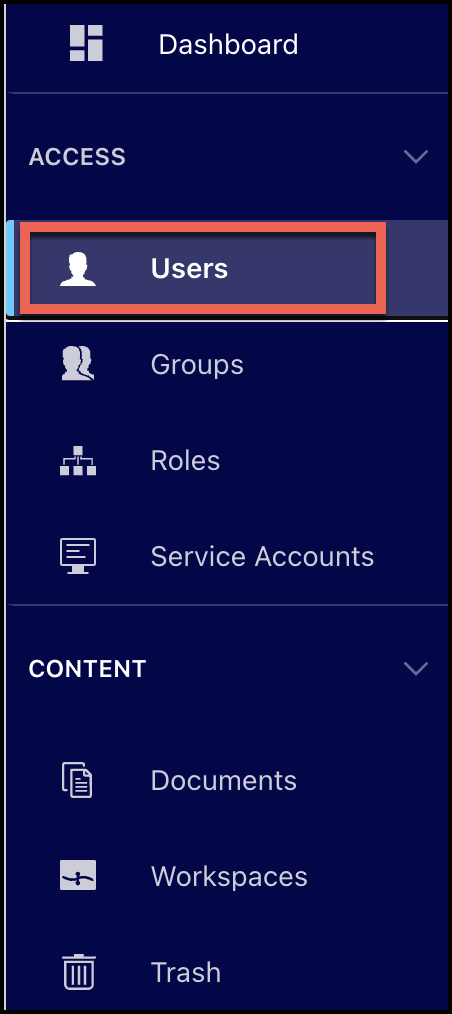
From the drop-down list at the top of the screen, select the library for which the user has to be enabled or disabled
Figure: Select the library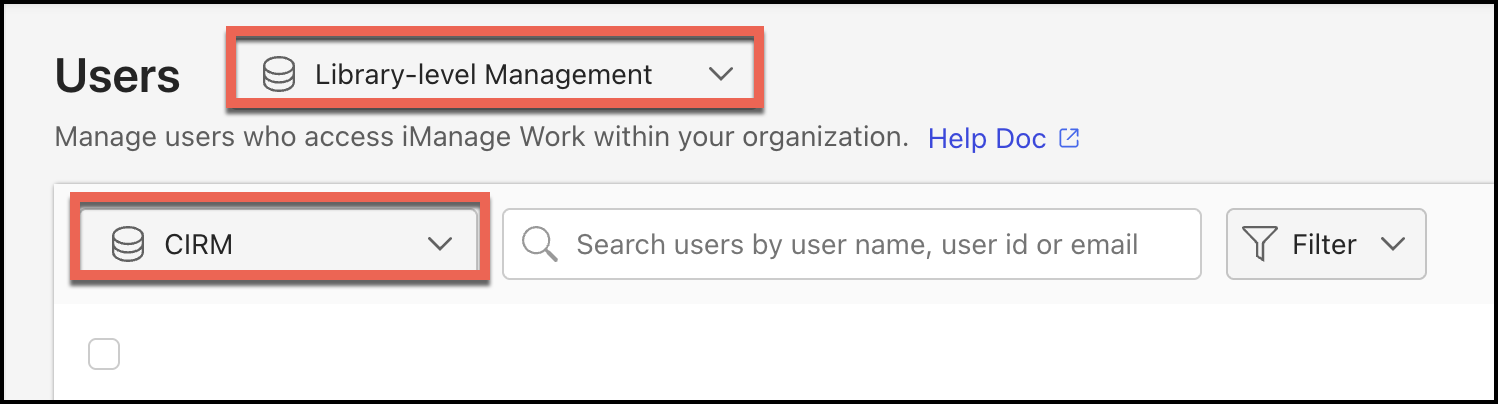
Perform one of the following actions:
Select a user in the list, then select Add to Groups in the ribbon bar.
Figure: Select Add to Groups in the ribbon bar
Select the three dots icon next to a user and then select Add to Groups.
Figure: Use the three dots menu to add users to groups
Right-click a user, then select Add to Groups.
Figure: Right-click the user to add to groups
Select NRTADMIN, and then select Add. The user is added to the NRTADMIN group.
Figure: Adding user to NRTADMIN group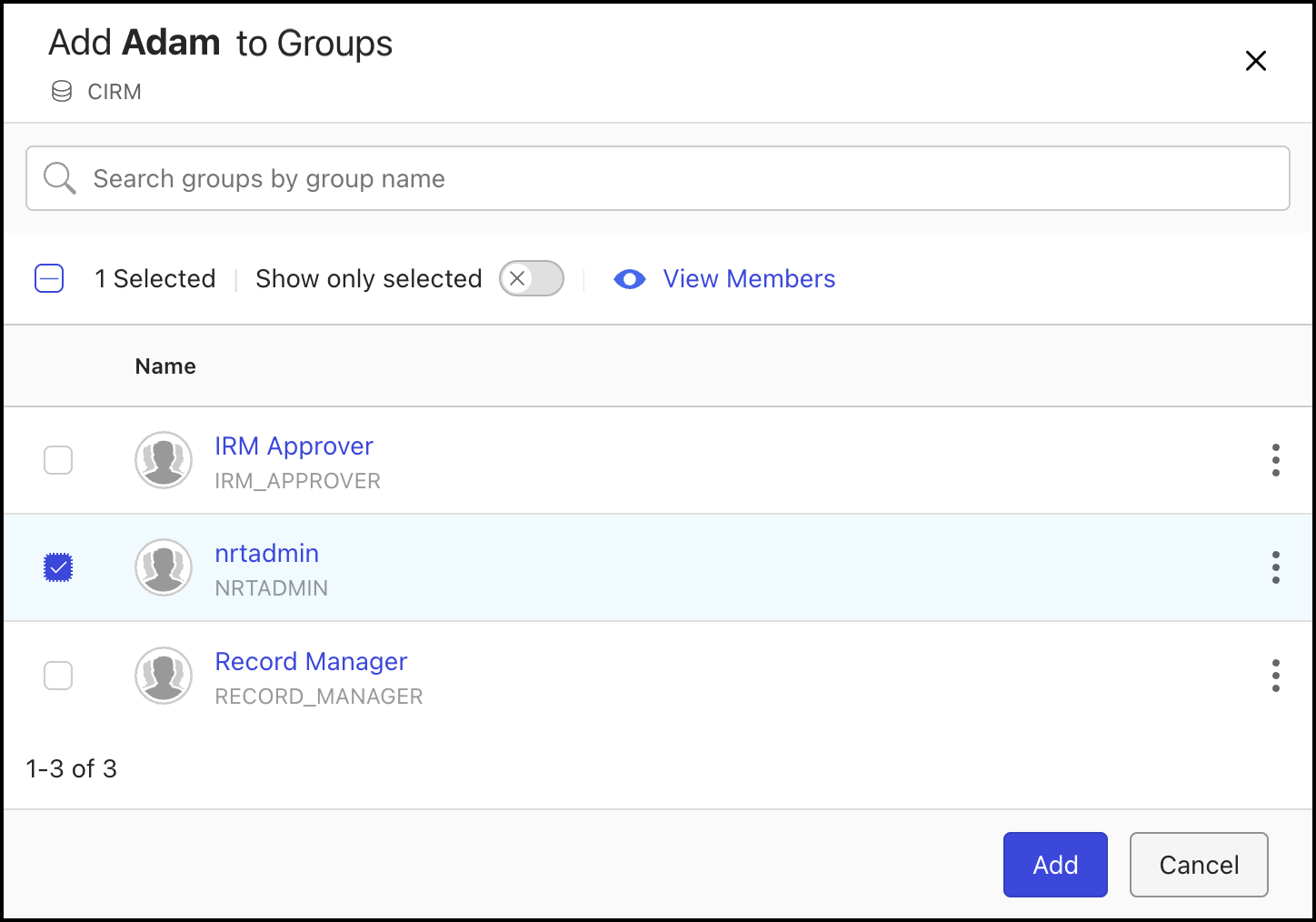
Updating NRTADMIN credentials in iManage Disposition Manager
Additionally, you must update the credentials of an NRTADMIN user in the iManage Disposition Manager application by doing the following:
When Records Managers or Administrators are setting up iManage Disposition Manager and the NRTADMIN account isn't configured or incorrectly configured, a warning is displayed in iManage Disposition Manager indicating that the NRTADMIN account is either not configured or incorrectly configured.
Browse to Settings > System Authorization.
Figure: Selecting Settings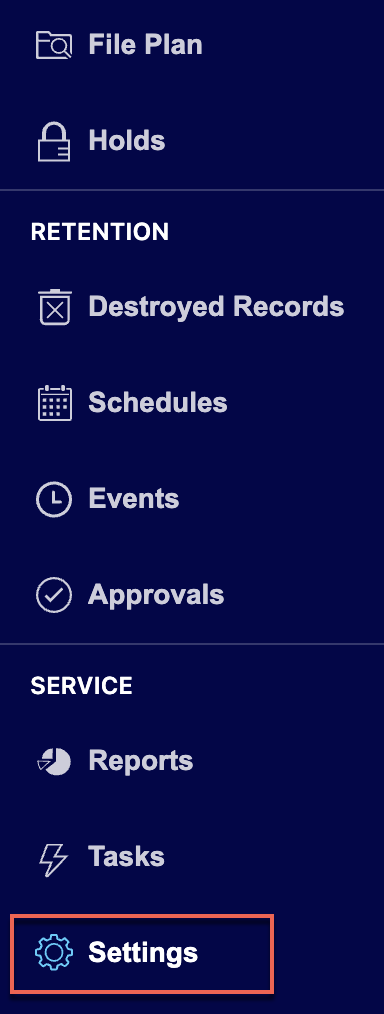
Select System Authorization.
Figure: Select System Authentication
On the System Authorization page, select Update Credentials.
Figure: Select Update Credentials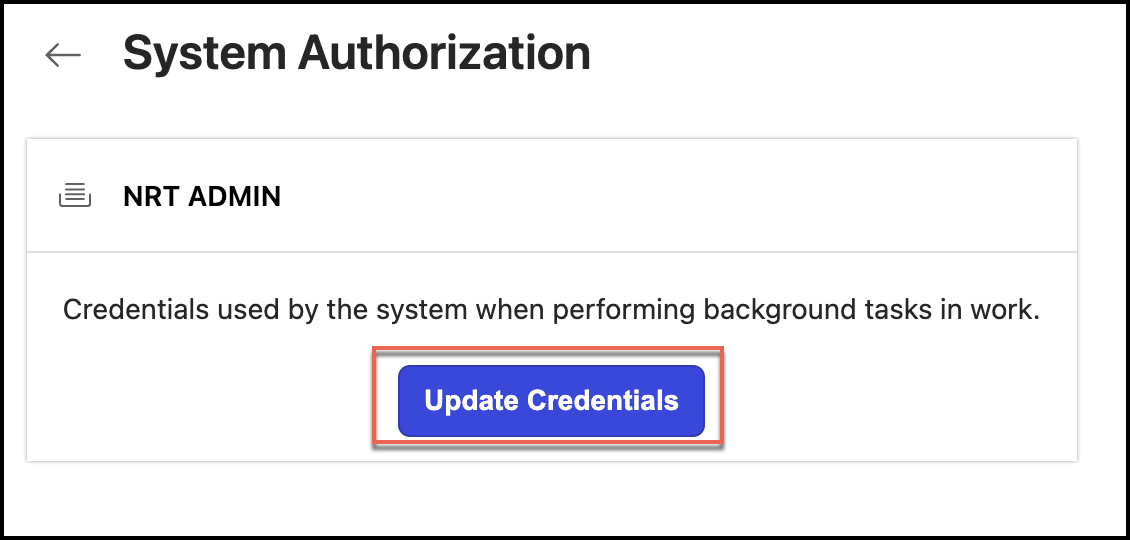
In the Update NRT Admin Credentials dialog that opens, enter the email in the Email field and enter the new password in the Password field.
Figure: Enter NRT Admin details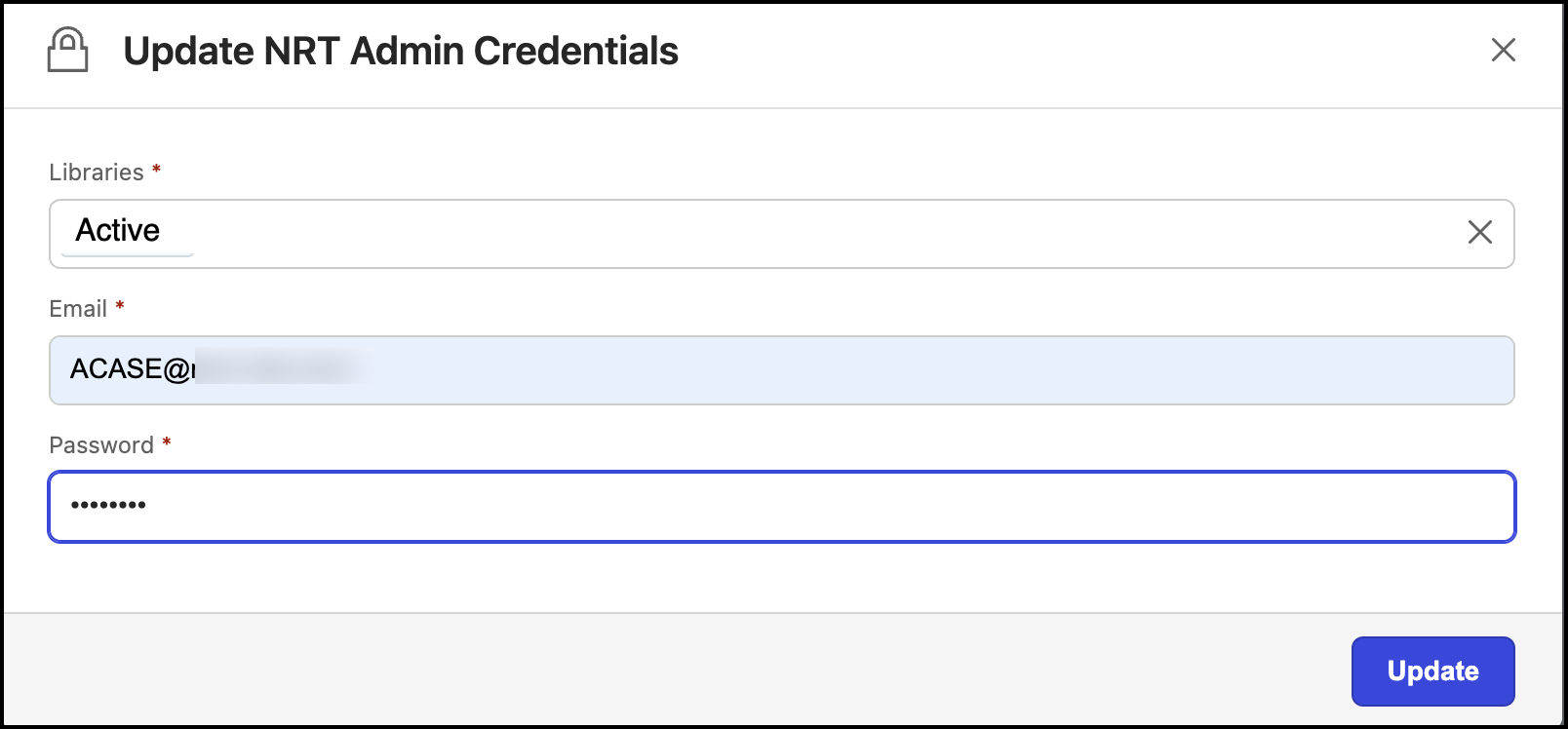
Select Update. The credentials are updated.
Figure: Select Update