When building a workflow form, you can edit the name, description, and permissions as per your needs.
Select Edit from the kebab menu for the preferred form.
In the Edit: <form name> dialog, select Form Properties.
Figure: Editing Form Properties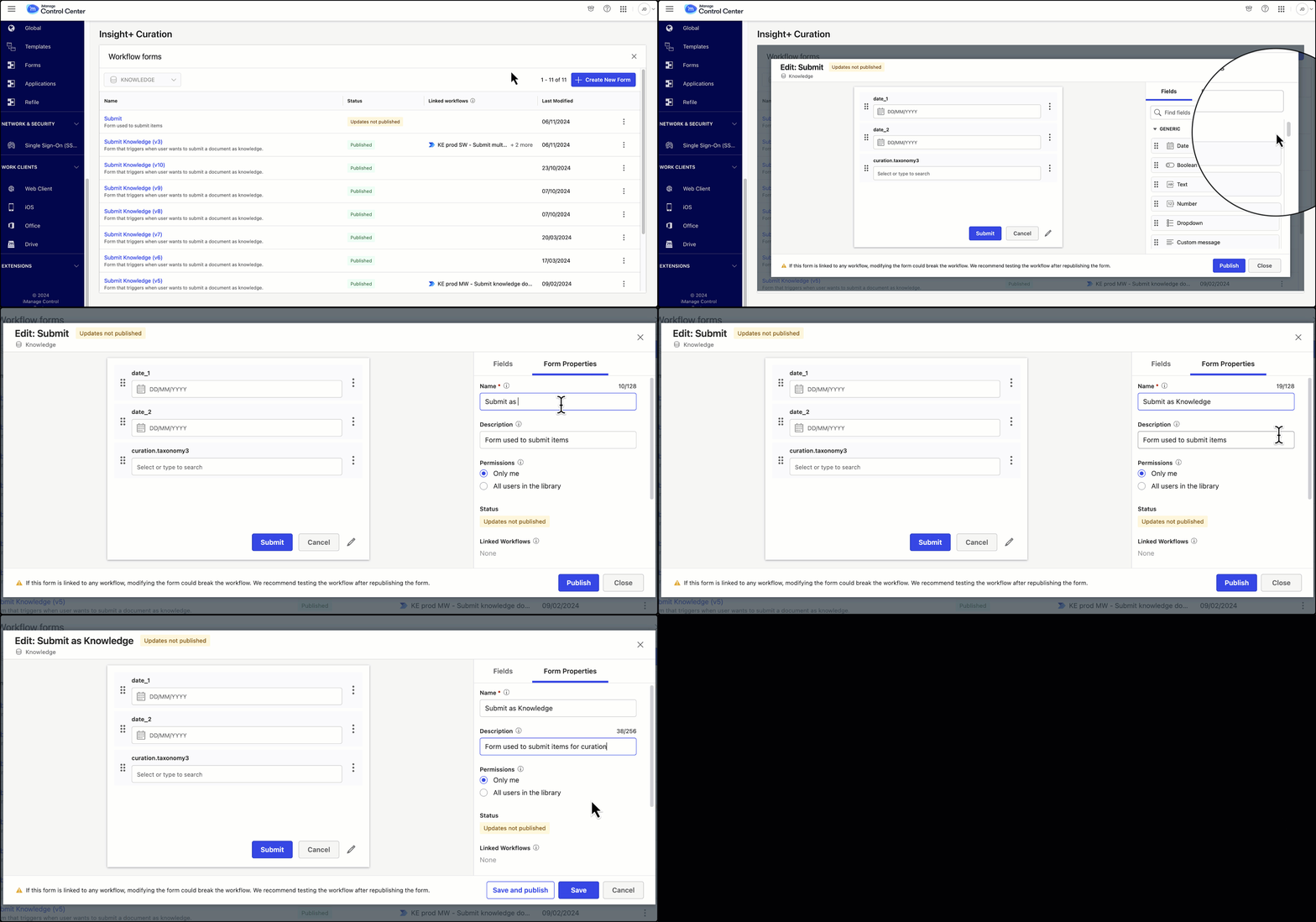
Name: Type in a value in the Name field. This field is compulsory and helps workflow creators find this form by the name when using an iManage Trigger in Power Automate.
Description: Give a brief description of the new form you are creating so that it'll help you identify it later in the list of other forms.
Permissions: Configure who can link this form to a Power Automate workflow that uses an iManage trigger.
Select Only me to restrict the linking privileges to yourself.
orSelect All users in the library to provide linking privileges to other users who are a part of the selected library when you started creating this form.
Based on the current status of the form being edited, the options to proceed vary as explained in the Edit options based on form status.