On the Activities tab, there's a new Collaboration filter that shows when and by whom a document was shared or unshared.
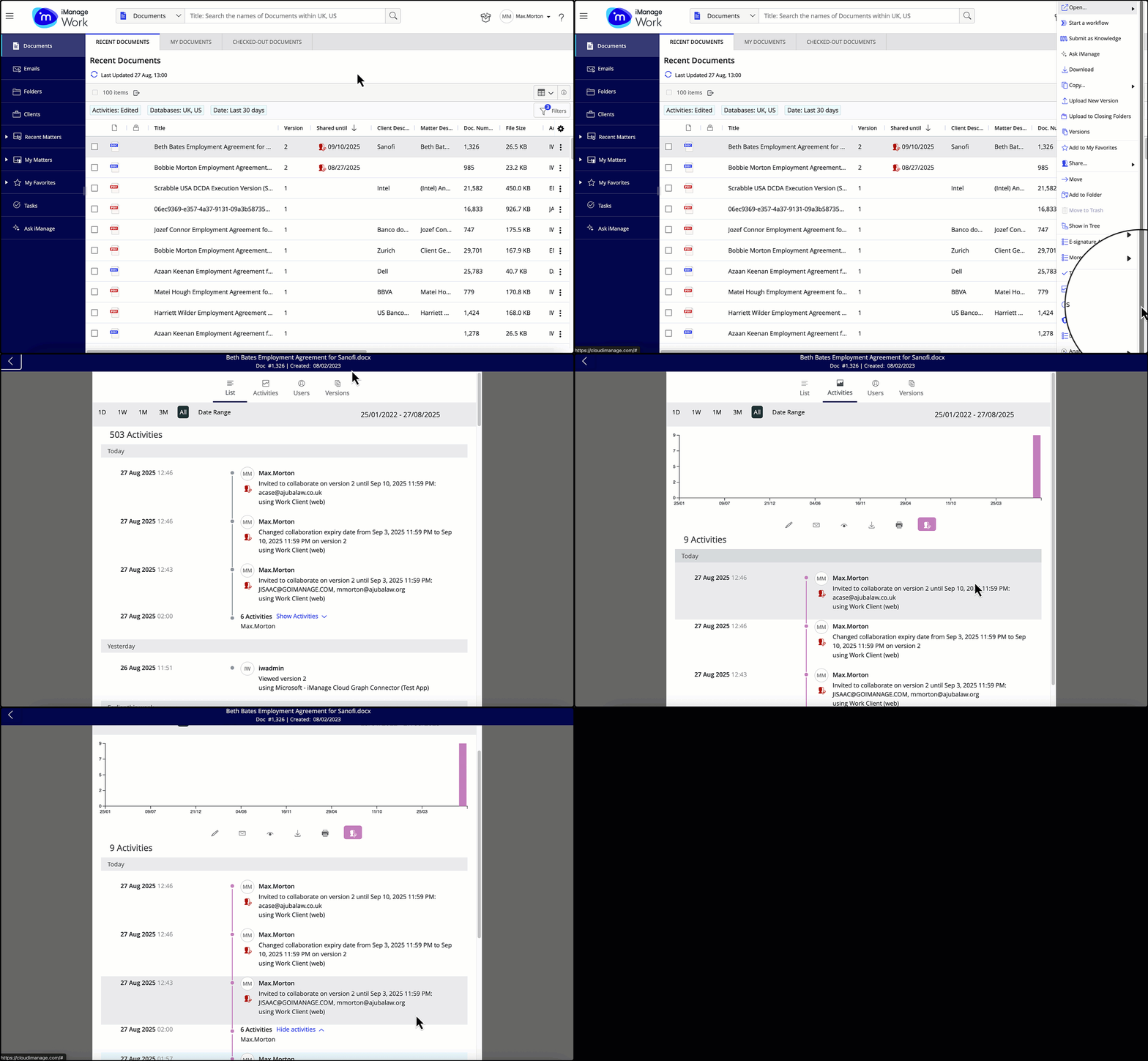
When a document is shared for collaboration from iManage Work, the timeline captures the following information:
Name of the user who shared the document using the collaboration links feature.
Date and time the document was shared.
Collaboration action followed by the the document version and the expiration date and time in UTC format.
Email ID of the internal user(s) with whom the document was shared or who had their access removed.
Email ID of the guest user(s) with whom the document was shared or had their access removed.
The invited users are listed in alphabetical order and are also sorted by the internal versus guest criteria.
The above-mentioned timeline entries are captured for all of the actions (shown in the following table) that can be taken to create, edit, or remove a collaboration link.
Table: Timeline entries
Action performed | Timeline entry |
|---|---|
Invitation to collaborate on a new document version that hasn't been shared. |  |
Invitation to collaborate on a document version that’s already shared. |  |
Removing user(s) from a document version that’s already shared. |  |
Updating the expiration date for a document version that’s already shared. |  |
Adding new user(s) to an existing shared link and then updating the expiration date. | 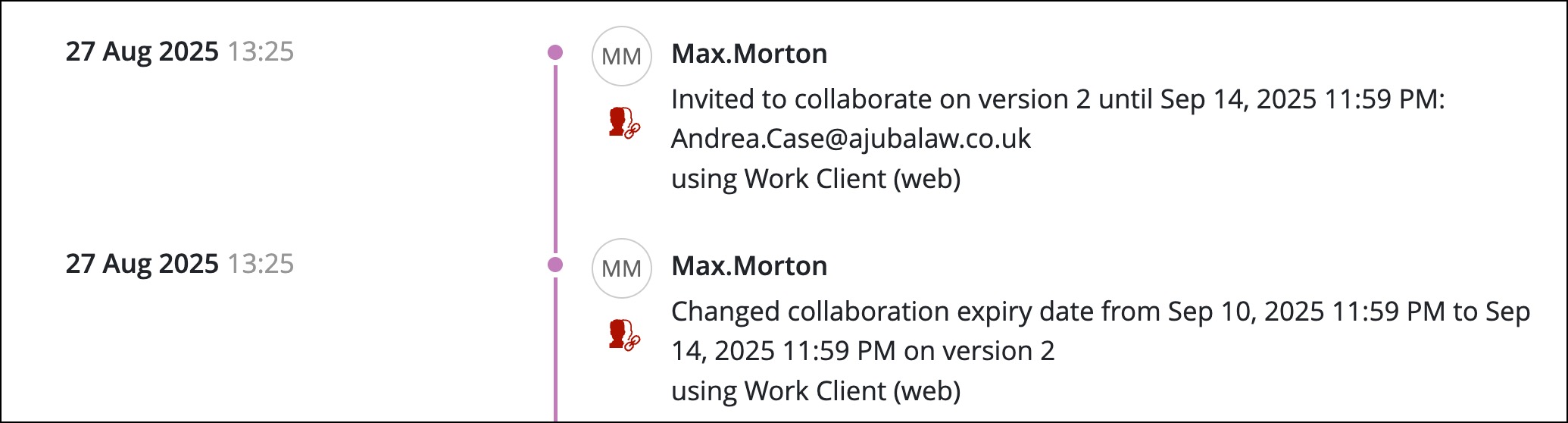 |
Removing user(s) from an existing shared link and then updating the expiration date. | 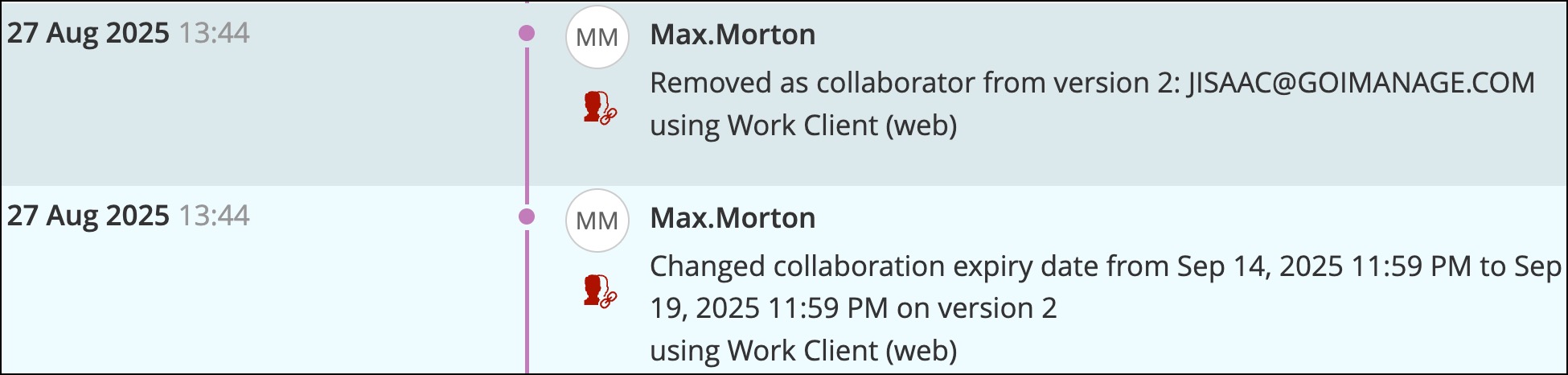 |
Adding new user(s) and removing existing user(s). | 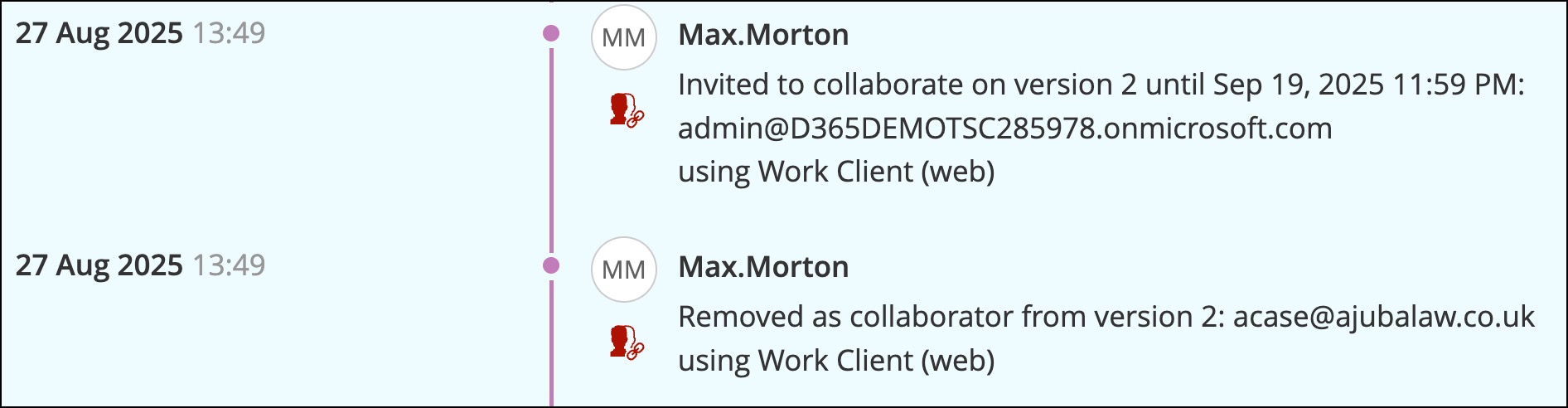 |
Adding new user(s) and removing existing user(s) along with updating the expiration date. | 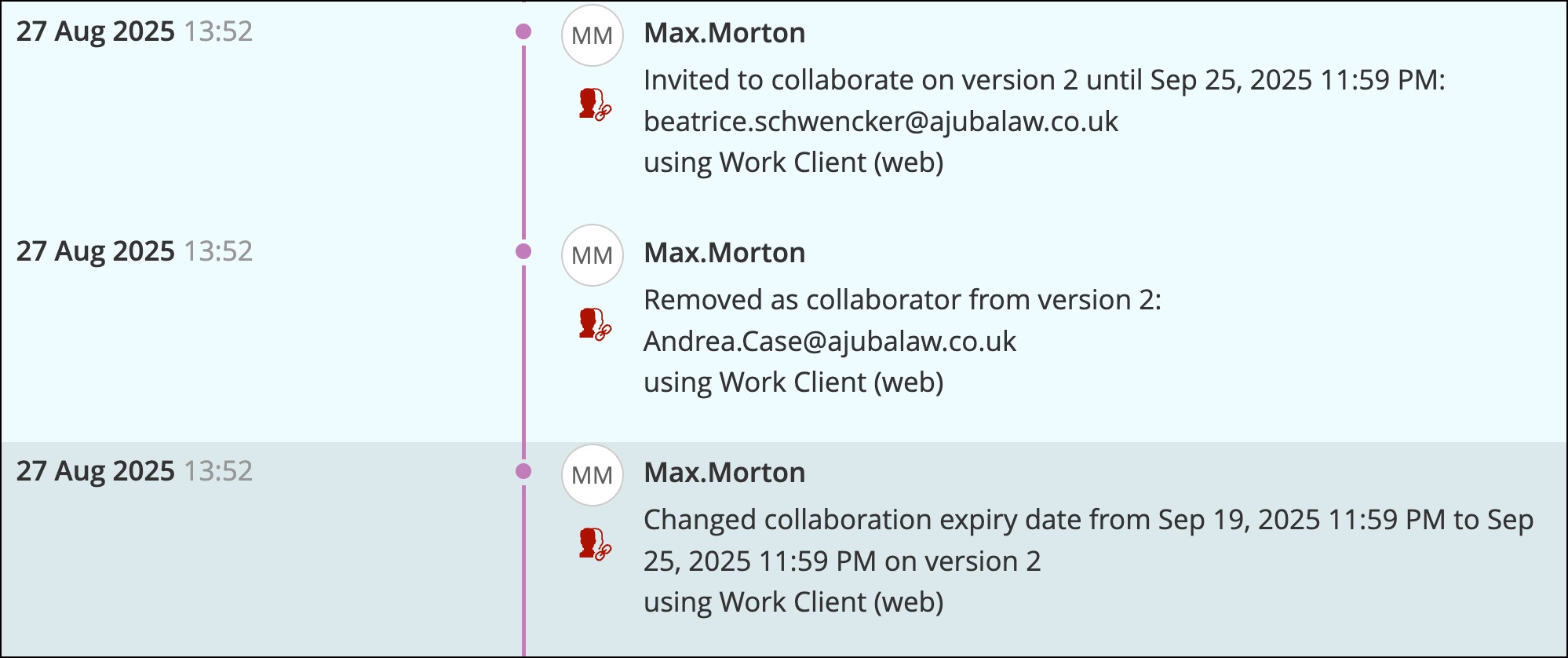 |
Changing a user’s access from read/write to read or the other way around. | 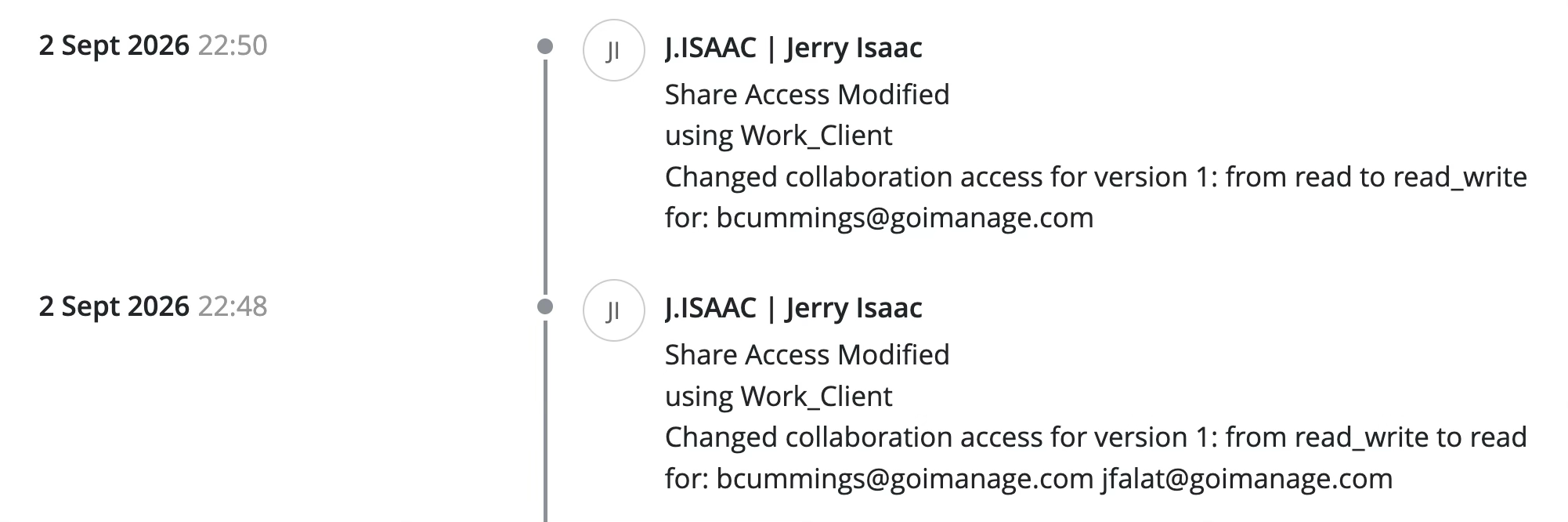 |
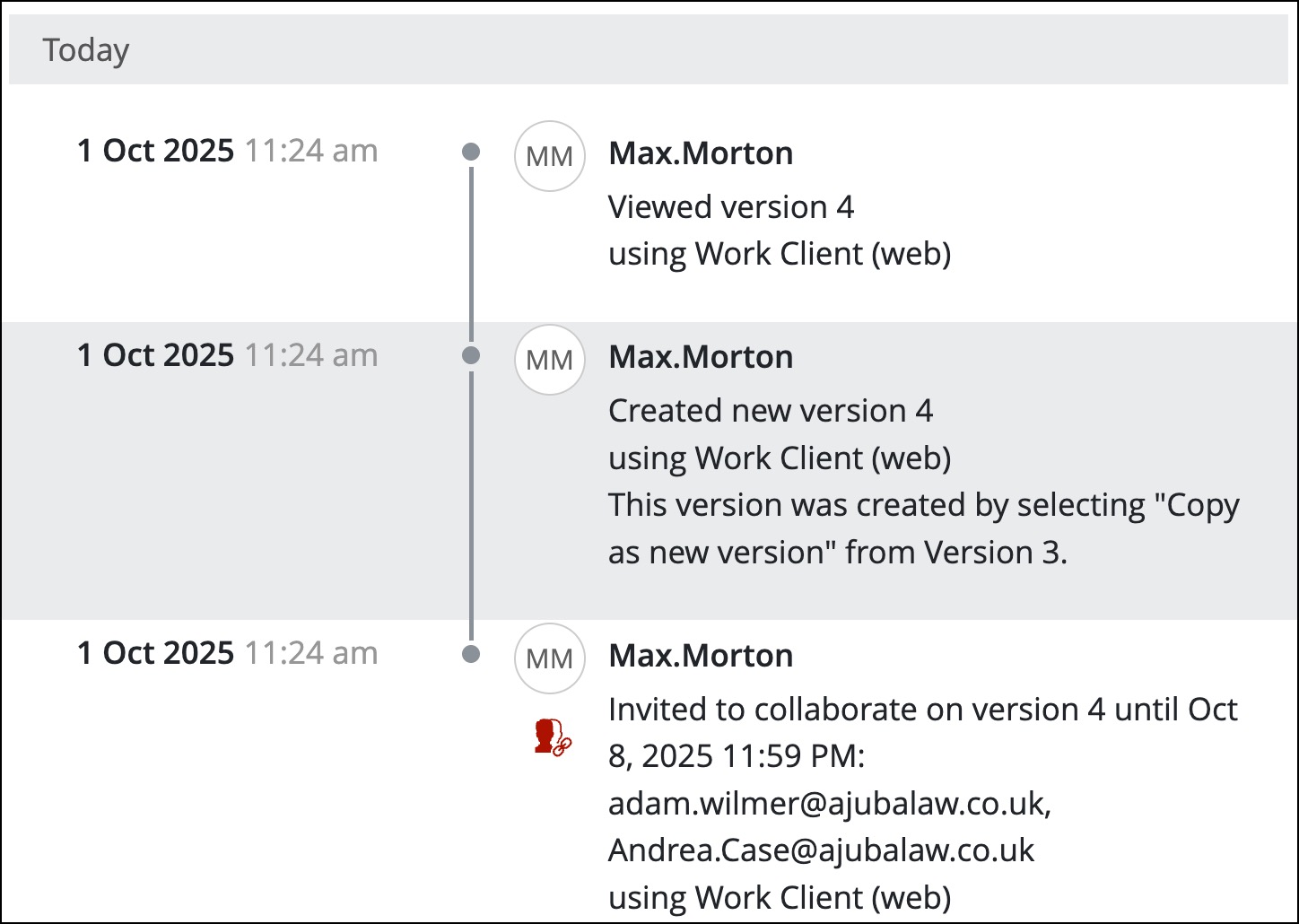
Stop sharing |  |
|  |
The Timeline for a document version captures every action carried out in the document by a collaborator—for example, when they viewed, checked out, edited, or released a file.
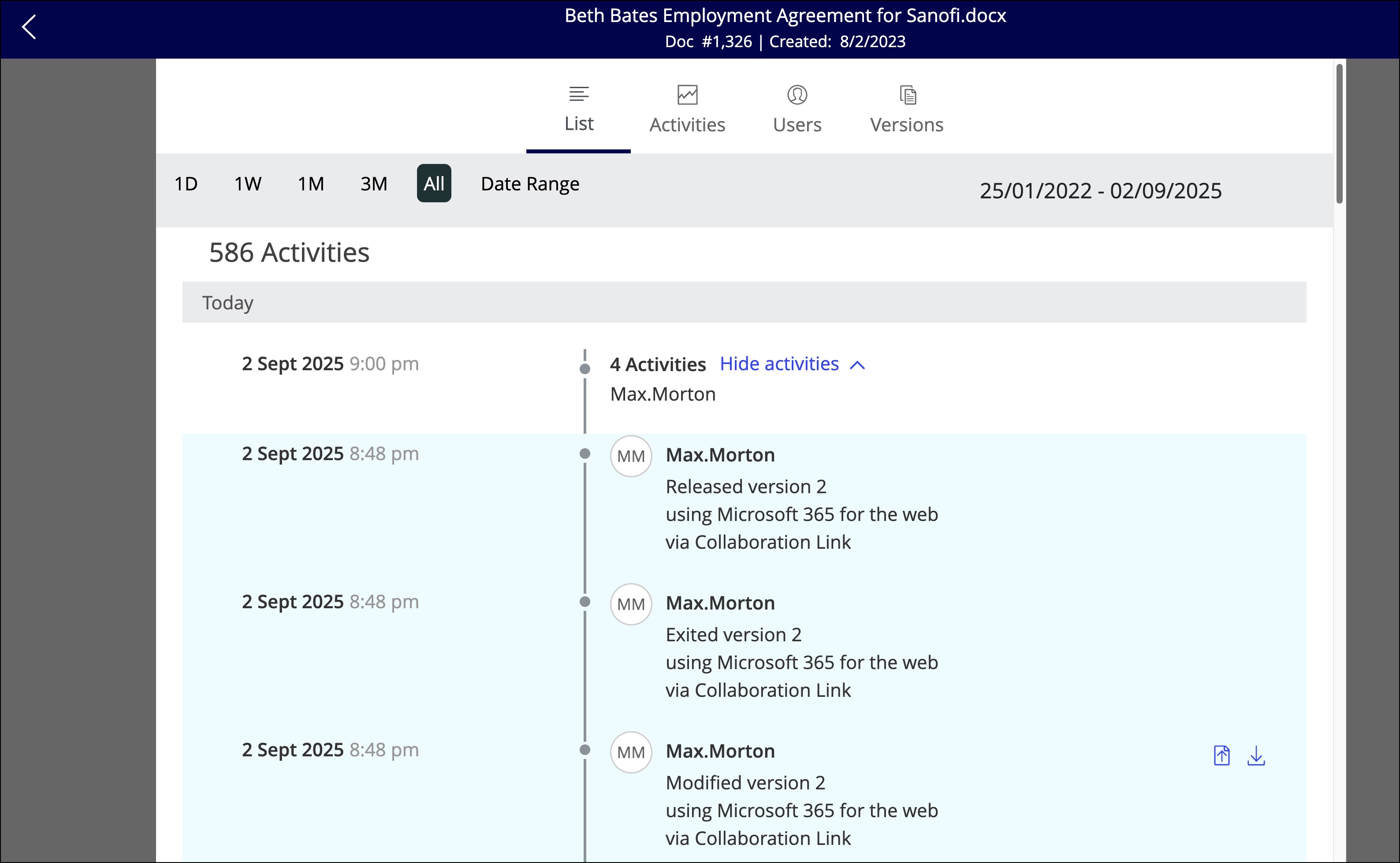
This can be used both to track changes in the document and also to view whether the link recipient has started reviewing or working on the document version shared with them.
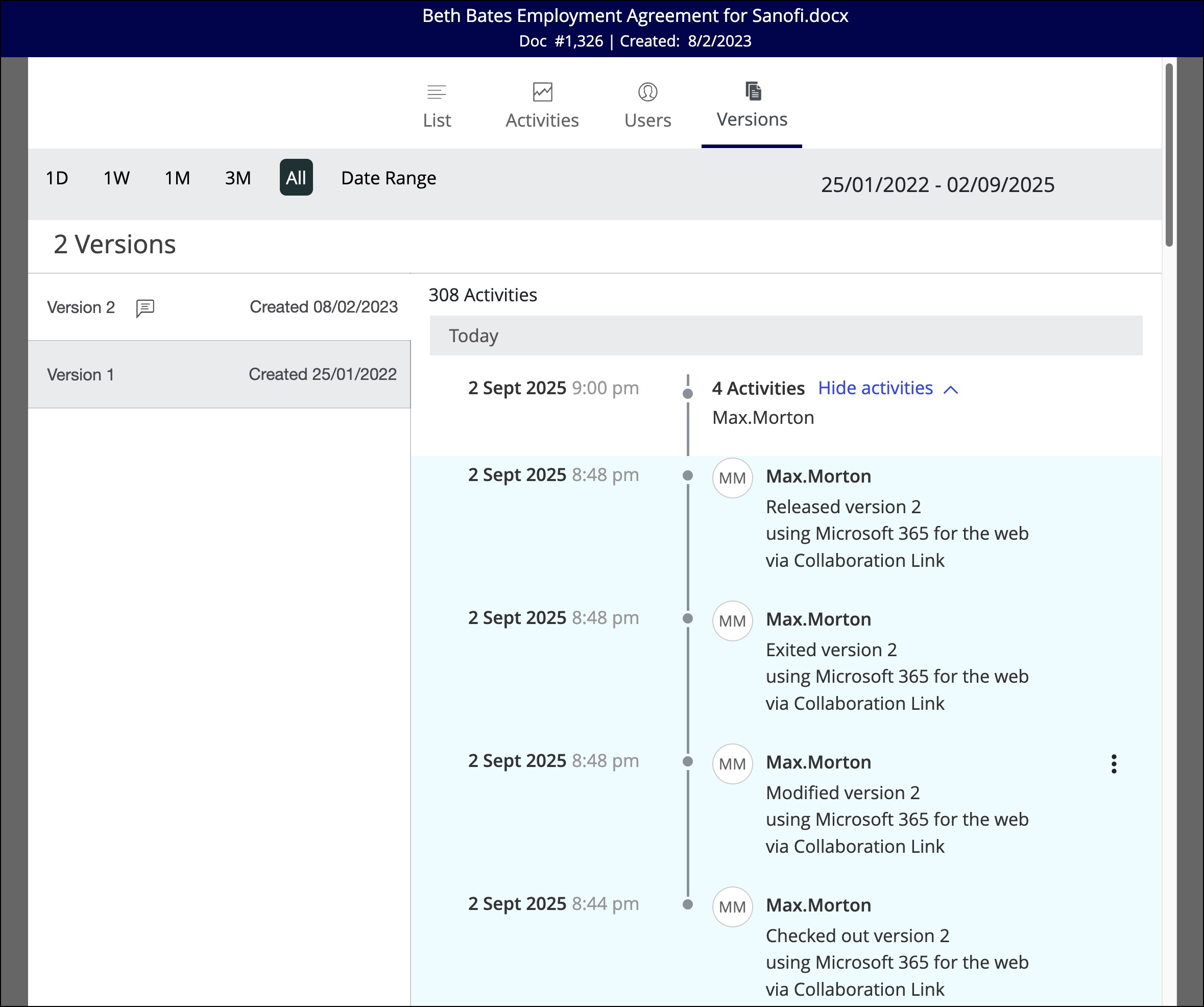
Actions carried out by collaborators are represented through Collaboration Link suffix on these audit history entries.
NOTE:
There’s no timeline entry when a link expires.
If an internal user is co-authoring a document shared for collaboration directly from within iManage Work 10 Web, and there are other guest collaborators actively editing the document at the same time, the timeline may incorrectly have the via Collaboration Link suffix listed against the timeline entry for the internal iManage user.