You can edit multiple documents shared using Collaboration Links (which have existing leases) from the Share item dialog, all at once. This dialog supports changes that apply to a maximum of 25 users.
When editing multiple Collaboration Links, you can:
View access details such as:
Document information per document
Timeline per document
Access expiration date per document
Current users
Figure: Viewing access details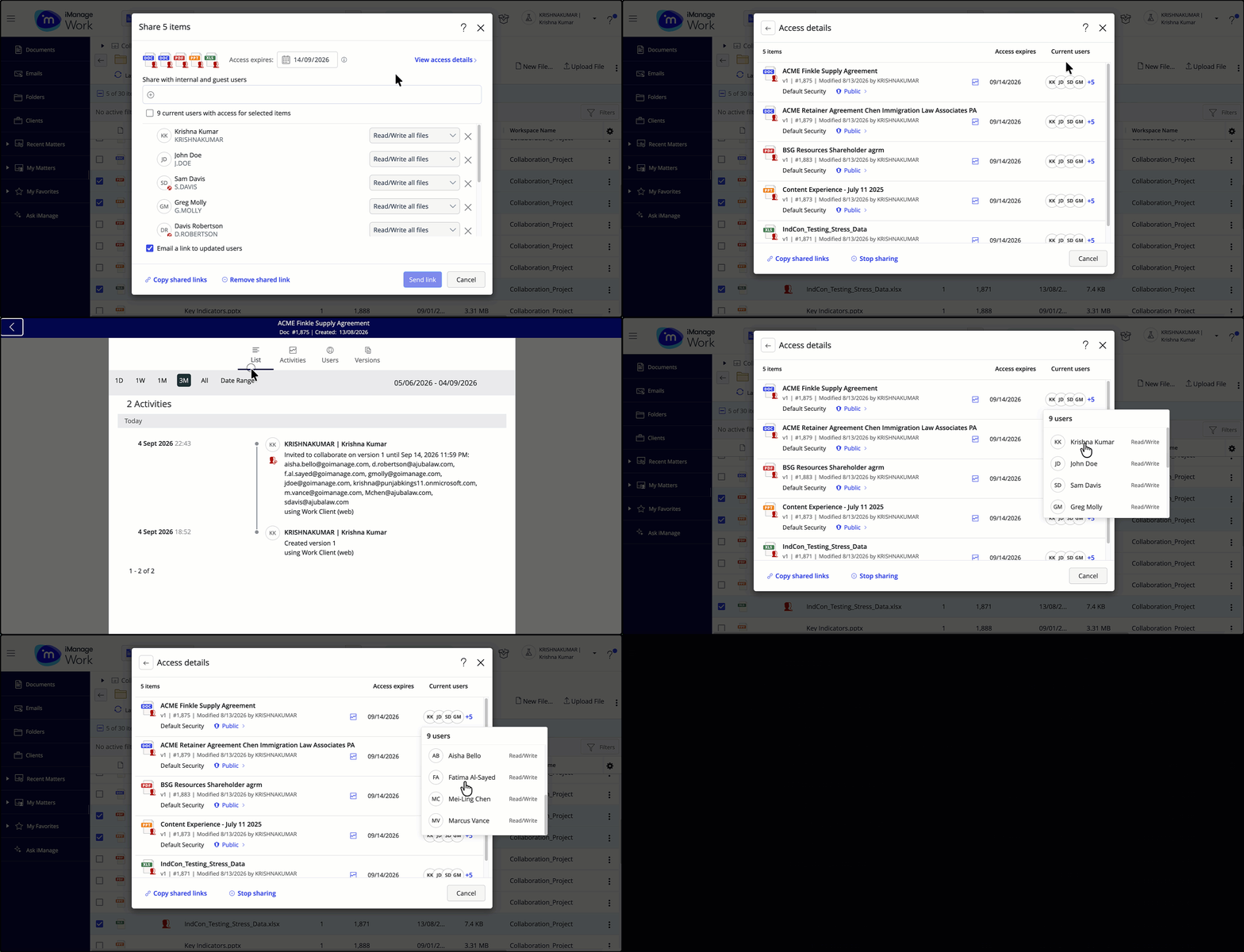
Update the expiration date.
Add or remove users.
Change the access level for one or more users.
If more than 25 users are listed in the dialog and an action is applied to 25 or more users, the Send link option is disabled.

In such a scenario, your options are as explained in the table below.
Table: Options available when the Send link option is disabled
When the Send link option is disabled, you can: | When the Send link option is disabled, you can’t: |
|---|---|
|
|