The Bundle Documents page in iManage Work Bundle Builder lets you configure how your selected documents will be bundled. You can review your selections, customize the bundle format, and define output settings, all within a single interface.
NOTES:
Only .docx, .doc, and .pdf files are supported for PDF conversion. Unsupported formats (for example, Excel, PowerPoint) will be excluded from PDF bundles but can be included in ZIP bundles.
The latest version of each document is used at the time of bundle creation.
The maximum bundle size is 500 MB.
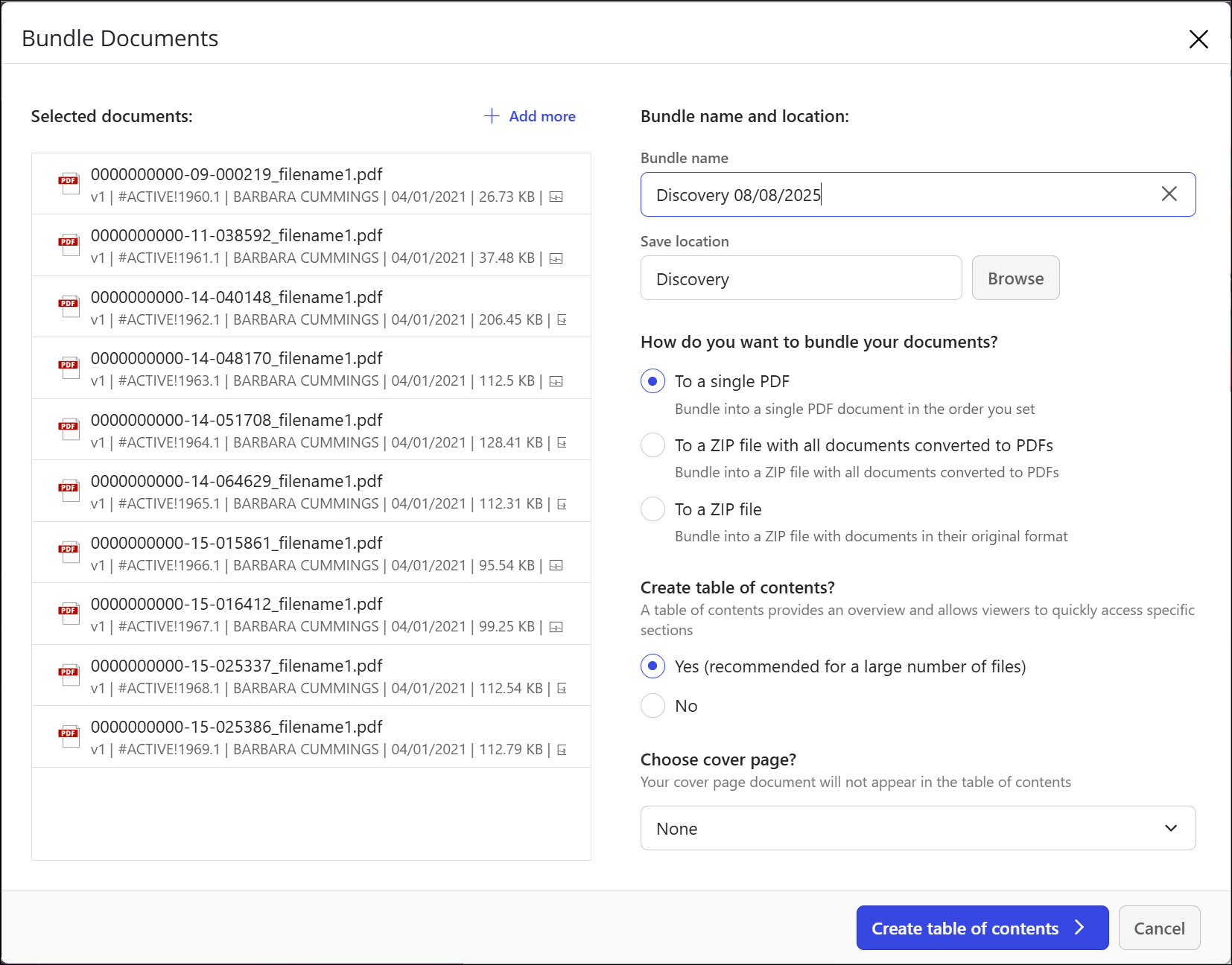
To configure your bundle:
Review the selected documents.
Confirm the documents listed.
Select Add more to include additional files from other folders or recent documents.
Enter the Bundle name.
This name will be used for the final output file.
Limit: 254 characters.
Choose a save location.
By default, the bundle is saved to the current folder.
Select Browse to choose a different location.
Select the bundle format:
To a single PDF: Bundle into a single PDF document in the order you set.
To a ZIP file with all documents converted to PDFs: Bundle into a ZIP file with all documents converted to PDFs.
To a ZIP file: Bundle into a ZIP file with documents in their original format.
(Optional) Create a table of contents? Choose Yes or No.
A table of contents:Includes a clickable index for easier navigation.
Is recommended for bundles with multiple documents.
(Optional) Add a cover page.
Upload a branded Word or PDF file to appear before the table of contents.