The values for lookup and taxonomy properties can be exported from iManage Control Center to:
Keep a historical record of values for any property.
Maintain consistent values across iManage Work libraries, by exporting values from one iManage Work library and importing them into another library.
To upload values from a CSV file, refer to:
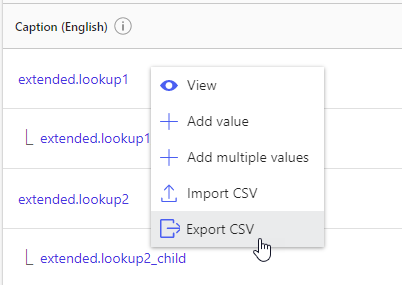
To export the values for a lookup or taxonomy property:
On the Properties page, locate the property.
Right-click the property name and select Export CSV.
The CSV file is downloaded to your system with the following filename:
Figure: Exporting values to a CSV file