The Billing page in iManage Admin Portal gives administrators a centralized dashboard for monitoring their organization’s iManage subscription usage. It presents key metrics—including storage consumption and active user counts across all license types—to help you understand utilization at a glance. Use this page to track usage trends, identify potential overages, and manage your subscription effectively.
The Billing page is organized into the following sections:
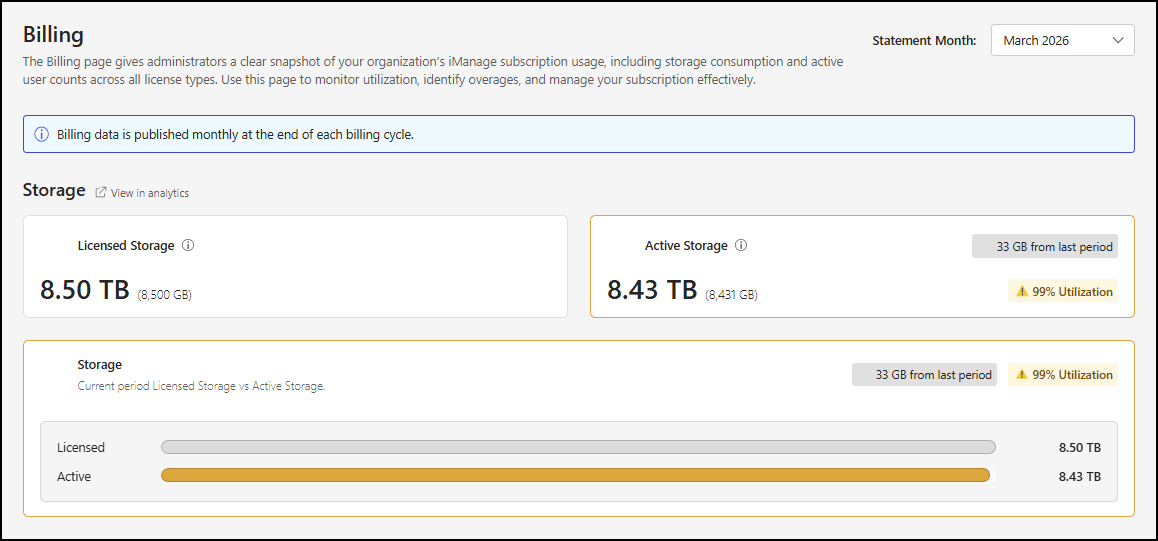
Storage: This section includes tiles that show your licensed storage allocation and the amount of storage used during the selected period.
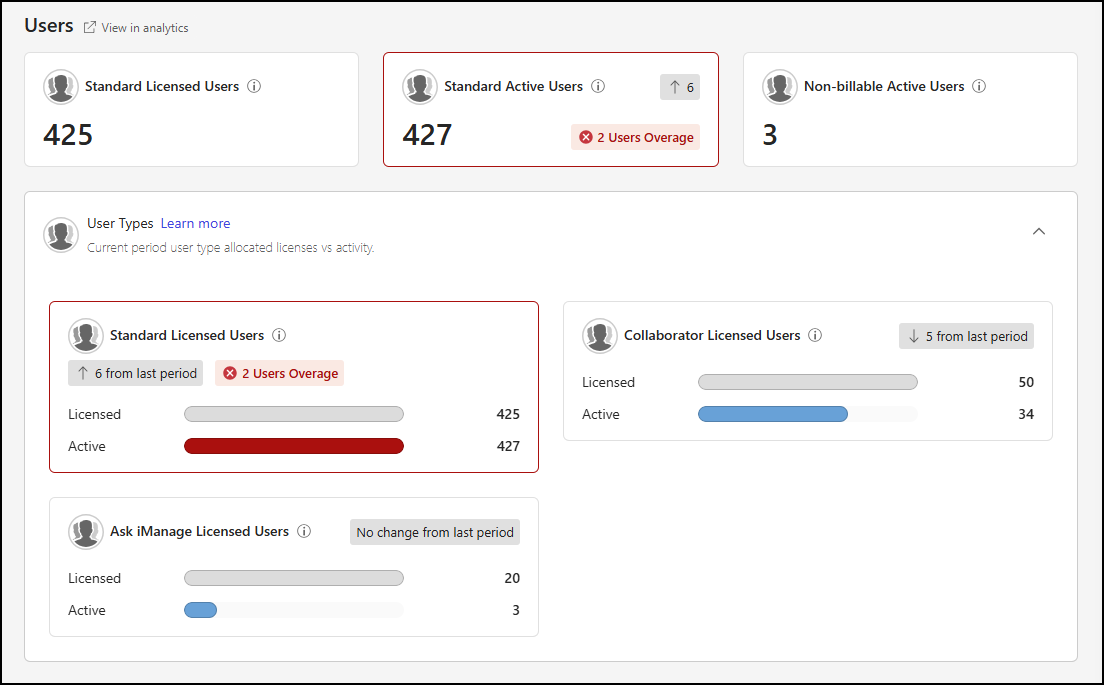
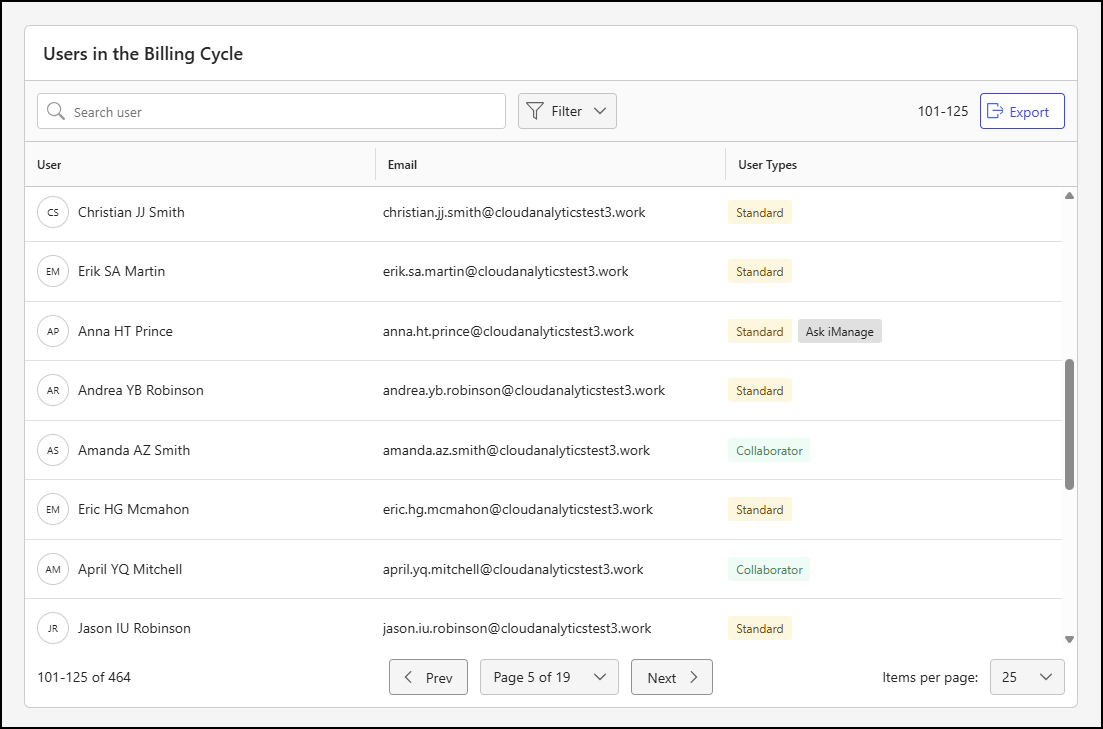
Users: This section features tiles that display the counts for Standard licensed and active users, as well as active Non-billable users. It also includes a panel with tiles that provide more detailed information for Standard, Collaborator, and Ask iManage users. Additionally, there’s a tile that lists users who were active during the selected period.
INFO: Storage consumption is calculated using binary (base-2) units following the International Electrotechnical Commission (IEC) standard.
Accessing the Billing page
To view the Billing Analytics dashboard in iManage Admin Portal:
Go to https://cloudimanage.com/admin/ and sign in with your iManage credentials.
NOTE: To view the Billing Analytics dashboard, the user account used to sign in to iManage Admin Portal must be assigned either the Billing Analytics Admin or Viewer role. For more information about granting user access, refer to Access Policy.
Browse to Billing Analytics > Billing.
An example of the Billing page is shown in the figures below.
Billing page actions
The Billing page includes a Statement Month drop-down list that lets you select the month for which you want to view billing data. By default, the most recently available month is selected. To view data for a different month, select the Statement Month drop-down and choose a month from the list.
NOTES:
Billing data is published monthly at the end of each billing cycle.
Report data is available starting with the March 2026 billing statement.
More information about the Billing page dashboard and the metrics it provides is available in the following sections: