The customer product summary pane displays product subscription and activation details for the selected customer. An example of this pane is shown in the following figure.
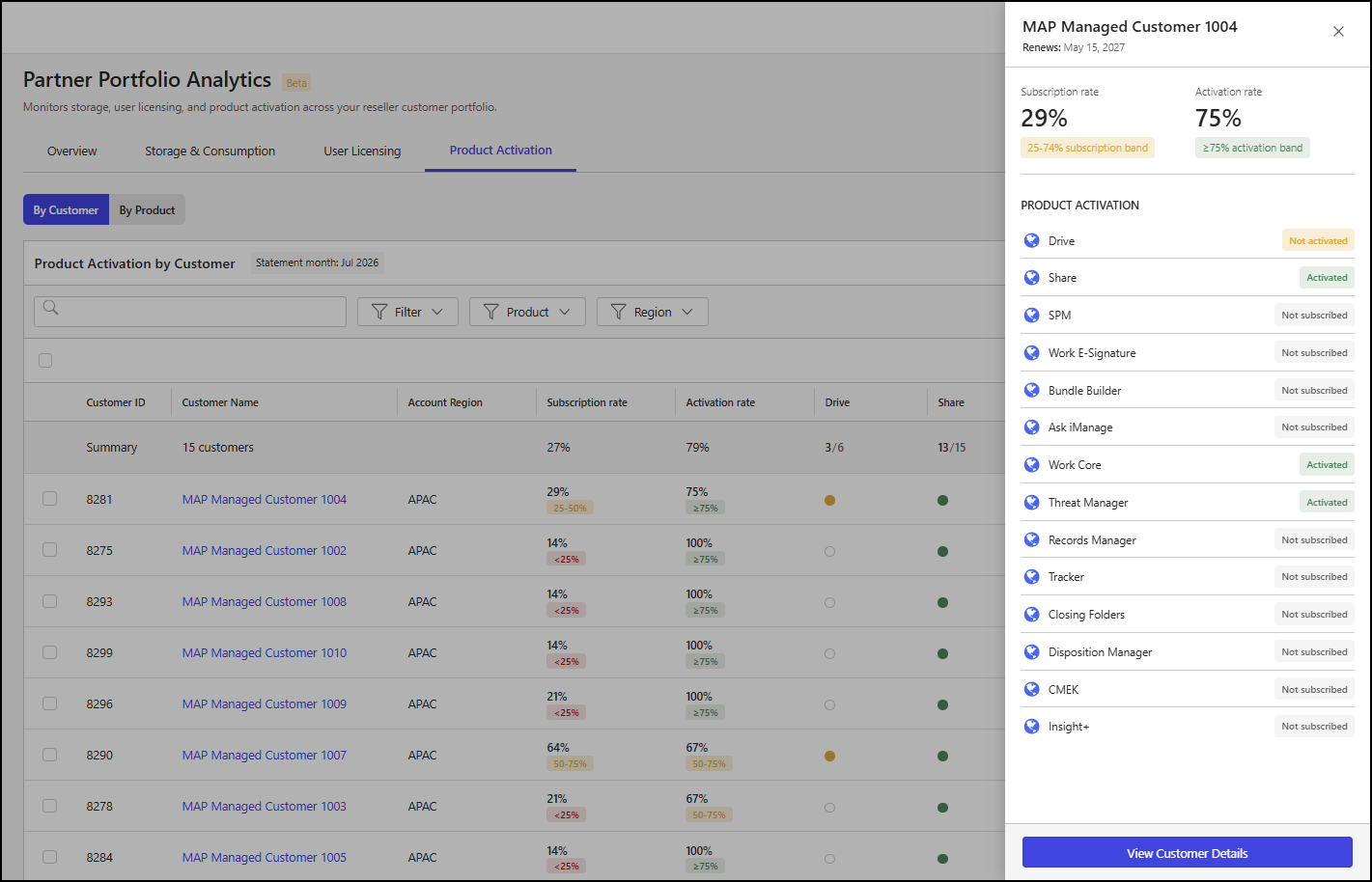
The customer product summary pane includes the following details:
Customer name: The name of the customer.
Renews: The iManage subscription renewal date for the customer.
Subscription rate: The percentage of iManage products to which the customer is subscribed. The following metrics are provided:
x%: The percentage of iManage products (x) to which the customer is subscribed.
Product subscription rate: The range in which the customer's product subscription percentage falls.
<25%: The product subscription rate is less than 25%. This indicator is shown in red.
25–74%: The product subscription rate is between 25% and 74%, inclusive. This indicator is shown in amber.
≥75%: The product subscription rate is greater than or equal to 75%. This indicator is shown in green.
Activation rate: The percentage of subscribed iManage products that the customer has activated. The following metrics are provided:
x%: The percentage of subscribed iManage products (x) that the customer has activated.
Product activation rate: The range in which the customer's subscribed product activation percentage falls.
<25%: The subscribed product activation rate is less than 25%. This indicator is shown in red.
25–74%: The subscribed product activation rate is between 25% and 74%, inclusive. This indicator is shown in amber.
≥75%: The subscribed product activation rate is greater than or equal to 75%. This indicator is shown in green.
Product Activation: A list of iManage products that shows subscription and activation details for each product. The following products are included in the list:
Ask iManage
Bundle Builder
Closing Folders
CMEK
Disposition Manager
Drive
Insight+
Records Manager
Share
SPM
Threat Manager
Tracker
Work Core
Work E-Signature
One of the following messages is displayed for each product:
Activated: The product is activated in the customer’s environment.
Not activated: The customer’s subscription includes the product, but it isn’t activated in their environment.
Not subscribed: The customer doesn’t have a subscription for the product.
View a detailed customer summary
To view more detailed information about a customer from the customer product summary pane, select View Customer Details. This will open a page with additional details about the selected customer. For more information, refer to Detailed customer summary.