The Product Activation tab on the Partner Portfolio Analytics page shows activation metrics for iManage products, organized by customer or by product. Use this tab to understand which products customers have activated, where activation may be incomplete, and where additional enablement, outreach, or adoption support may be needed. These insights can help Partners encourage broader product adoption and identify opportunities for cross-sell or expansion.
The Product Activation tab includes the following subtabs:
By Customer: Lists all customers in your portfolio. For each customer, the table indicates whether the customer subscribes to each iManage product and shows the customer’s overall iManage product subscription rate.
By Product: Lists all iManage products. For each product, the table shows the number and percentage of customers who are subscribed and activated.
NOTE: In this context, customer portfolio refers to your reseller-contracted customers who were live on cloudimanage.com during the selected billing period.
This section includes the following topics:
Accessing the Product Activation tab
To view the Product Activation tab on the Partner Portfolio Analytics page in iManage Admin Portal:
Go to https://cloudimanage.com/admin and sign in with your iManage credentials.
Browse to Partner Portfolio > Partner Portfolio Analytics and then select the Product Activation tab.
The following figure shows an example of the Product Activation tab.
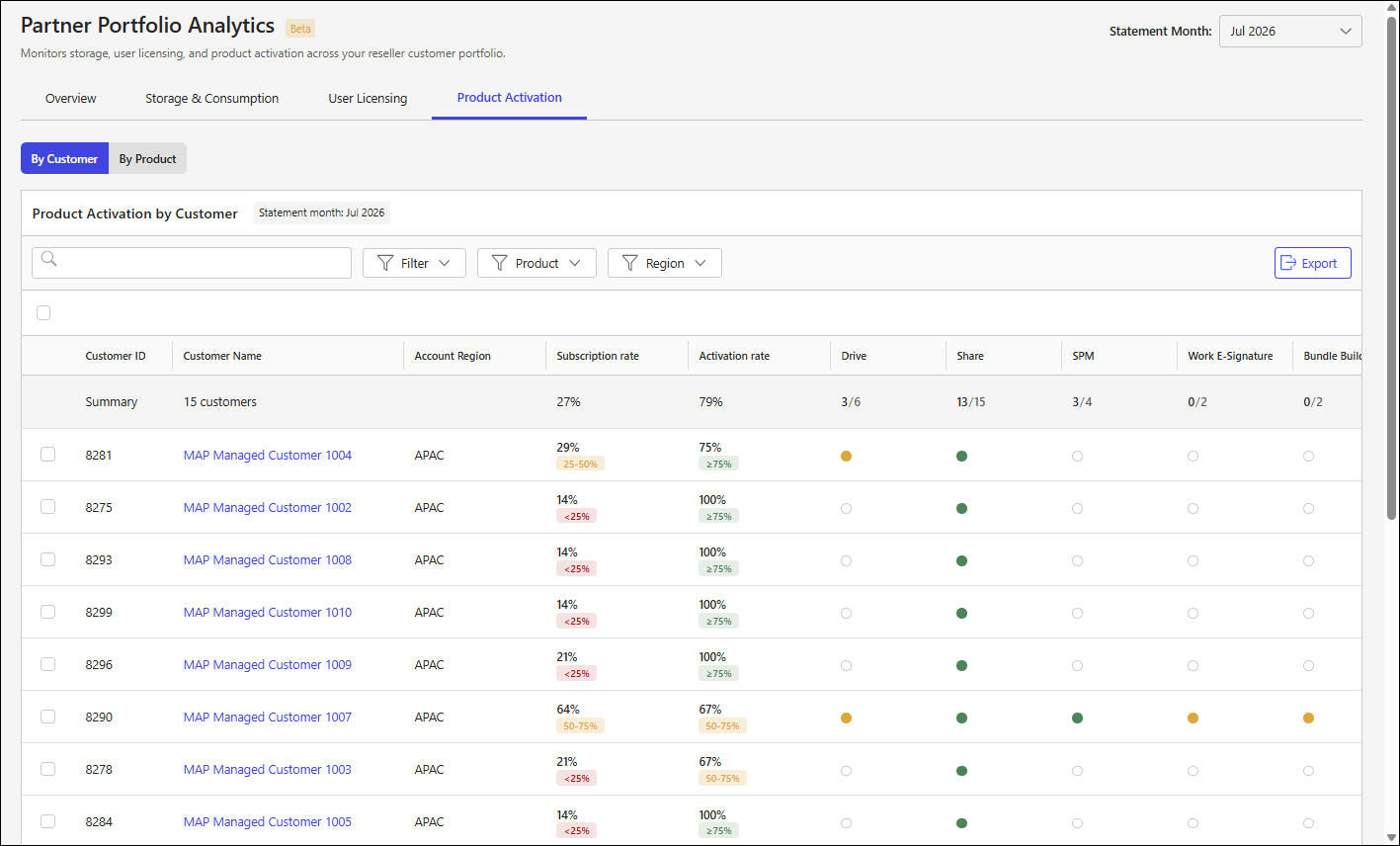
Product Activation tab sections
More information about the sections on the Product Activation tab is available in: