Login History page details
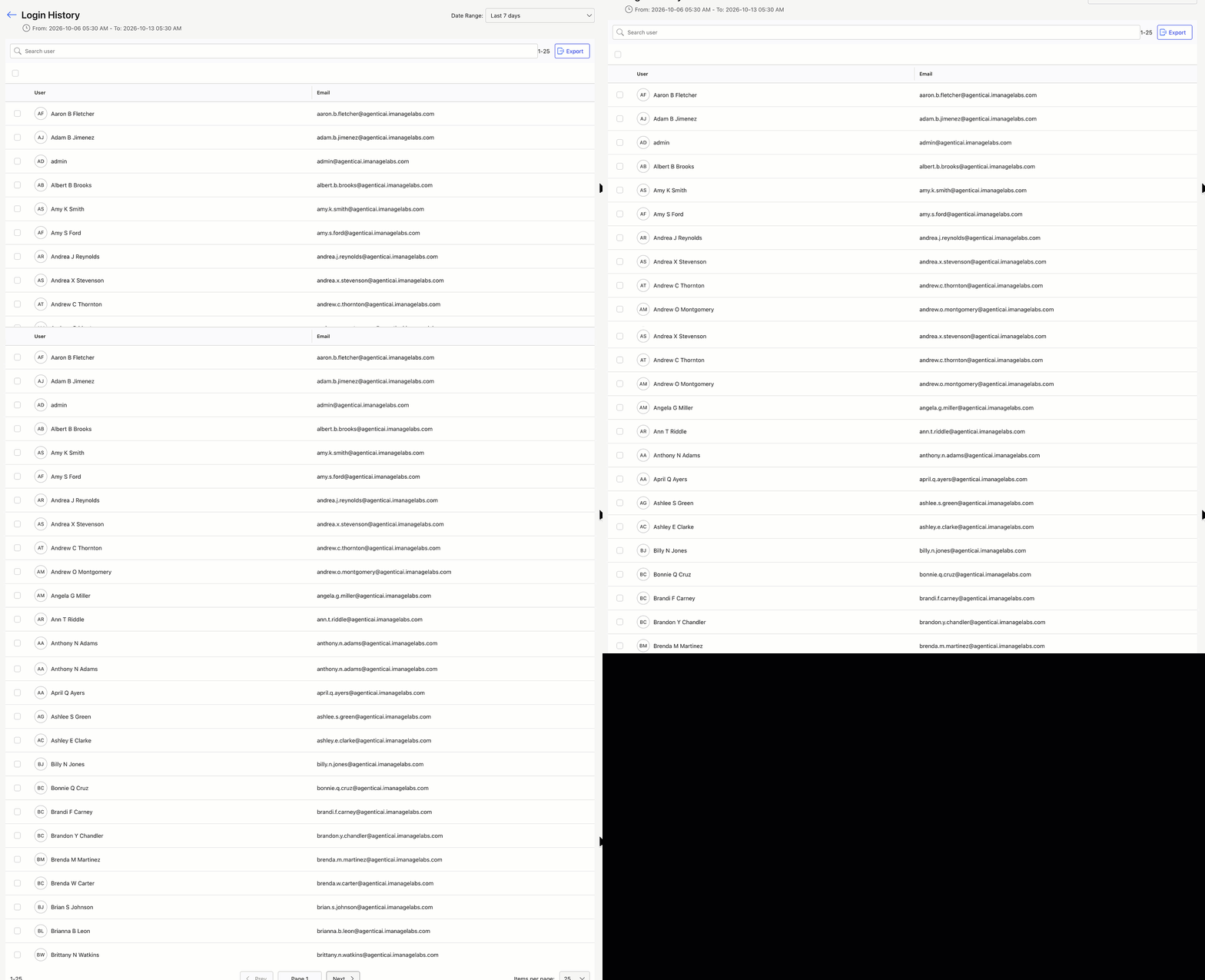
The Login History page shows a list of all your iManage Work users who’ve signed in during the specified data reporting interval. On this page, you can search for users and sort the list by user name or email.
An example of the Login History page is shown in the figures below.
NOTE:
This page shows the date range when the data was collected.
By default, the report on the Login History page displays data about your users from the last seven days.
Report data is available starting from August 3, 2025.
The user list shows each user who has signed in during the reporting period, and this information is updated daily.
To change the reporting period, refer to Login History page actions.
Login History page actions
On the Login History page, you can:
Adjust the data reporting period
Search for a user by user name or email
Specify the number of users shown per page
Browse through pages using the Prev and Next buttons
Download user login history details in CSV format
For more information on these actions, refer to the sections below.
Adjust the data reporting period
By default, the Login History page report displays data about your users from the last week. To change the data reporting period, select from the following options in the Date Range drop-down list:
Yesterday
Last 7 days (default)
Last 30 days
Search for a user
To search for a user on the Login History page, enter a search string in the Search user field.
Specify the number of users shown
To change the number of users shown in the Logins History tile, select from the following options in the Items per page drop-down list:
25 (default)
50
100
250
Browse through pages
To browse through pages in the Logins History tile, use the following options:
Prev: To go to the previous page
Next: To go to the next page
Download user login history details
To download user login history details for your iManage Work users in CSV format, select the Export button in the Login History page.