The privilege to create, edit, and remove collaboration links is granted to users through iManage Work library role assignments. This privilege is granted when a role is created or updated using the Roles page in iManage Control Center. All users assigned to a role that includes collaboration privileges can create, edit, and remove collaboration links.
The status of the collaboration privilege is shown for each role in the Collaboration column of the Roles page.
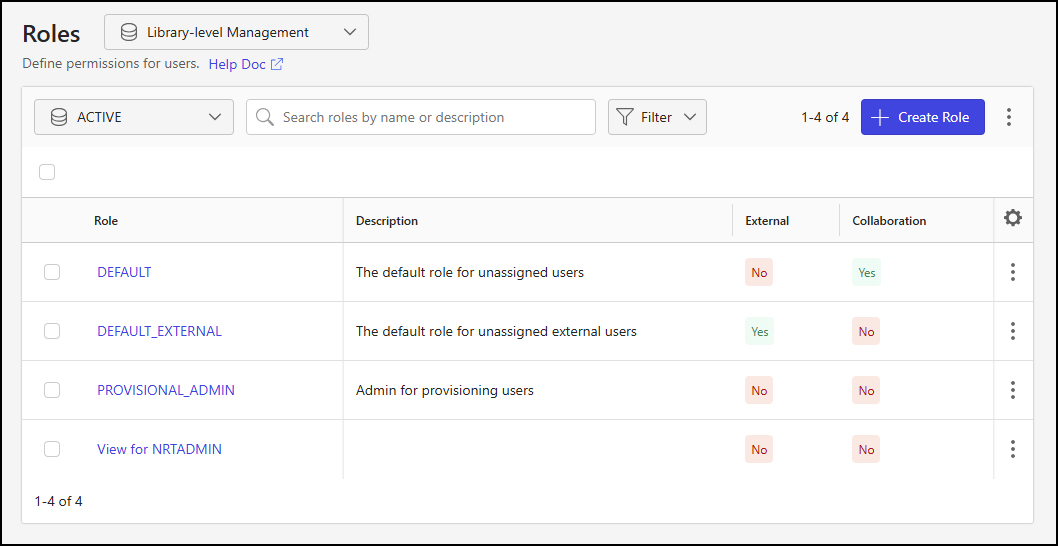
The steps to assign collaboration privileges to a role are described in the sections below. For more information about creating and editing roles, refer to Roles.
Grant collaboration privileges when creating a role
Follow these steps to grant collaboration privileges when creating a new role:
In iManage Control Center, browse to Access > Roles.
Select the Library-level Management option.
Select the library from the library drop-down list.
Select + Create Role.
In the Create Role dialog, use the guidance provided on the Roles page to set fields and assign privileges.
In the Work Application Privileges section of the dialog, slide the Send Collaboration Links toggle to the right.
Figure: Create Role dialog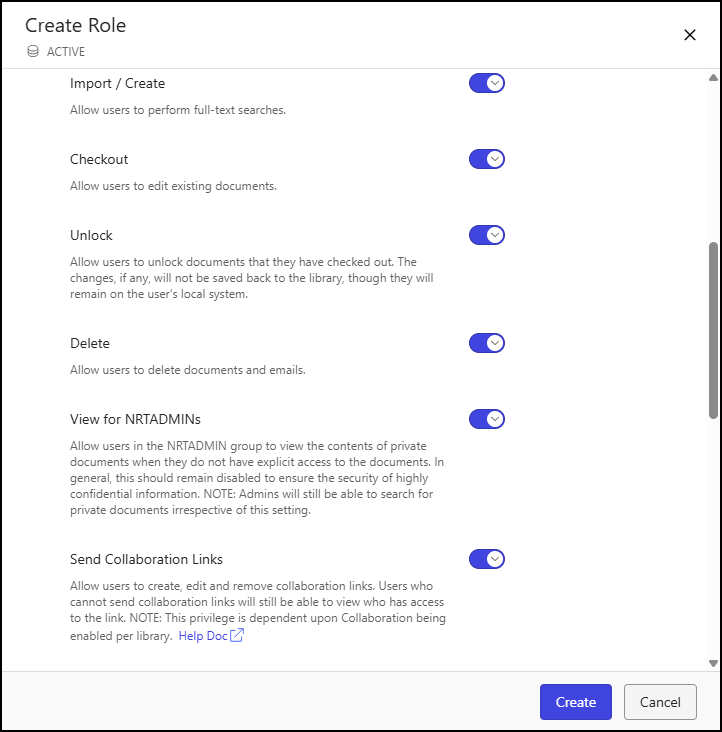
Select Create.
Grant collaboration privileges when updating a role
Complete these steps to enable collaboration privileges for an existing role:
In iManage Control Center, browse to Access > Roles.
Select the Library-level Management option.
Select the library from the library drop-down list.
Choose a role from the Roles page table and, using the right-click menu, kebab menu, or toolbar menu, select Edit.
In the Work Application Privileges section of the Edit Role dialog, slide the Send Collaboration Links toggle to the right.
Figure: Edit Role dialog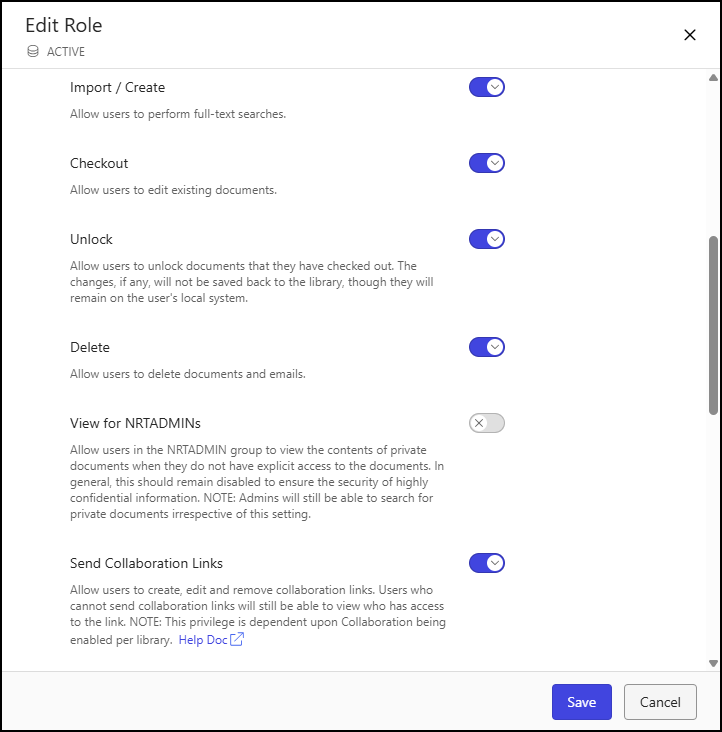
Select Save.
Revoke collaboration privileges
Complete these steps to revoke collaboration privileges for an existing role:
In iManage Control Center, browse to Access > Roles.
Select the Library-level Management option.
Select the library from the library drop-down list.
Choose a role from the Roles page table and, using the right-click menu, kebab menu, or toolbar menu, select Edit.
In the Work Application Privileges section of the Edit Role dialog, slide the Send Collaboration Links toggle to the left.
Figure: Edit Role dialog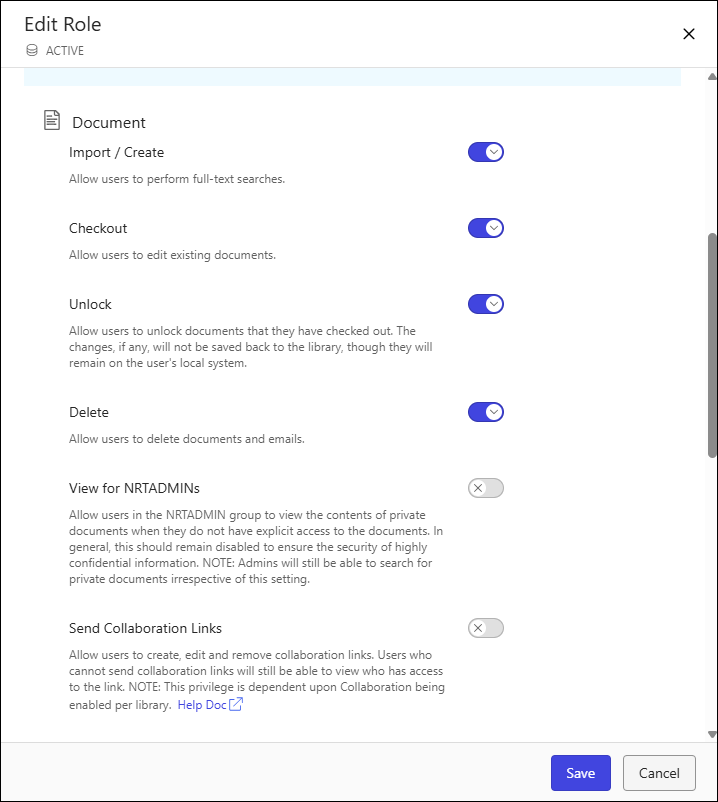
Select Save.