An event defines a specific action to be taken on a record. When you create an event, you configure:
Type: The action the event performs. The available event types are:
Automated: When selected, the application declares or destroys documents automatically when the criteria are met. When this option isn't selected, Records Managers have to manually process the tasks before they are run.
Requires Review: If the event requires review, Disposition Reviewers can view it on the Disposition Review page.
NOTE: Disposition Reviewers can be configured using custom fields in iManage Control Center and iManage Work and they can approve or deny tasks based on the selected review mode. Records Managers can also complete the review, but email notifications are sent only to assigned reviewers.
Destruction Timing: Either Exact Date (destroy on the precise date set by the retention policy) or End of Month (destroy on the last day of the month). Exact Date begins destruction on exactly the day the content meets retention, according to the schedule.
End of Month date destroys the record at the end of the month when the content meets retention, according to the schedule.Period: The amount of time before the event occurs (entered as a number of years, months, or days). If set to 0, the event takes place immediately (when applicable).
After creating events, group them to create a complete retention schedule that's to be applied to workspaces or folders. You can create as many events as you want and apply the same event to multiple schedules.
The Events page in iManage Disposition Manager displays all the events that are created.
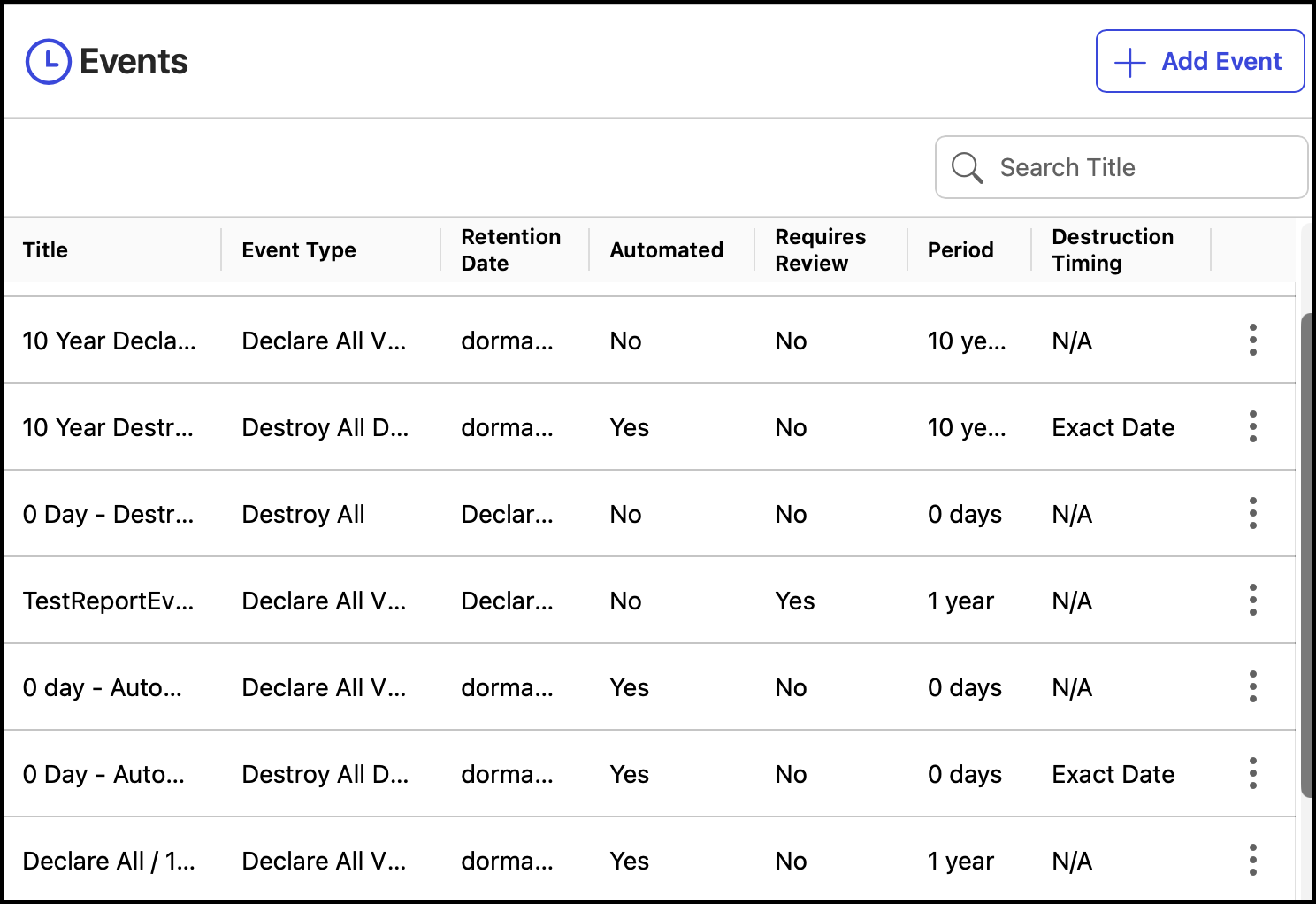
NOTE: The Title column in Events page to display the entire title name consistent with the Tasks page, with titles truncated after three lines where necessary.
On the Events page, you can:
Edit or delete events using the Edit or Delete options
View the event timeline using the Timeline option
NOTE: You need to be a Records Manager to create events.