A retention schedule in iManage Disposition Manager is a group of events that are applied to the same content, together, and dictates when and what iManage Disposition Manager does to the content of the workspaces or folders to which it's applied.
More broadly, a retention and disposition schedule specifies how long to retain records and enable timely and systematic disposal by setting retention and disposal guidelines based on business requirements.
You can create any number of schedules.
NOTE: You need to be a Records Manager to create schedules.
The Schedules page in iManage Disposition Manager displays all the schedules that are created.
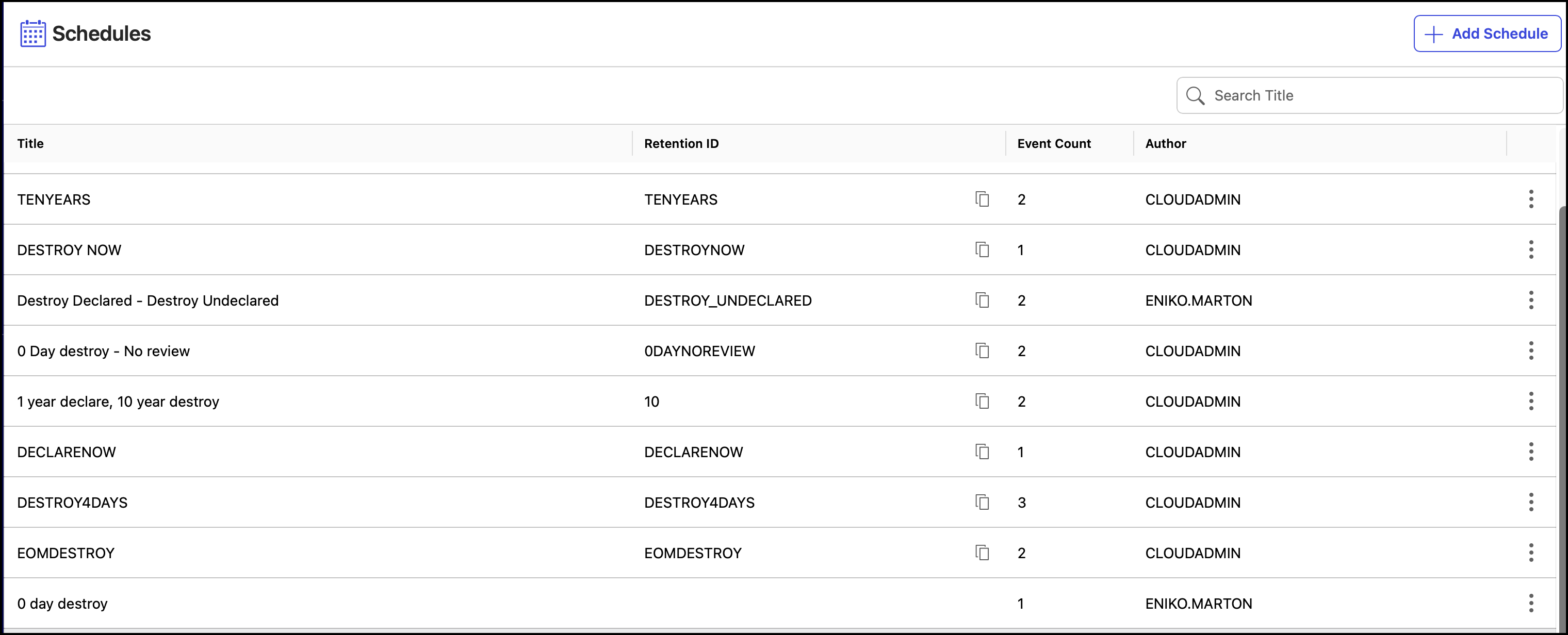
NOTE: Title column on the Schedules page displays the entire title name consistent with the Tasks page, with titles truncated after three lines where necessary.
You can also use this page to:
View the schedule timeline using the Timeline option
IMPORTANT: When two tasks (one declare and one destruction task) are scheduled to run on the same day and at the same time, the declare task runs first. There's one attempt to trigger the destruction task after the declare task is completed. For some reason, if the destruction task can't run, it'll be automatically triggered the next day, unless triggered manually.
When records are destroyed, they're deleted from iManage Work at cloudimanage.com and can't be retrieved or restored. Records aren't destroyed immediately when events to destroy records are created, or added to a schedule, or applied to workspaces, folders, or subfolders. Records are destroyed when tasks defined by these destroy events are manually or automatically executed.