As the administrator for your organization, you must enable the pgcrypto extension, before decrypting data.
To enable the pgcrypto extension:
Sign in to your Microsoft Azure portal.
Select segment-postgres > Settings > Server parameters.
On the All tab, in the Search to filter items search box, enter azure.extensions.
Select the Value drop-down list, enter crypto, and then select the check box for PGCRYPTO.
Figure: Enabling the pgcrypto extension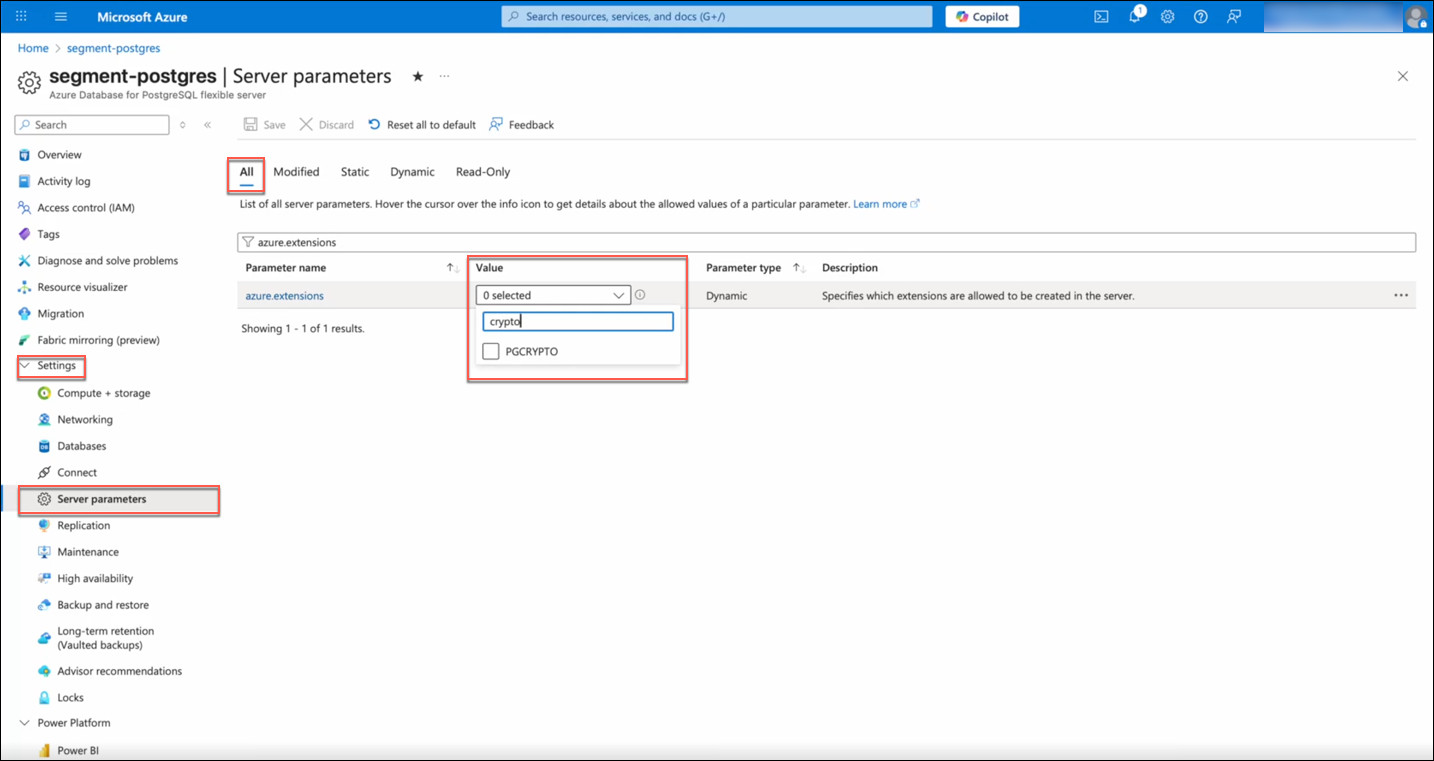
Select Save.
The Overview dialog displays the Deployment is in progress status.Figure: Overview dialog of pgcrypto deployment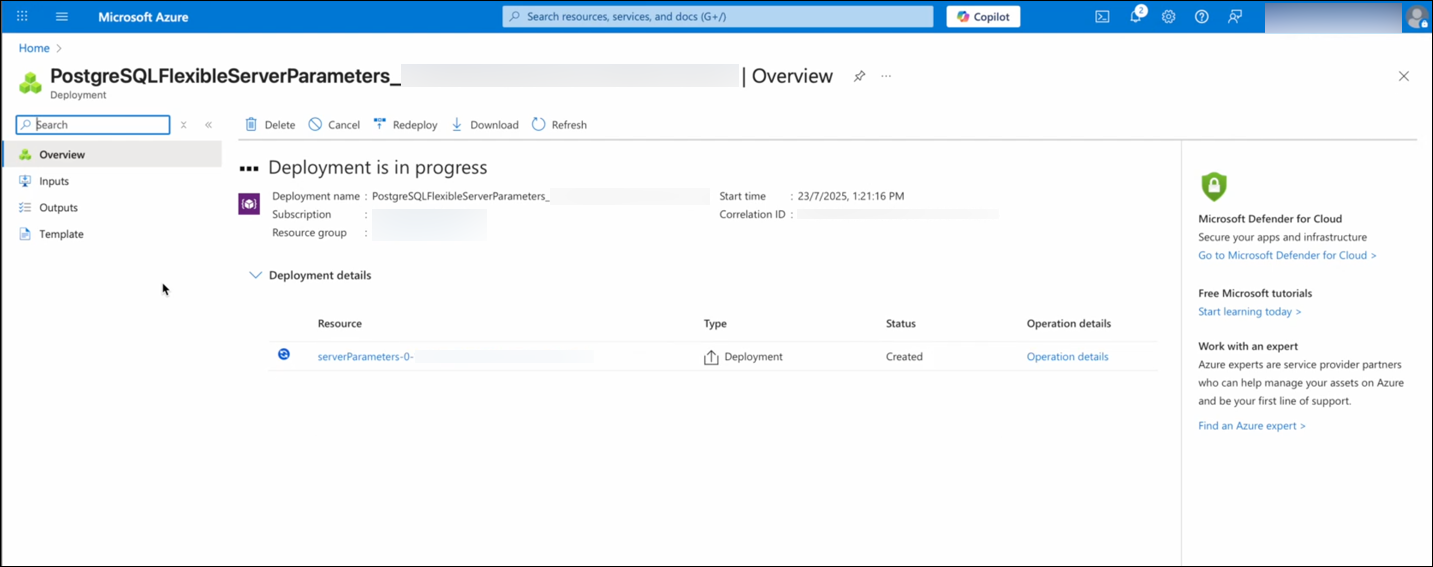
Select serverParameters under Resource.
After the deployment is complete, the “Your deployment is complete” message is displayed.
To confirm if the server parameter value is saved as PGCRYPTO:
In the Overview dialog, select Go to resource.
Select Settings > Server parameters.
On the All tab, in the Search to filter items search box, enter azure.extensions.
PGCRYPTO is displayed in the Value field.