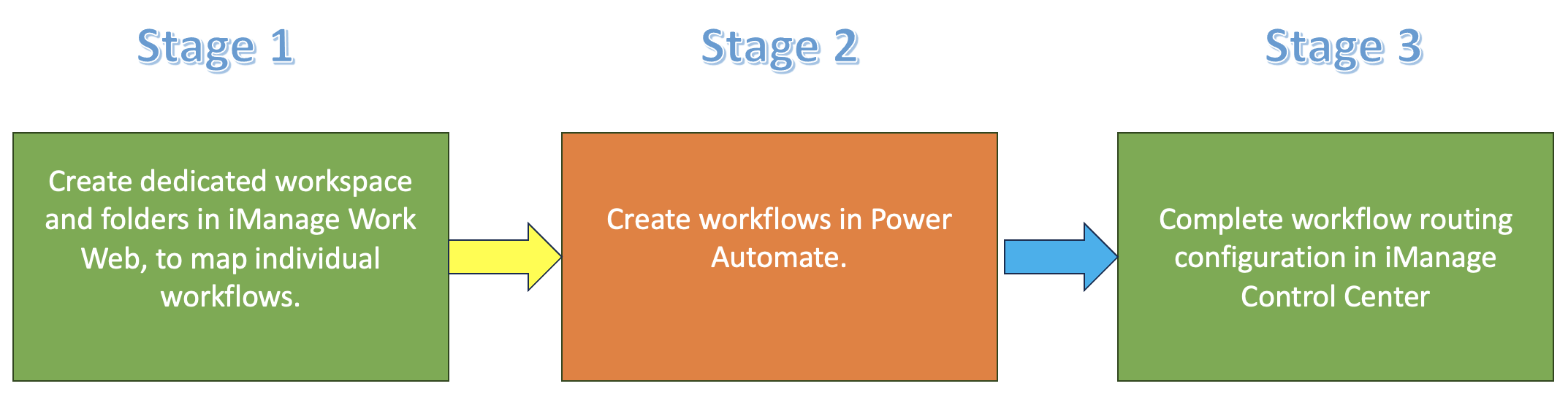
Workflow routing helps administrators configure where the knowledge documents would be stored for access later in iManage Work Web. Workflow routing is a three-stage activity that must be configured by administrators.
Figure: Configuring Workflow routing
Good to know:
Stage 1 related information: Creating workspaces and folders
Stage 2 related information:
Stage 3 related information: Configuring the workflow routing in iManage Control Center
Configuring the workflow routing in iManage Control Center
Sign in to iManage Control Center.
In the left navigation pane, select Extensions and then select Insight+ Curation.
Select the knowledge library where you wish to use Insight+ Curation.
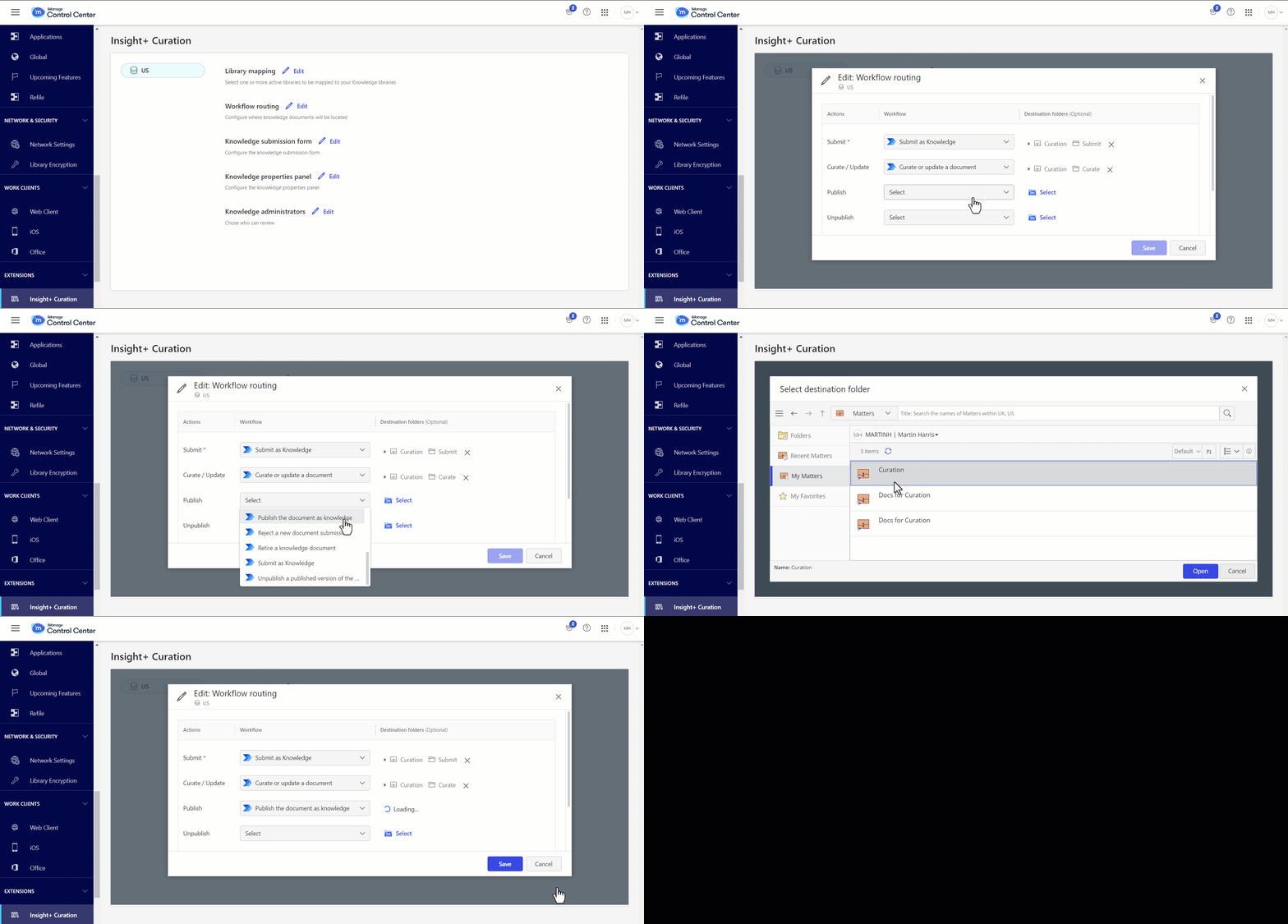
Select Edit next to Workflow routing. The Edit: Workflow routing dialog appears with the following actions:
Submit
Curate/Update
Publish
Unpublish
Retire
Reject
Select a Power Automate workflow. For more information on workflows, refer to Configuring the workflow in Microsoft Power Automate.
Choose Select to browse to the destination folder and select it.
Select Save.
Figure: Mapping the workflow and destination folder for Publish action