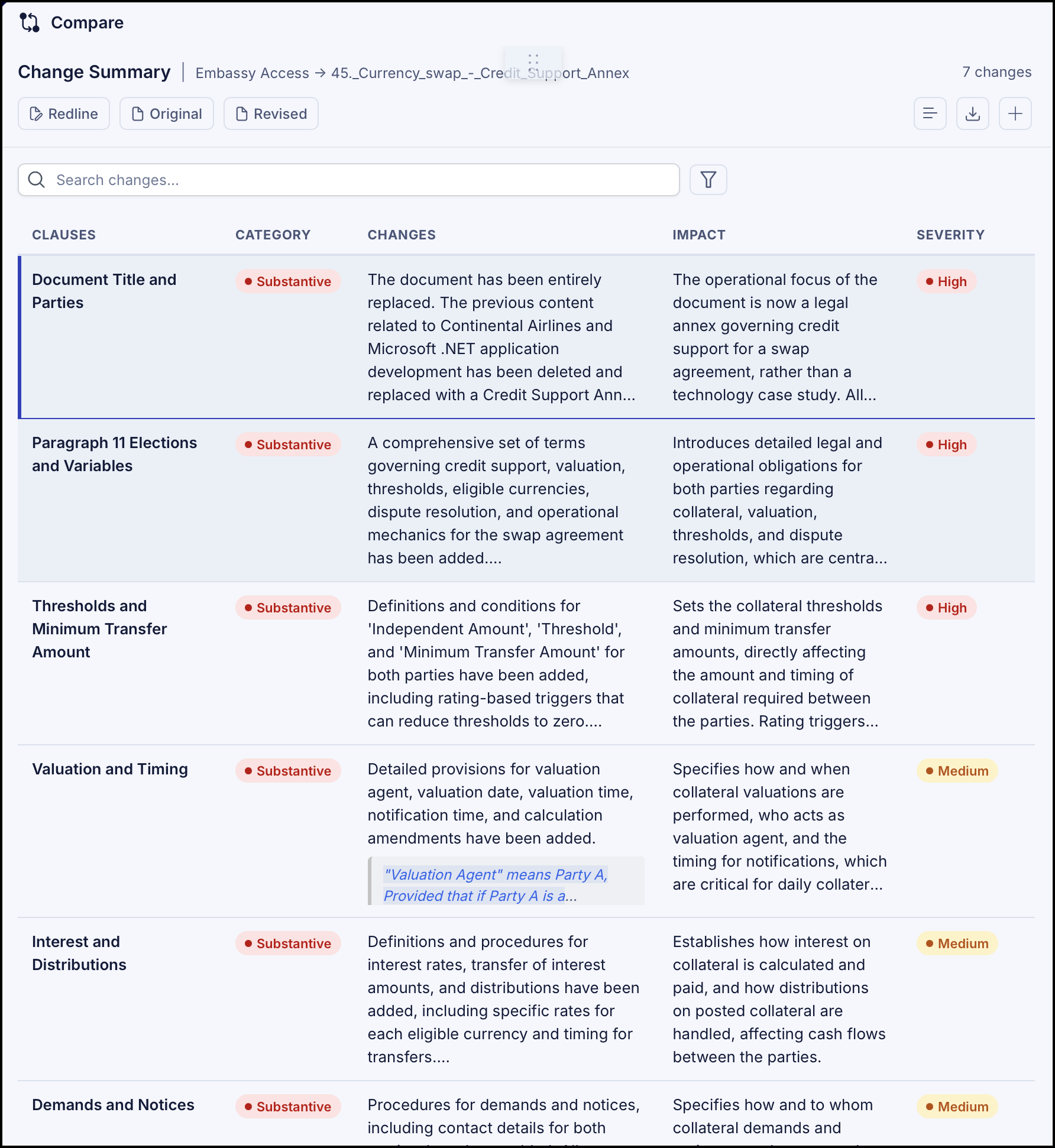
The Change Summary provides classifications of the changes. This helps you prioritize the review and focus your attention on changes that matter. The following categories are available:
Commercial: Changes to financial terms, pricing, payment, or core business deal points.
Substantive: Changes that alter legal rights, obligations, risks, or the parties' legal relationship.
Clarification: Changes that improve clarity or fix ambiguity without changing substantive or commercial meaning.
Administrative: Minor edits to style, format, or obvious errors.
Additionally, it also provides an impact of the change on the document. The following values are displayed:
High
Medium
Low
When viewing the change summary, you can also:
Use the up and down arrow keys to browse through the change summary.
Search for change summary using the Search changes field.
In this section
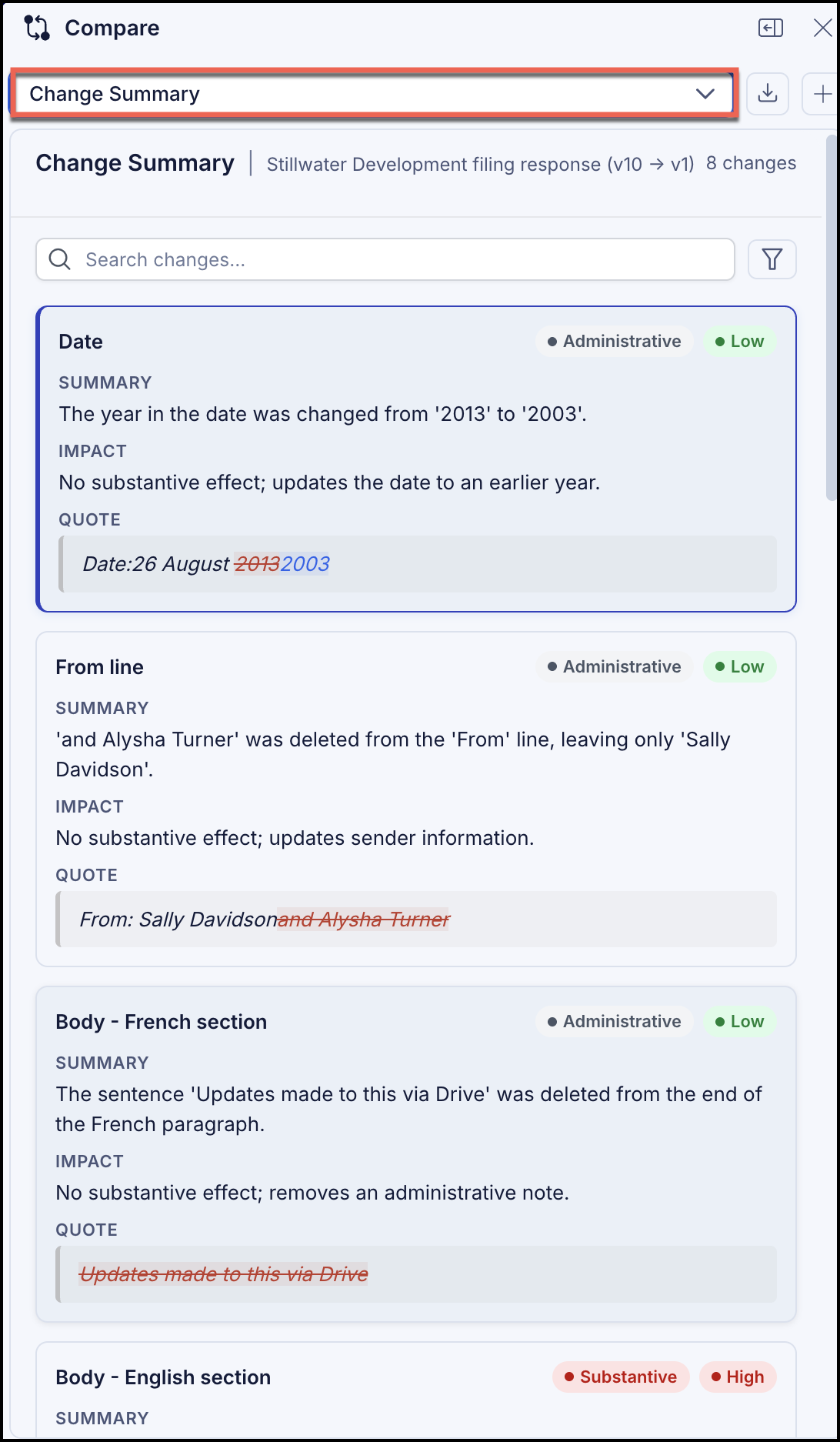
View change summary in collapsed Compare panel
You can view the change summary by selecting Change summary from the drop-down in the Compare panel.
View change summary in table format
Switch from the collapsed side panel to the expanded view, select
 Show expanded view.
Select
 Switch to table view to view the change summary in table format. Figure: View change summary in table format